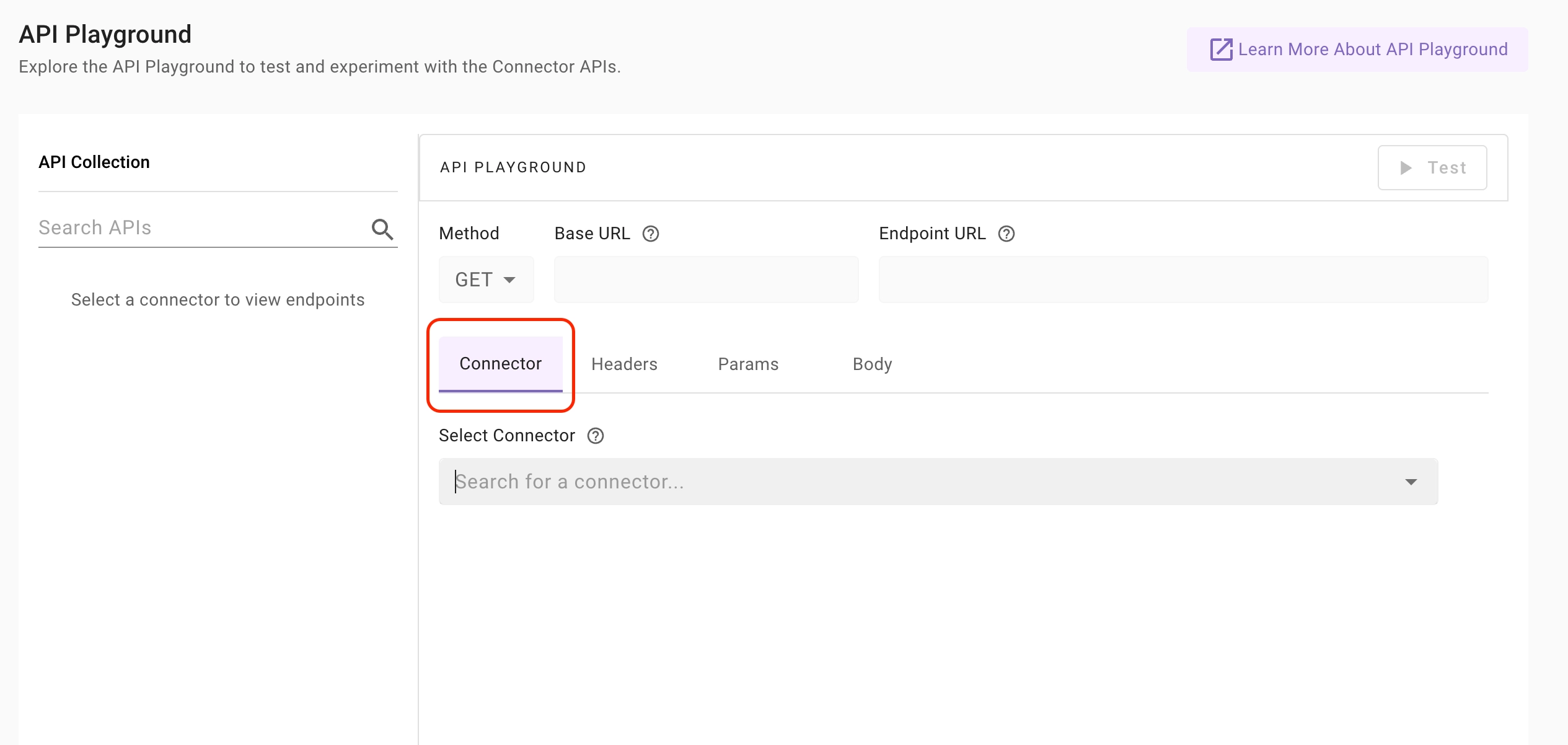
 2. Use the **Select Connector** dropdown to choose the specific connector for the external system whose APIs you want to test.
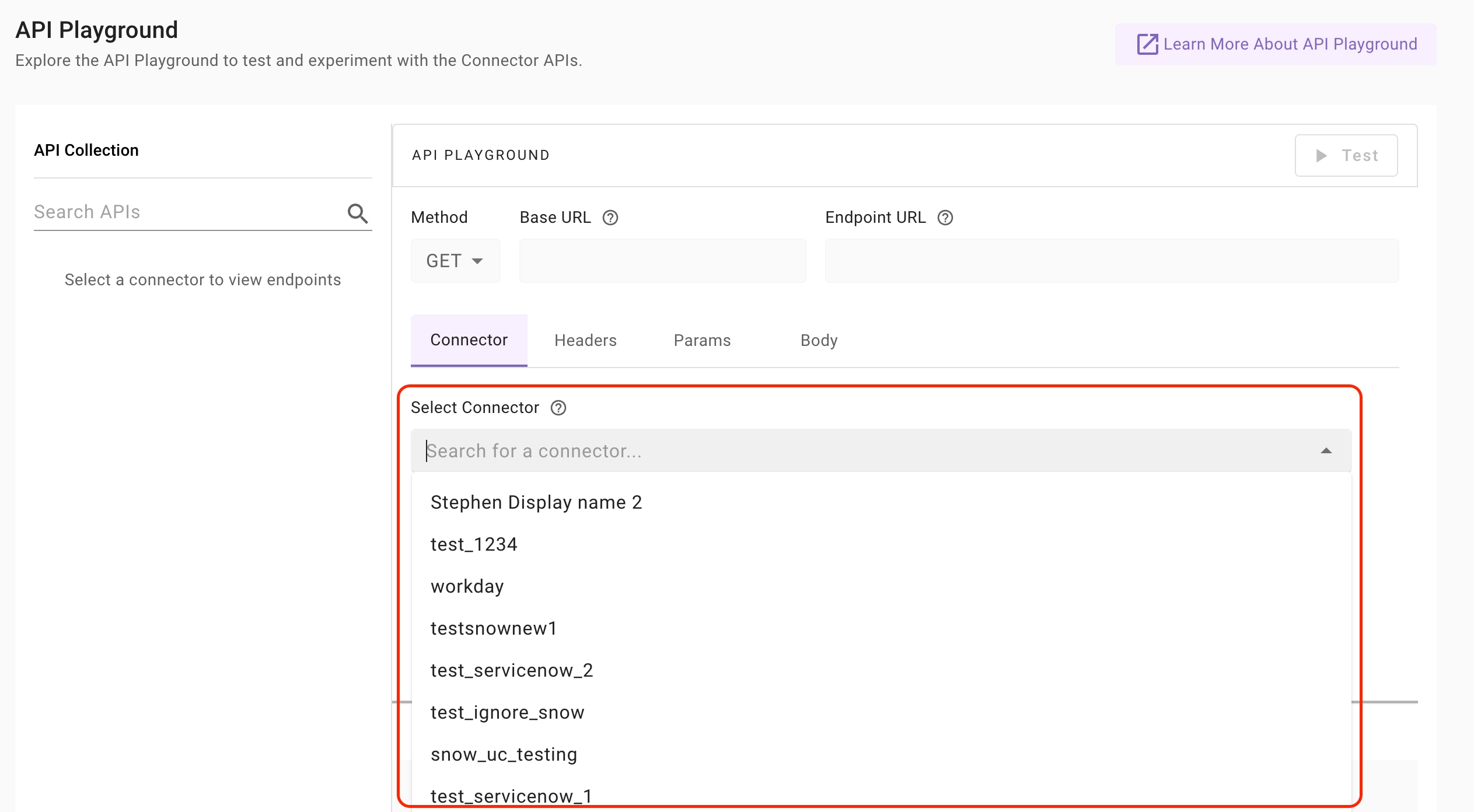 3. Once a connector is selected:
1. The Base URL is automatically derived from the connector configuration.
2. Authentication is automatically applied.
3. API Collections for that system become visible in the left panel.
3. Once a connector is selected:
1. The Base URL is automatically derived from the connector configuration.
2. Authentication is automatically applied.
3. API Collections for that system become visible in the left panel.
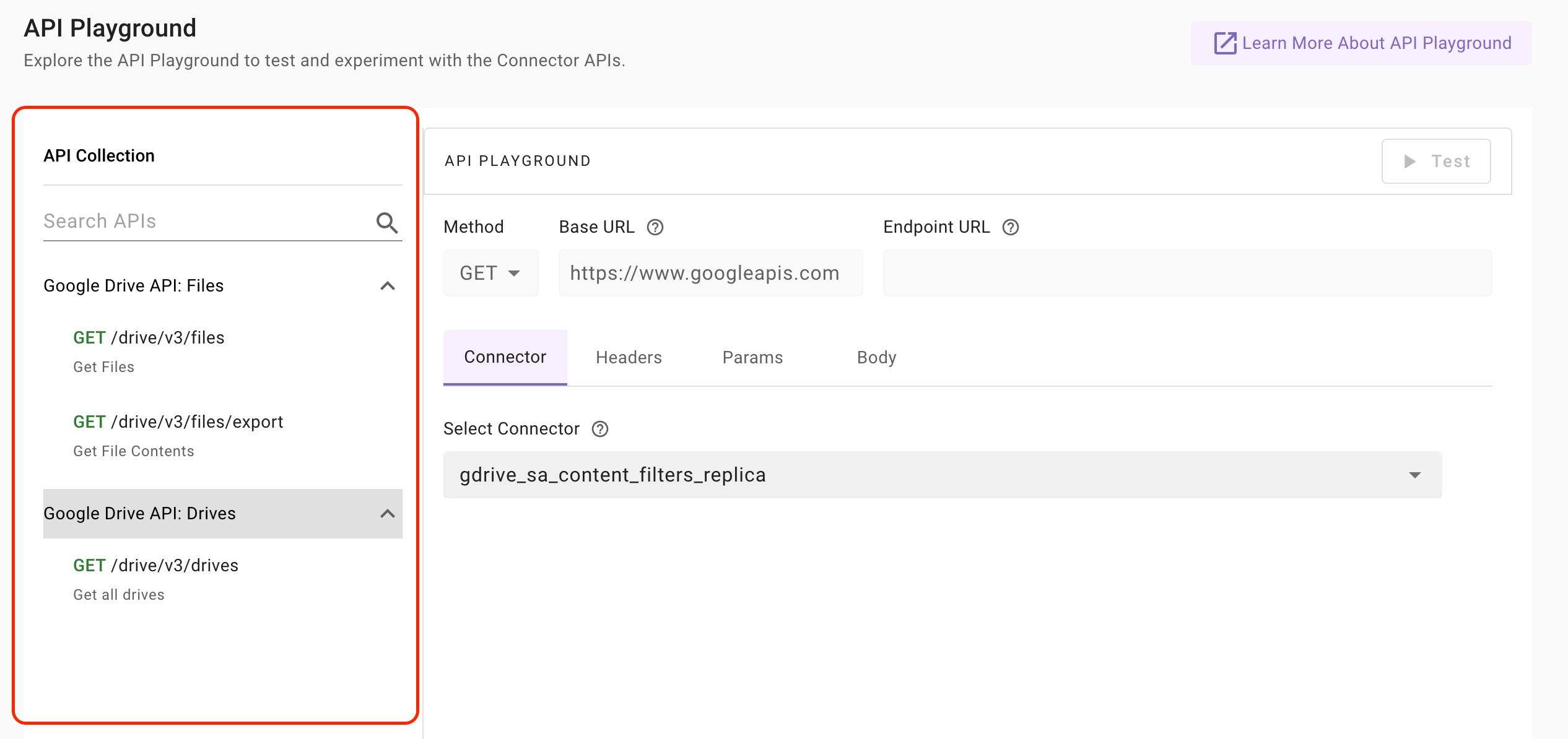
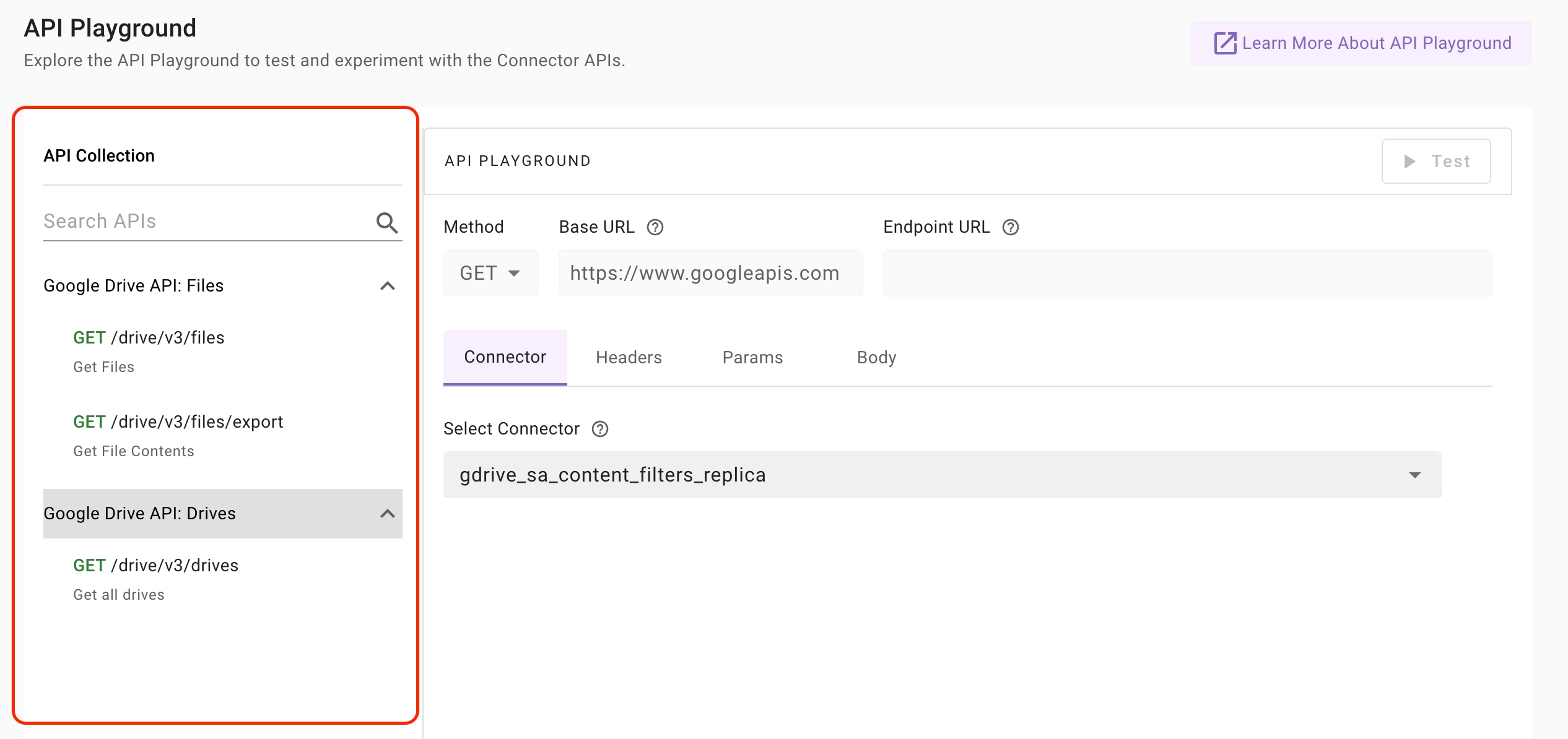 * Use the **Search APIs** field to quickly find endpoints.
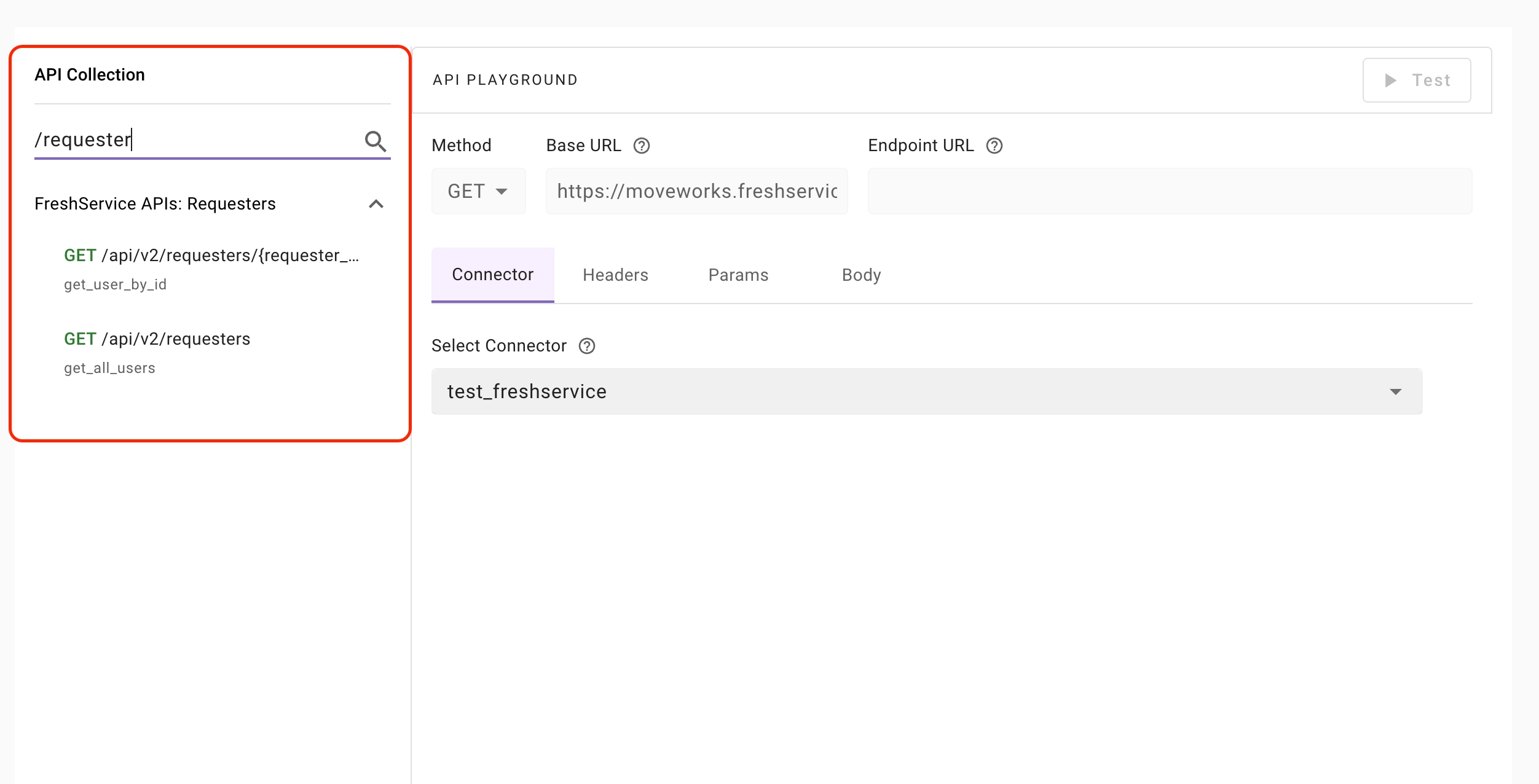 * Click on any API to load it into the editor.
**When an API is selected:**
* The HTTP method is auto-selected.
* The Base URL is automatically resolved.
* The Endpoint path is populated.
* Query parameters (if applicable) are pre-filled.
* Request body (if applicable) is pre-populated.
* The correct authentication profile is inferred and applied.
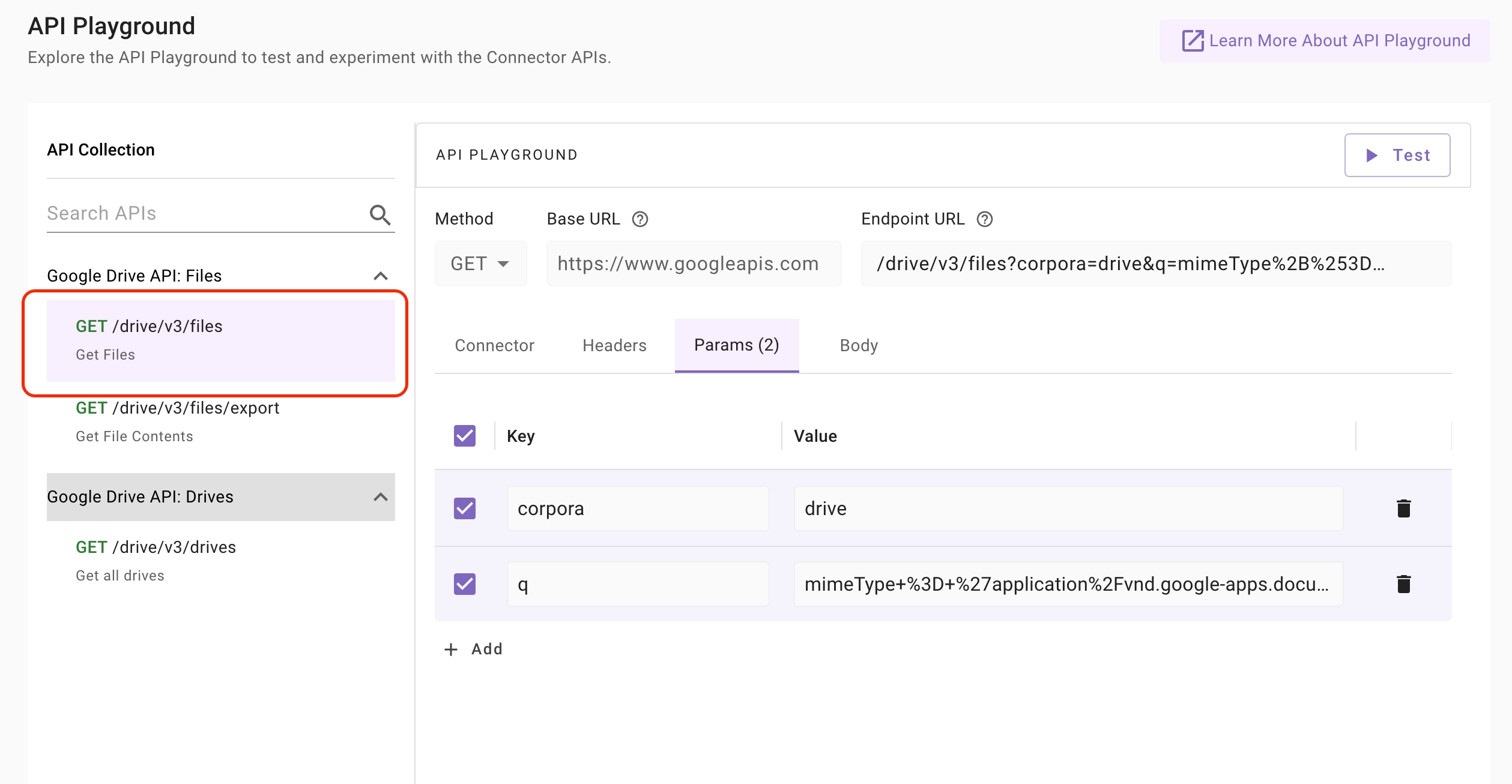
* Click on any API to load it into the editor.
**When an API is selected:**
* The HTTP method is auto-selected.
* The Base URL is automatically resolved.
* The Endpoint path is populated.
* Query parameters (if applicable) are pre-filled.
* Request body (if applicable) is pre-populated.
* The correct authentication profile is inferred and applied.
 ### **API Playground Editor (Right Side)**
The right panel allows you to review, modify and test the API request.
#### **Method**
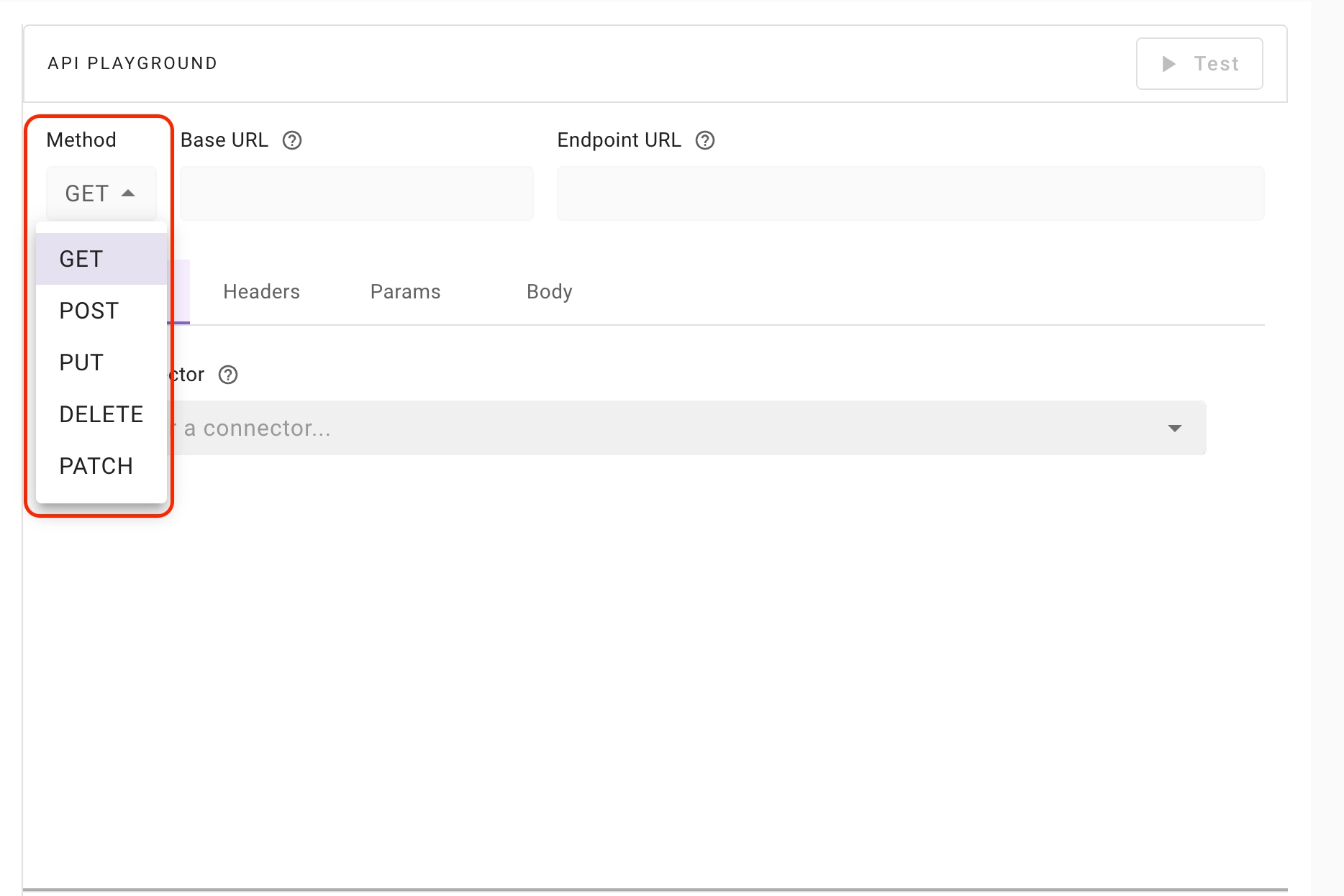
An API method defines the type of action the client wants the server to perform on a resource. The supported API methods in API Playground are:
* `GET`: Retrieve data from the server (read operation)
* `POST`: Create new resources or submit data to the server
* `PUT`: Update or replace an existing resource entirely
* `PATCH`: Partially update an existing resource
* `DELETE`: Remove a resource from the server
### **API Playground Editor (Right Side)**
The right panel allows you to review, modify and test the API request.
#### **Method**
An API method defines the type of action the client wants the server to perform on a resource. The supported API methods in API Playground are:
* `GET`: Retrieve data from the server (read operation)
* `POST`: Create new resources or submit data to the server
* `PUT`: Update or replace an existing resource entirely
* `PATCH`: Partially update an existing resource
* `DELETE`: Remove a resource from the server
 #### **Base URL**
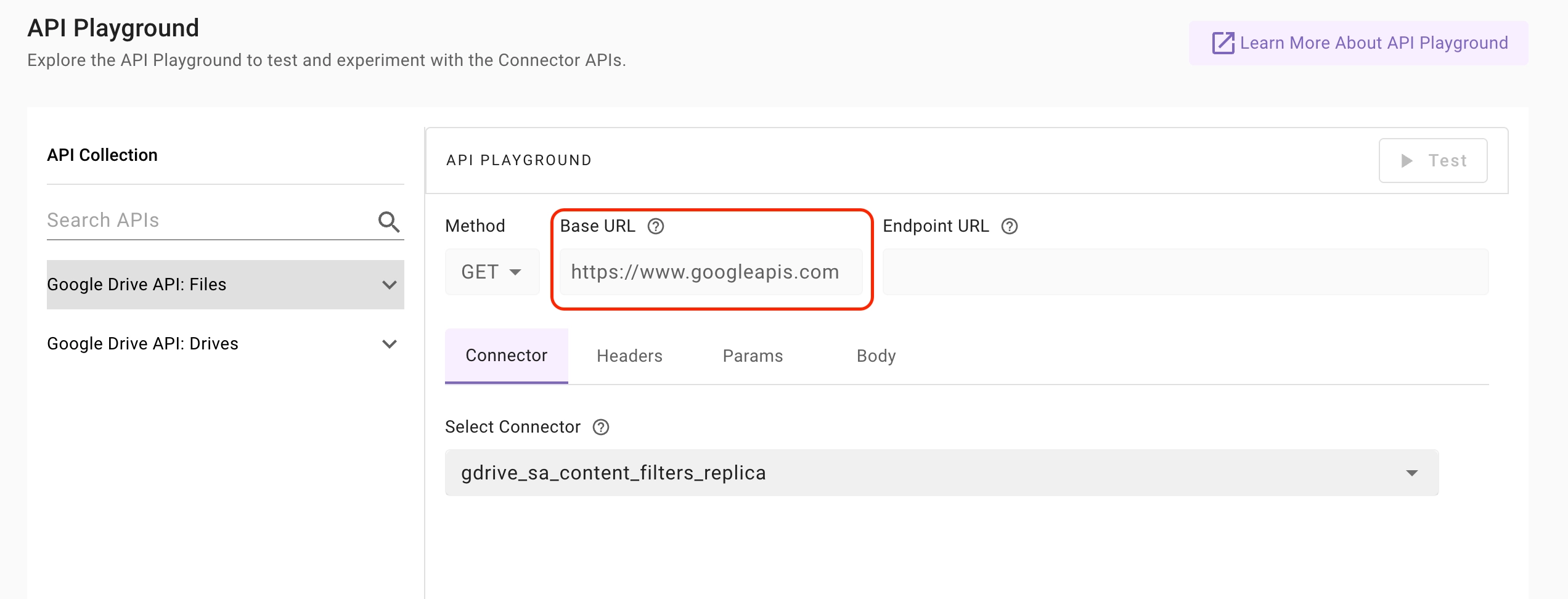
* The Base URL represents the root endpoint of an API. For example, in the URL `https://api.example.com/v1/users`, the base URL is `https://api.example.com`
#### **Base URL**
* The Base URL represents the root endpoint of an API. For example, in the URL `https://api.example.com/v1/users`, the base URL is `https://api.example.com`
 * It is used to construct API endpoints by appending paths such as `/users`, `/products`, or `/orders` to access different resources
* In API Playground, the Base URL field is **not editable**, as it is automatically resolved based on the selected API from the API Collection of the chosen connector.
#### **Endpoint URL**
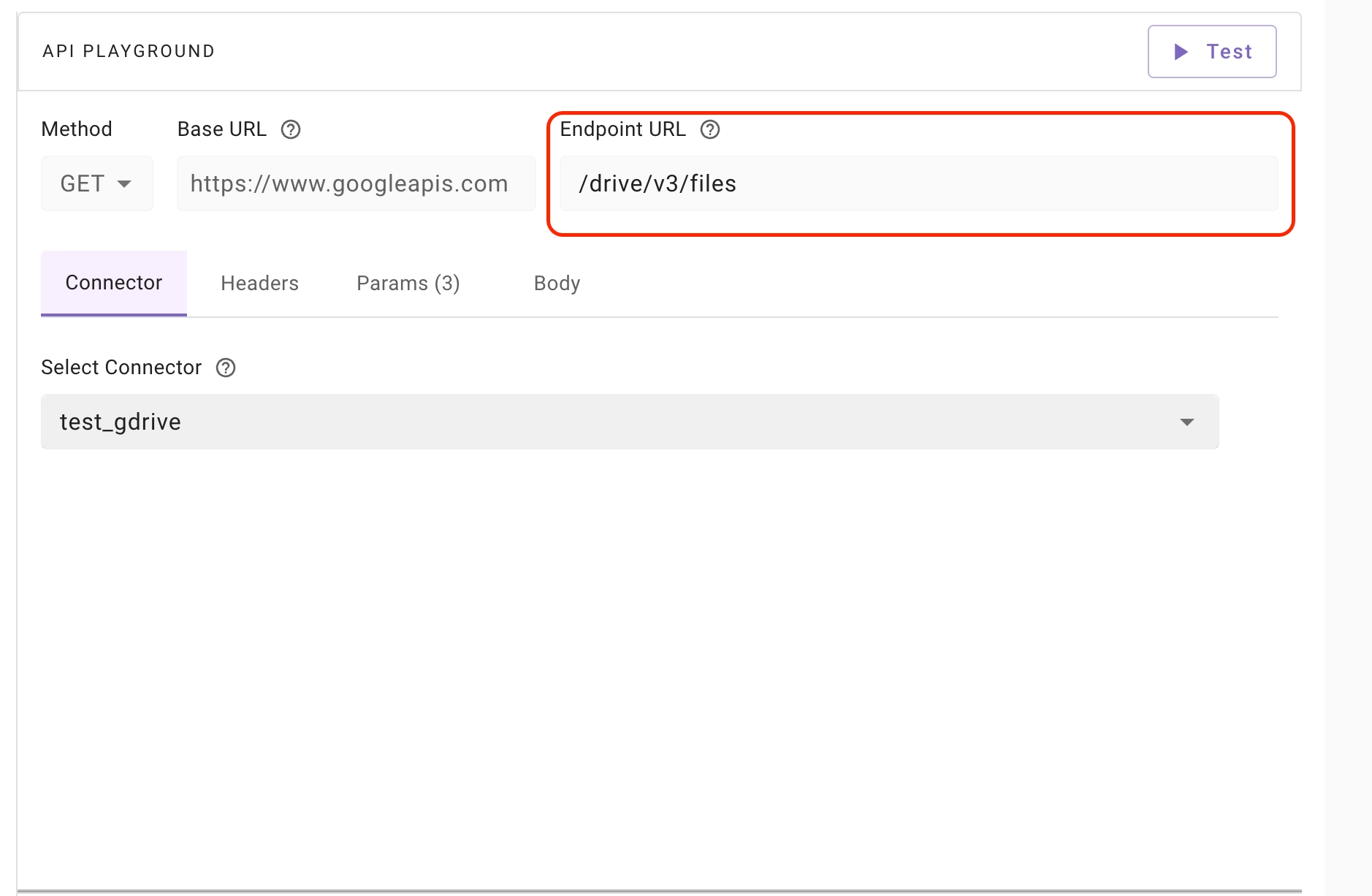
The Endpoint URL represents the specific API path being called.
* An API endpoint is a specific URL path that represents a particular resource within an API. For example, in the URL `https://api.example.com/v1/users`, the endpoint is `/v1/users`.
* The Endpoint URL is populated when you select an API from the API Collection.
* If the API you want to test is not available in the API Collection, you can manually edit the Endpoint URL field to enter the desired API path.
* It is used to construct API endpoints by appending paths such as `/users`, `/products`, or `/orders` to access different resources
* In API Playground, the Base URL field is **not editable**, as it is automatically resolved based on the selected API from the API Collection of the chosen connector.
#### **Endpoint URL**
The Endpoint URL represents the specific API path being called.
* An API endpoint is a specific URL path that represents a particular resource within an API. For example, in the URL `https://api.example.com/v1/users`, the endpoint is `/v1/users`.
* The Endpoint URL is populated when you select an API from the API Collection.
* If the API you want to test is not available in the API Collection, you can manually edit the Endpoint URL field to enter the desired API path.
 #### **Headers**
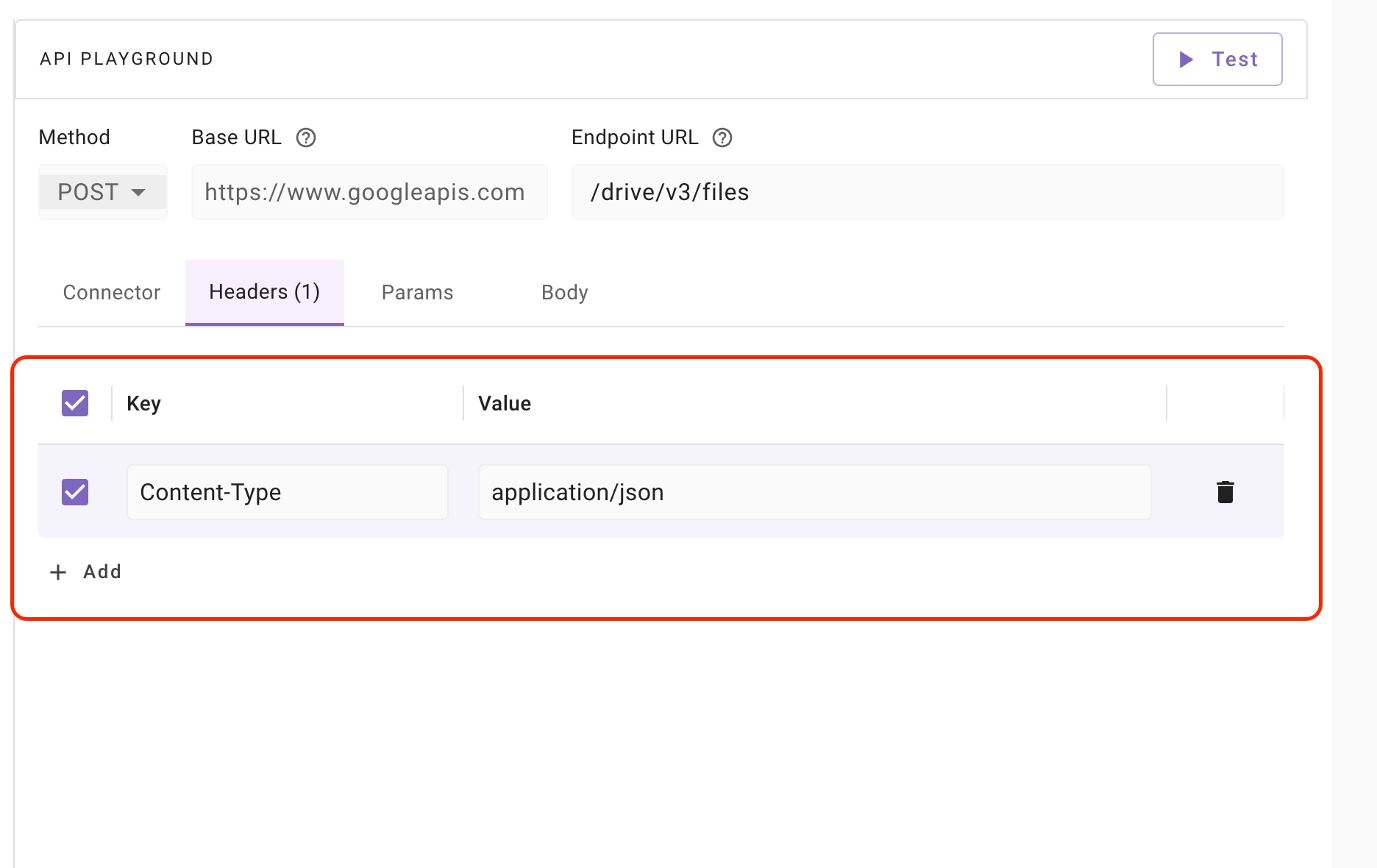
API Headers contain additional metadata in key-value pairs about the request or response, such as content type, authorization, and other information exchanged between the client and server.
* Authorization headers are automatically populated when you select an API from the API Collection.
* You can manually add, edit, or remove header fields if required for your API request.
#### **Headers**
API Headers contain additional metadata in key-value pairs about the request or response, such as content type, authorization, and other information exchanged between the client and server.
* Authorization headers are automatically populated when you select an API from the API Collection.
* You can manually add, edit, or remove header fields if required for your API request.
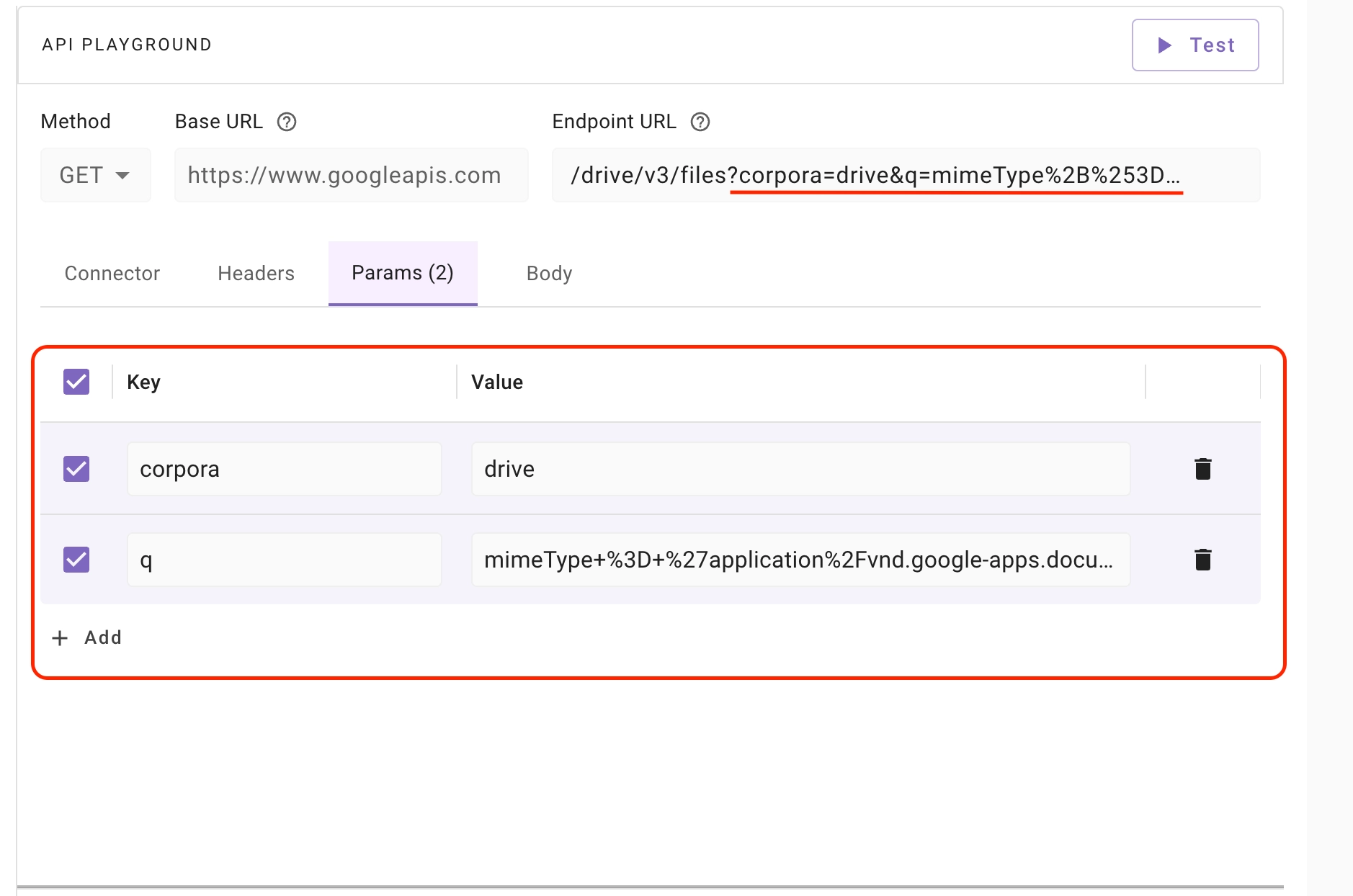 **Use Cases of Query Params:**
* **Filtering:** Selecting specific items based on certain criteria (e.g., `https://example.com/products?category=shoes`)
* **Sorting:** Arranging the results in a specific order (e.g., `https://example.com/products?sort=price&order=desc`)
* **Pagination:** Retrieving data in chunks or pages (e.g., `https://example.com/products?page=2&limit=10`)
* **Searching:** Finding items that match a specific search term (e.g., `https://example.com/products?q=blue shirt`)
#### **Request Body**
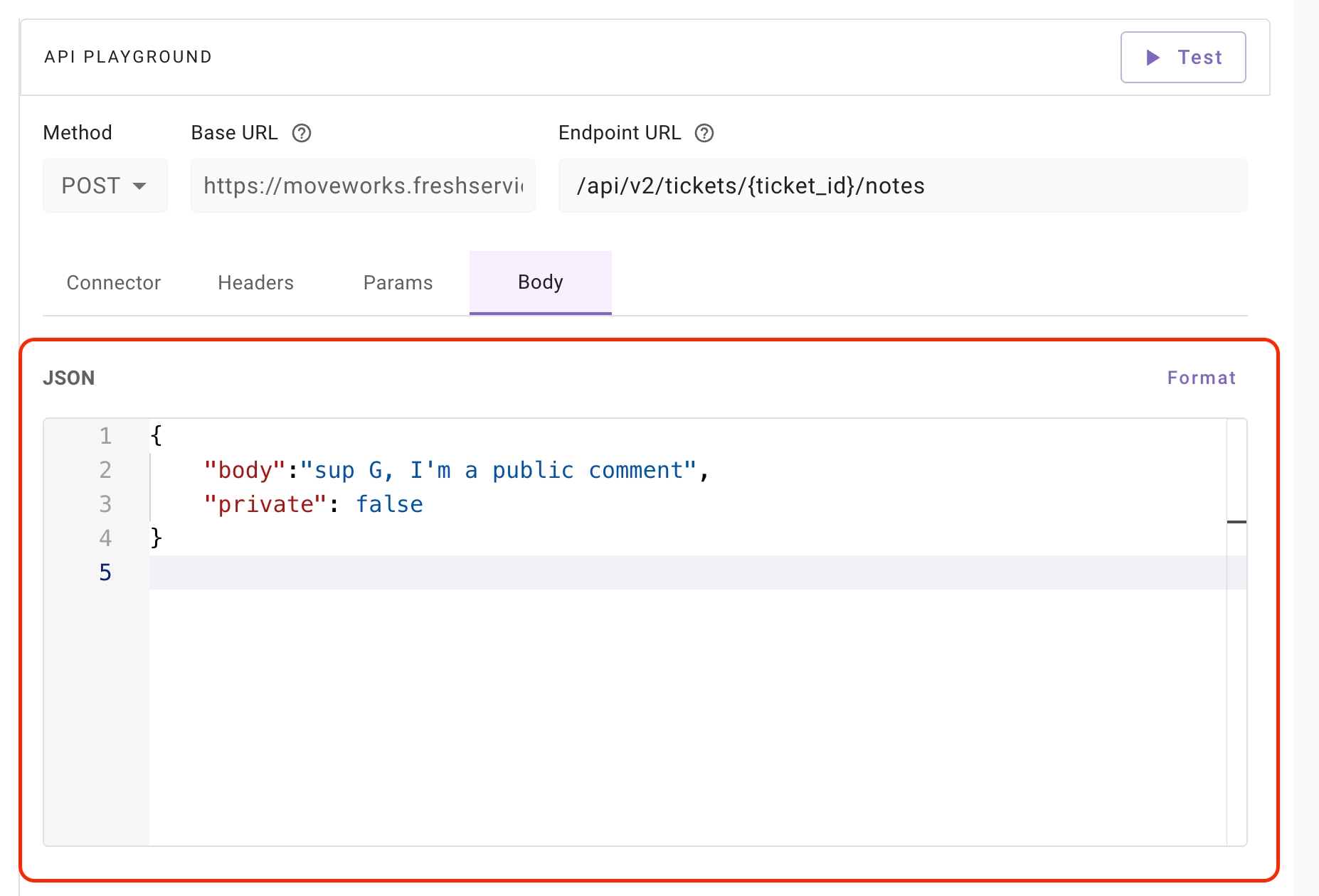
The **Request Body** contains data sent from the client to the server as part of an API request. It is typically used in POST, PUT, or PATCH operations to create or update resources.
In API Playground:
* Only **JSON format** is supported for the request body.
* You can manually edit the JSON content as needed.
* The **Format** button allows you to beautify and properly structure the JSON for better readability.
**Use Cases of Query Params:**
* **Filtering:** Selecting specific items based on certain criteria (e.g., `https://example.com/products?category=shoes`)
* **Sorting:** Arranging the results in a specific order (e.g., `https://example.com/products?sort=price&order=desc`)
* **Pagination:** Retrieving data in chunks or pages (e.g., `https://example.com/products?page=2&limit=10`)
* **Searching:** Finding items that match a specific search term (e.g., `https://example.com/products?q=blue shirt`)
#### **Request Body**
The **Request Body** contains data sent from the client to the server as part of an API request. It is typically used in POST, PUT, or PATCH operations to create or update resources.
In API Playground:
* Only **JSON format** is supported for the request body.
* You can manually edit the JSON content as needed.
* The **Format** button allows you to beautify and properly structure the JSON for better readability.
 ### **Test Button**
Test Button allows you to send API requests to external systems and view the responses, status codes, and any errors returned from the server.
### **Test Button**
Test Button allows you to send API requests to external systems and view the responses, status codes, and any errors returned from the server.
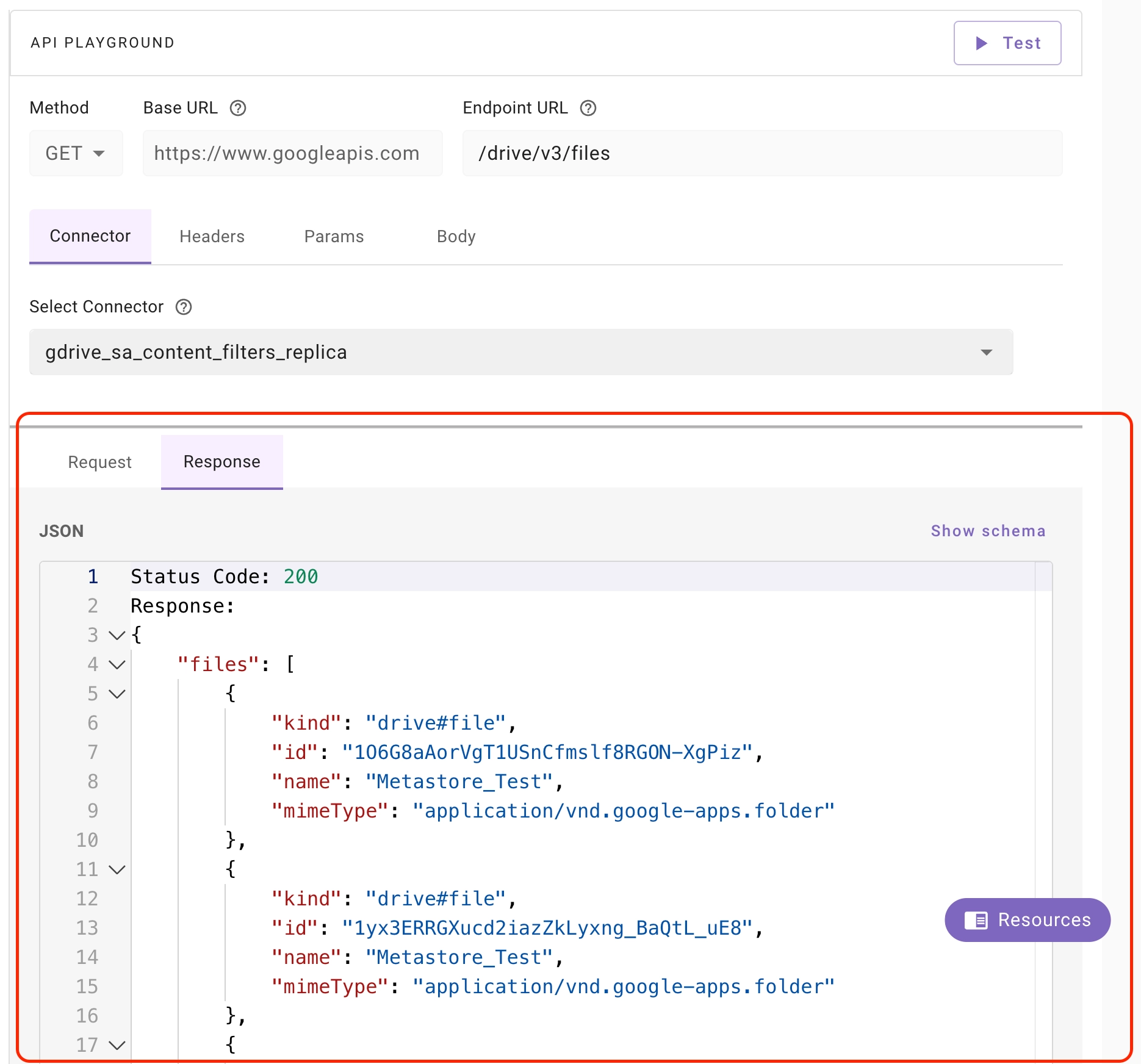
 ### **Response**
**API Response:** Contains data and metadata returned from the server to the client after processing an API request, such as requested information, status codes, headers and other details about the operation's outcome.
**API Response Code:** A status number returned by the server to communicate the outcome of an API request, such as success, client errors or server errors.
### **Response**
**API Response:** Contains data and metadata returned from the server to the client after processing an API request, such as requested information, status codes, headers and other details about the operation's outcome.
**API Response Code:** A status number returned by the server to communicate the outcome of an API request, such as success, client errors or server errors.
 ## Supported API Collections
As we have 80+ external systems for which API requests have to be curated & vetted, API collections will be rolled out in phases, staring with most important ones:
## Supported API Collections
As we have 80+ external systems for which API requests have to be curated & vetted, API collections will be rolled out in phases, staring with most important ones:
| Supported External System | Use Cases |
|---|---|
| JIRA | Approvals, Issues, Search, Service Desk, Workflows, Projects, Users, Authentication, and Configuration |
| FreshService | Tickets, Ticket Fields, Service Catalog, Conversations, Requesters, Groups, Agents, and Helpdesk |
| FreshDesk | Agents, Contacts, Groups, Knowledge, Tickets, and Helpdesk |
| Okta | Users, User Lifecycle, Multi-Factor Authentication, Groups, Applications, Logs, and Policies |
| Slack | Authentication, Users, Conversations, Messaging, Files, UserGroups, Bookmarks, Views, OAuth, and SCIM |
| Zendesk | Tickets, Search, Groups, Organizations, Comments, Ticket Fields, Users, Webhooks, and Triggers |
| Confluence | Content, Search, Spaces, and Groups |
| Sharepoint Online (Classic) | SitePages, Folders, Files, Sites, and Libs |
| Google Drive | Drives and Files |
| Microsoft Graph | Users and Groups |
| Notion | Databases, Pages, and Blocks |
| ServiceNow | Catalogs, Catalogs Items, Attachments, Approvals, HR Case, Bot, Categories, Tasks, System, Incident, Interaction, Tasks Users, Groups, Agent and ACL |
| Workday | 🚧 Available Soon |
| Gsuite | Users, Groups and Files |
| Slack NG | Users, Conversations, Messaging, Files, UserGroups, Bookmarks, Views, OAuth, and SCIM |
| Google Drive NG | Users, Groups, Files and Drives |
| Sharepoint Onedrive NG | Users, Groups, SitePages, Folders, Files, Sites and Permissions |