Lab #4: SAP Concur - Lookup and Create Expense Reports
Lab #4: SAP Concur - Lookup and Create Expense Reports
In addition, add an expense item to an existing report

Lab #4: SAP Concur - Lookup and Create Expense Reports
Refer to the legend to help complete this guide.
In this case we will build the ability for a user to create a new expense report, look up existing expense reports, and also add an expense item to an expense report, all without having to login to Concur.
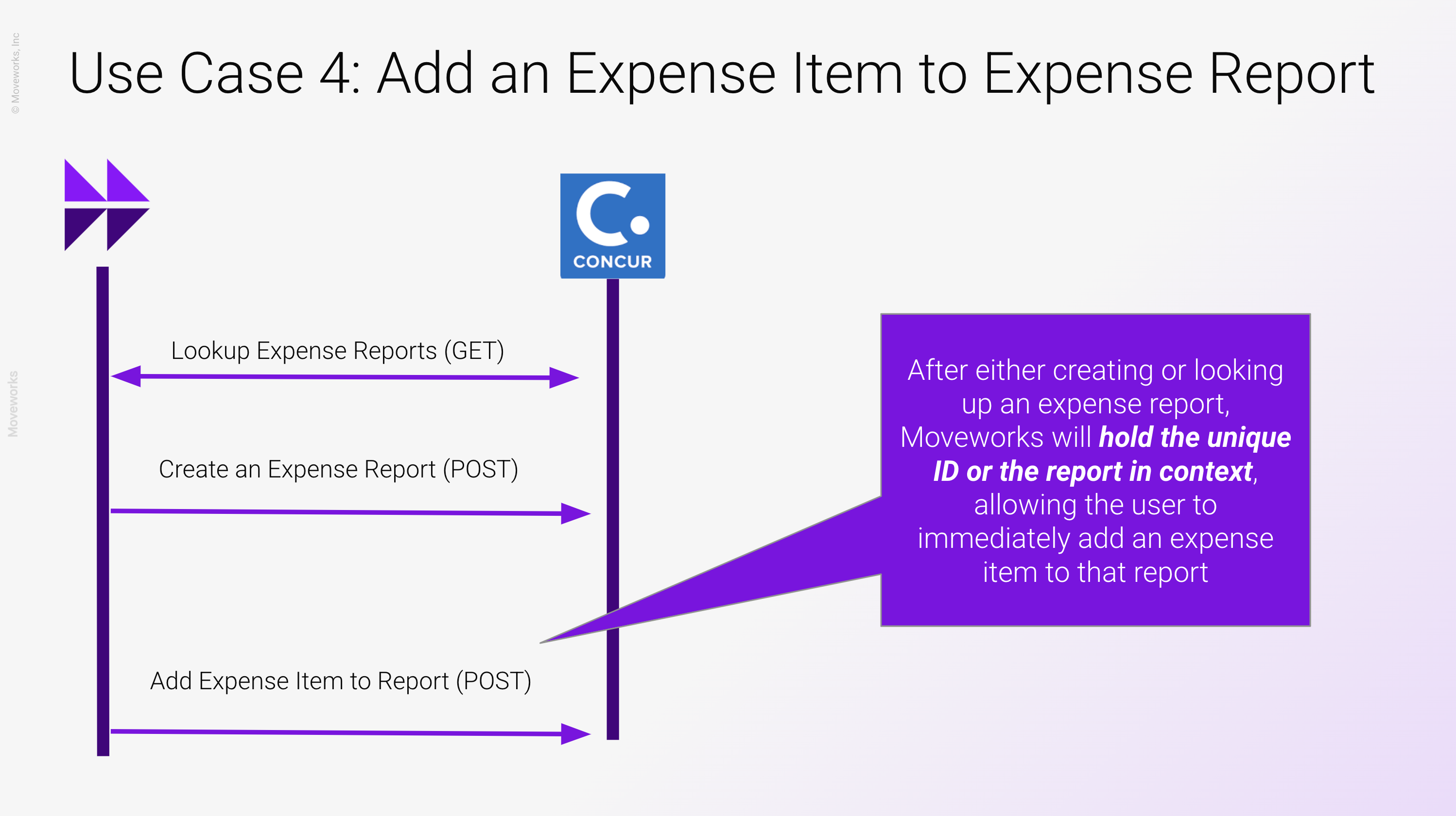
We will need to build 4 different actions altogether in order to make this work.
👉 /ai-assistant/getting-started/labs/agent-studio-v1-labs/developer-lab-setup
👉 /agent-studio/actions/script-actions/apithon-a-special-kind-of-python
Build the “Get Expense Reports” API endpoint using the curl command in the Developer Legend
Get User By ID - Since the “Create Expense Report” API endpoint requires a SAP Concur User ID in order to complete the action, this will be necessary.
Create Expense report - refer to the legend for the cURL
Add expense item to expense report - refer to legend for the cURL
In the “Description” of your Input Variables of the Compound Action is where we can do this.
For the date, try a prompt like “Reformat the date you receive into the format of of YYYY-MM-DD”
For expense code, try a prompt like “Takes in either Hotel, Business Meals, Train, Internet or Miscellaneous”
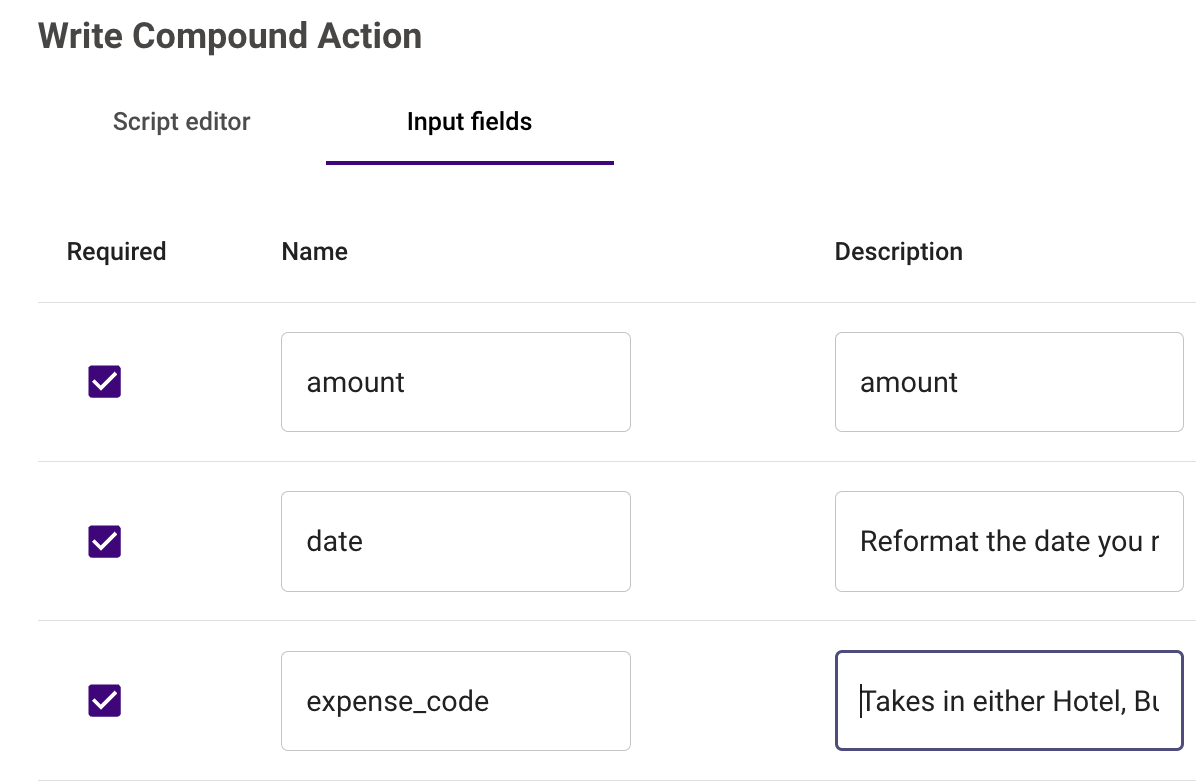
This will allow Moveworks to guide the user on what options they have for expense type, while also preserving the date format automatically.
Once we’ve gathered the expense type, you can write a script action to enforce the preservation of the expense code in a format the API requires. See below: