
Personalization
Personalization requires the reasoning engine to run GPT-5. GPT-4.1 is not supported. See the Reasoning Engine Upgrade Program for model versions.
Personalization tailors the assistant’s answers to each employee using their user attributes, such as location, role, and department. The engine adds those attributes to what it reads on each turn, so when it summarizes content it found (files, knowledge articles, and so on), it can pick out the parts that apply to that person. This makes answers more relevant and clearer.
Personalization uses only the user attributes your admin maps. It does not learn from conversations or save preferences.
Limitations
- Applies only to answers from Enterprise Search (knowledge and file search) in the assistant.
- Attributes tailor the answer built from the content that knowledge and file search return. They can only surface what is written in that content.
- The engine can rewrite search queries using attribute values.
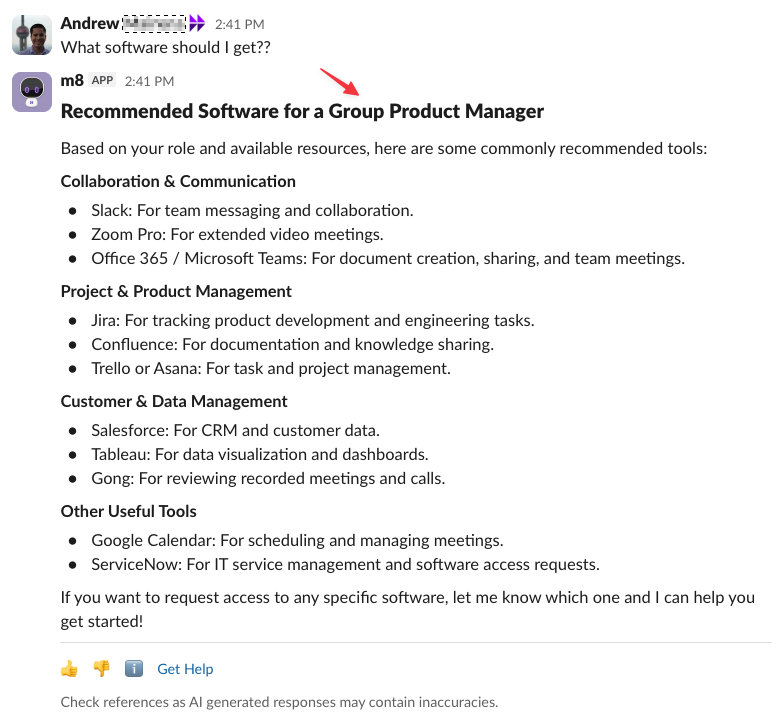
How it works
By default, the assistant uses these native attributes from your identity integration:
- Location
- Country code
- Role
- Department
Admins can also configure custom attributes. These categories tend to help:
Native and custom attributes are added to the engine’s system prompt. When the assistant summarizes retrieved content, it tailors the answer to these attributes.
Configure it
-
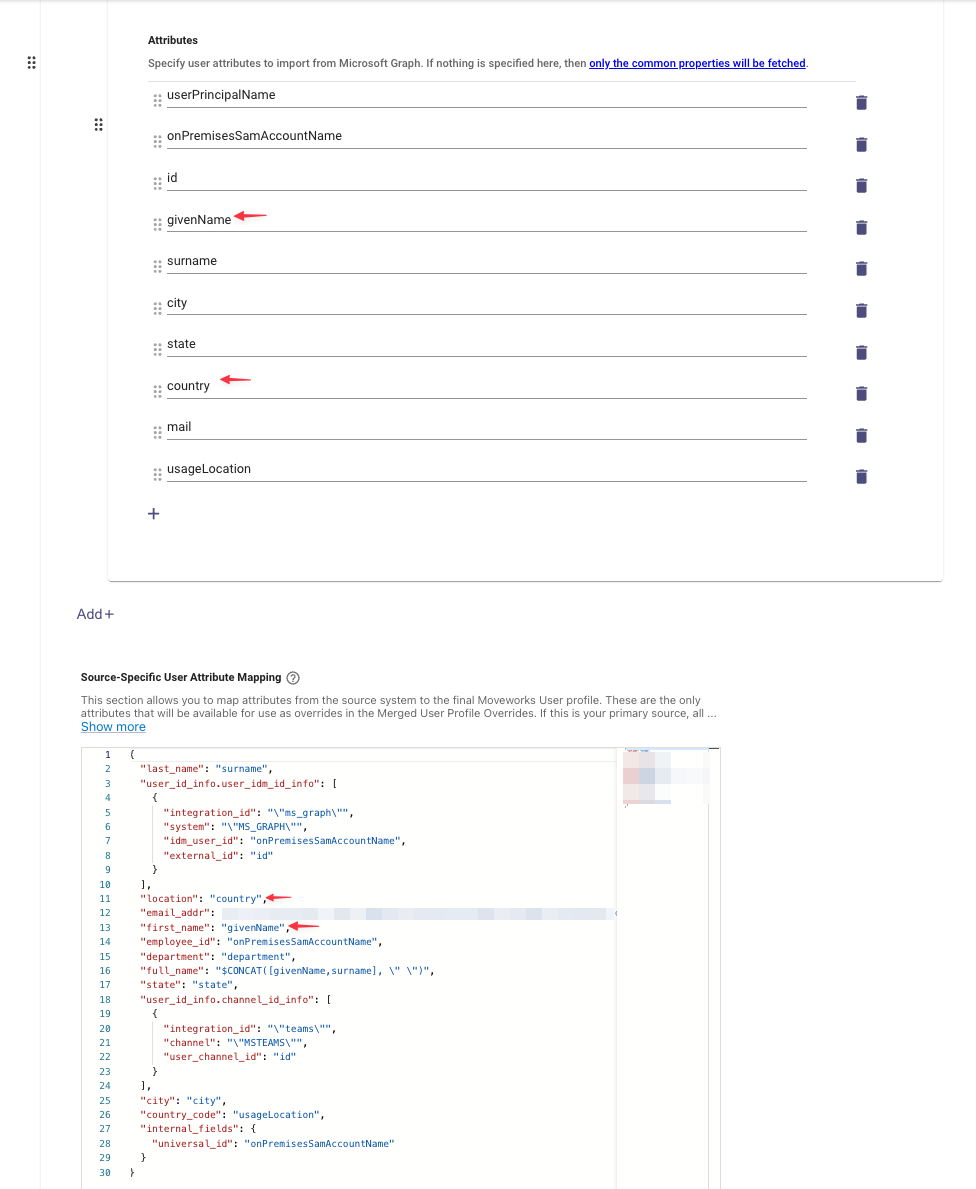
Map the attributes into the user record. In Moveworks Setup > User Identity > Import Users, make sure the native and custom attributes you want are mapped. Mapped attributes are used for personalization automatically. See the User Attribute Reference for the attributes that should be mapped. To use location or another general attribute from a source other than your primary one, override the native attribute.
You can also ingest custom attributes through Content Gateway. See
/usersin the Data API reference.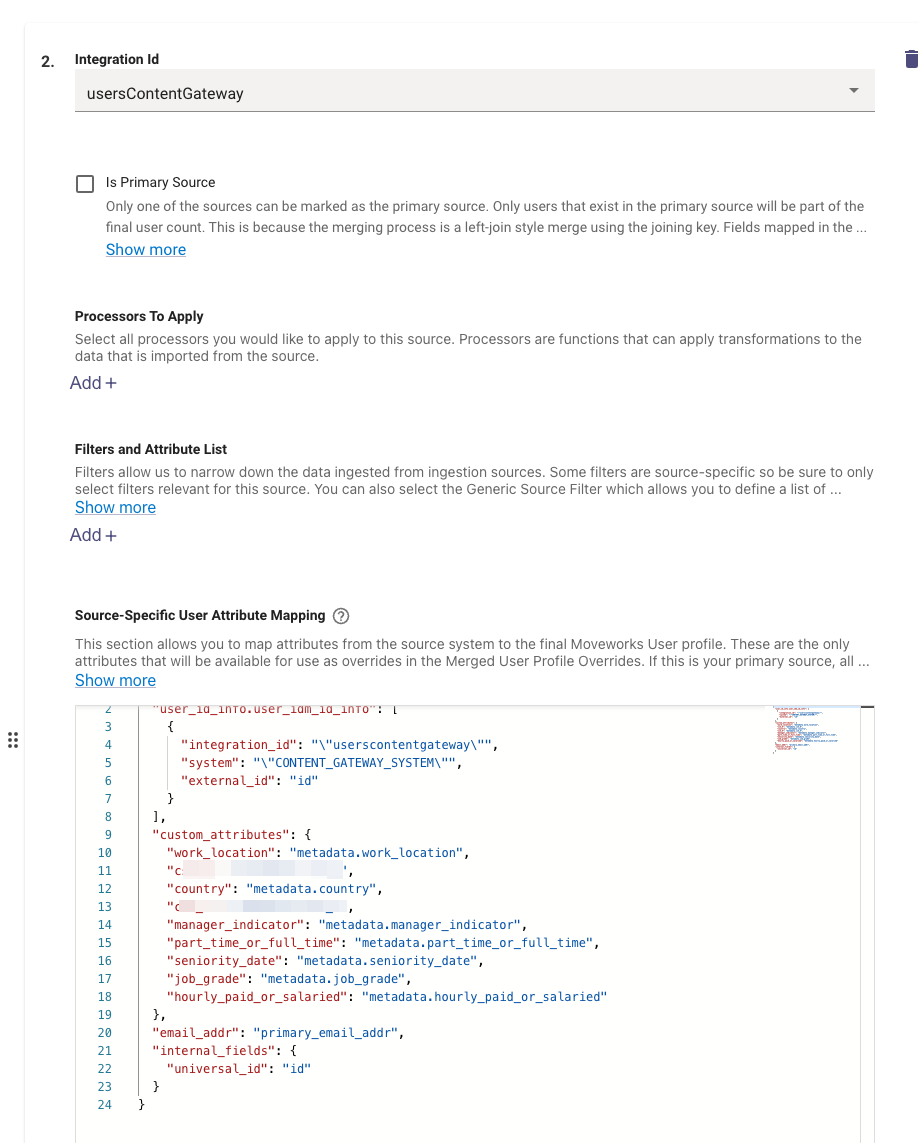
-
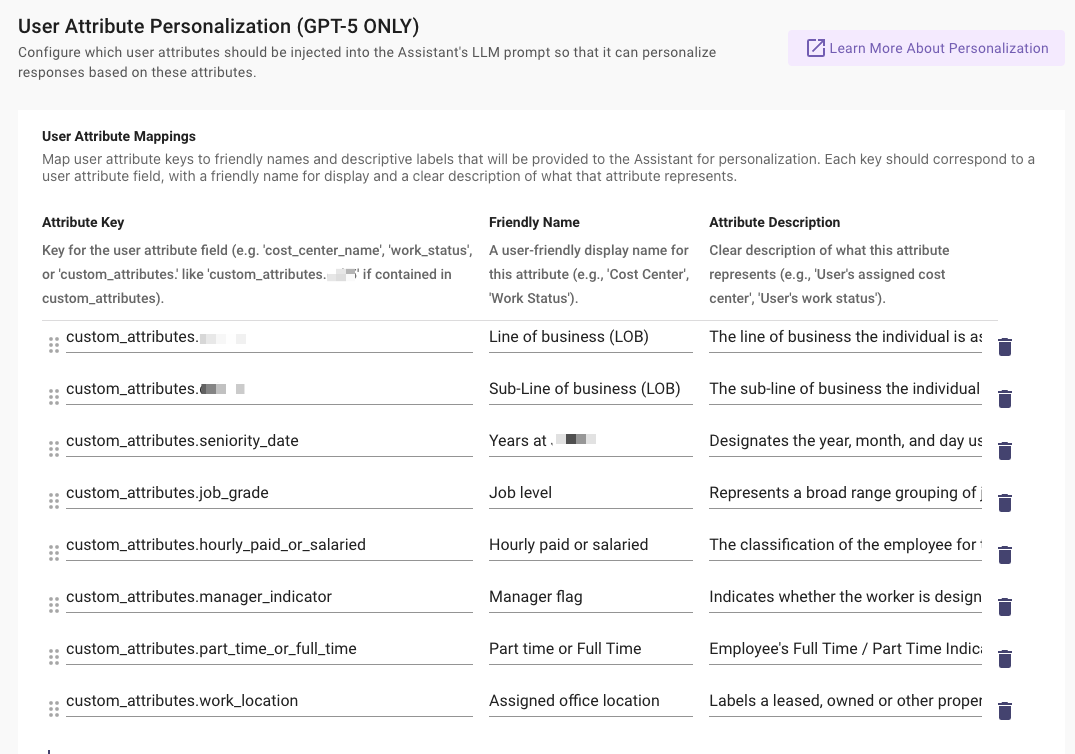
Choose which attributes the assistant sees. In Moveworks Setup > AI Assistant > Advanced Settings > User Attribute Personalization, map the attribute keys you want to friendly names and descriptive labels. Pick the subset that helps personalization most.
-
Confirm the attributes were ingested. In Moveworks Setup > Core Platform > Imported Users, check the attribute in the All Users view.
Related
- Conversation History: what the assistant carries over within a conversation.
- What Goes Into a Turn: everything the engine reads before each step.