
Conversation History
Conversation history is the recent back-and-forth between a user and the assistant: their messages, the assistant’s replies, and the tools the engine called along with what those tools returned. The engine reads it before every reply, so the assistant can answer based on what was just discussed. It has no long-term memory of past conversations.
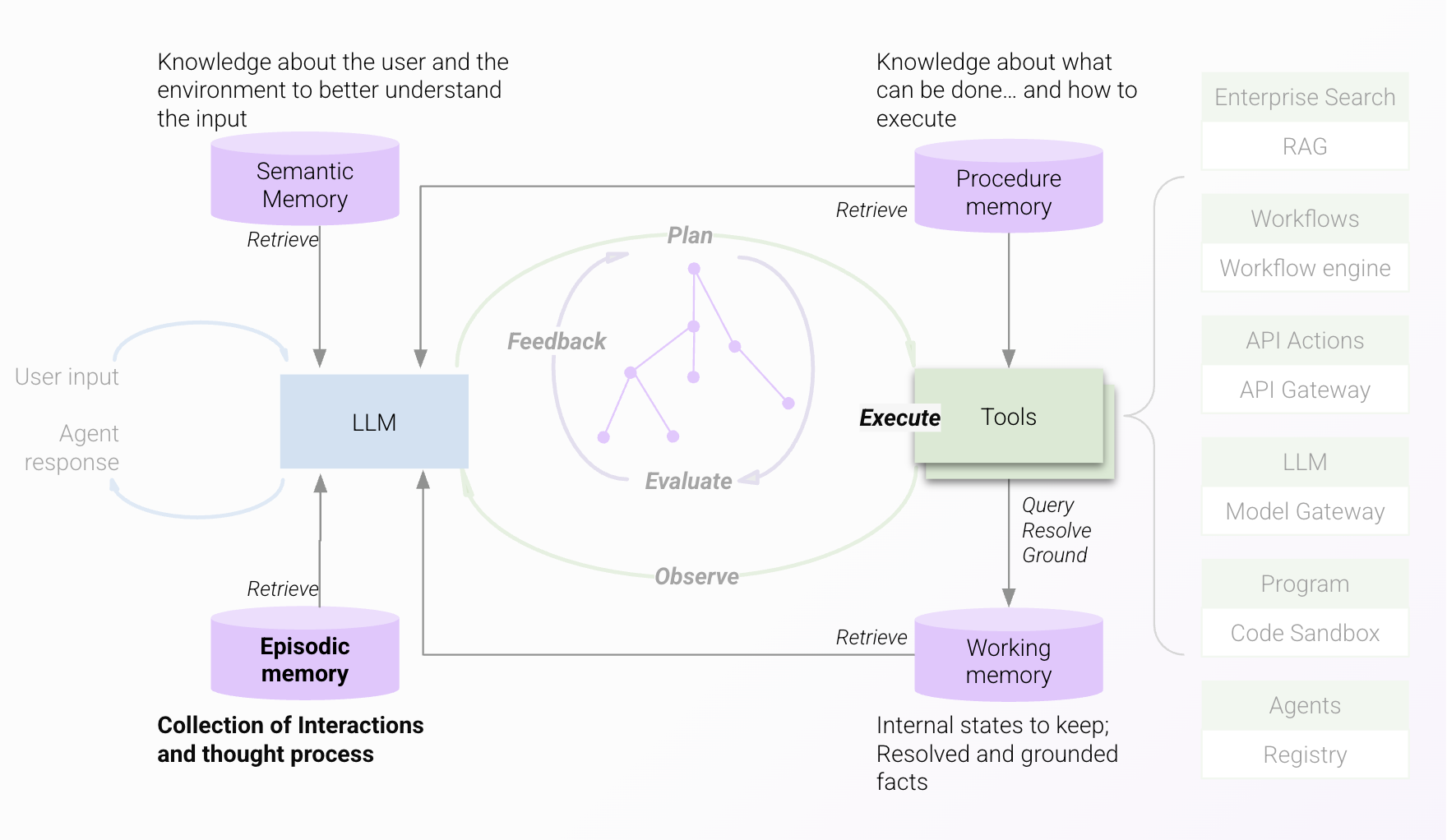
What carries over between messages
Conversation history affects the assistant’s replies in six ways:
- New topic or follow-up. The engine uses it to decide whether the user is starting a new topic or continuing the last one.
- References and follow-up questions. Pronouns and short follow-ups that are vague on their own (“Where are they located?”) make sense when read with the earlier messages.
- Earlier results. Resources and tool results found for earlier requests stay available to the engine on later turns and can supplement what it finds for the current request. If the engine can answer the current request completely from what it already has, it may skip calling a tool and summarize from the earlier results.
- Fields that were not shown. When the assistant shows a structured card, such as a people lookup or ticket details, the card displays only the fields configured for display. Every other field the underlying API returned is still available for follow-up questions.
- User feedback. How the user responded to earlier answers influences whether the engine calls the same tool again or tries a different one. If a user keeps asking for the same information in a way that signals the answer didn’t help, the engine may not give the same answer again.
- Tone. If the user has had trouble getting a useful answer, the engine can respond with more empathy and awareness of the situation.
For how feedback carries across turns inside the reasoning loop, see The Reasoning Loop. For how large tool results are stored and previewed, see Processing Tool Responses.
How long it lasts
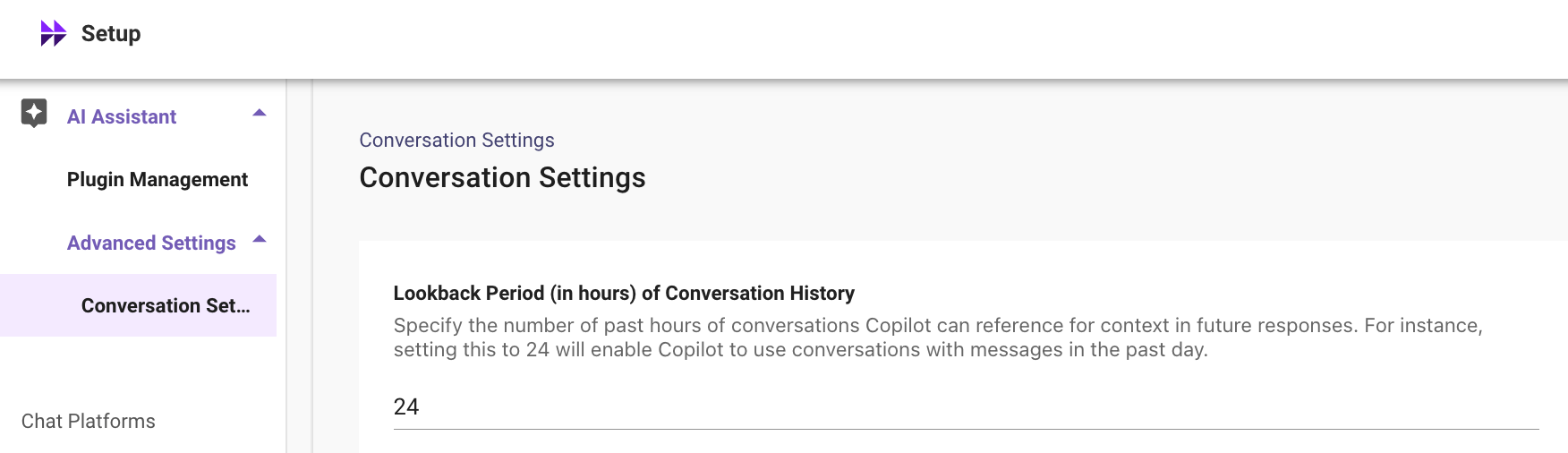
By default, the engine reads the last 24 hours of conversation. Messages older than this lookback window are no longer included in what the assistant reads. Long histories can confuse the LLM and lead to less accurate, less relevant, or slower responses, so older messages are dropped automatically.
One exception: if a conversation spans more than one day, the most recent exchange is still included even when it falls outside the 24-hour window.
Example
Over a couple of days, a manager chats with the assistant about several things:
- April 30, 9:00 AM. How to set up a new hire, Alex, for their first day, including system access and benefits enrollment.
- April 30, 4:00 PM. A VPN that won’t connect while working remotely.
- May 1, 2:00 PM. Help assigning Salesforce roles to Alex.
On May 2, the manager writes: “David and Abhishek on my team also need access.”
The May 1 conversation is inside the 24-hour window, so the assistant understands this is about Salesforce and that David and Abhishek need the same Salesforce role access as Alex, even though Alex isn’t named. The onboarding and VPN questions from April 30 are outside the window, so they don’t pull the answer off course.
Change the lookback window
Admins can change the window in Moveworks Setup under AI Assistant > Advanced Settings > Conversation Settings.
We recommend keeping the default of 24 hours. It rarely needs to change. If you do change it, keep it between 1 and 48 hours.
Clear conversation history
Users can clear their history before the window expires in two ways:
-
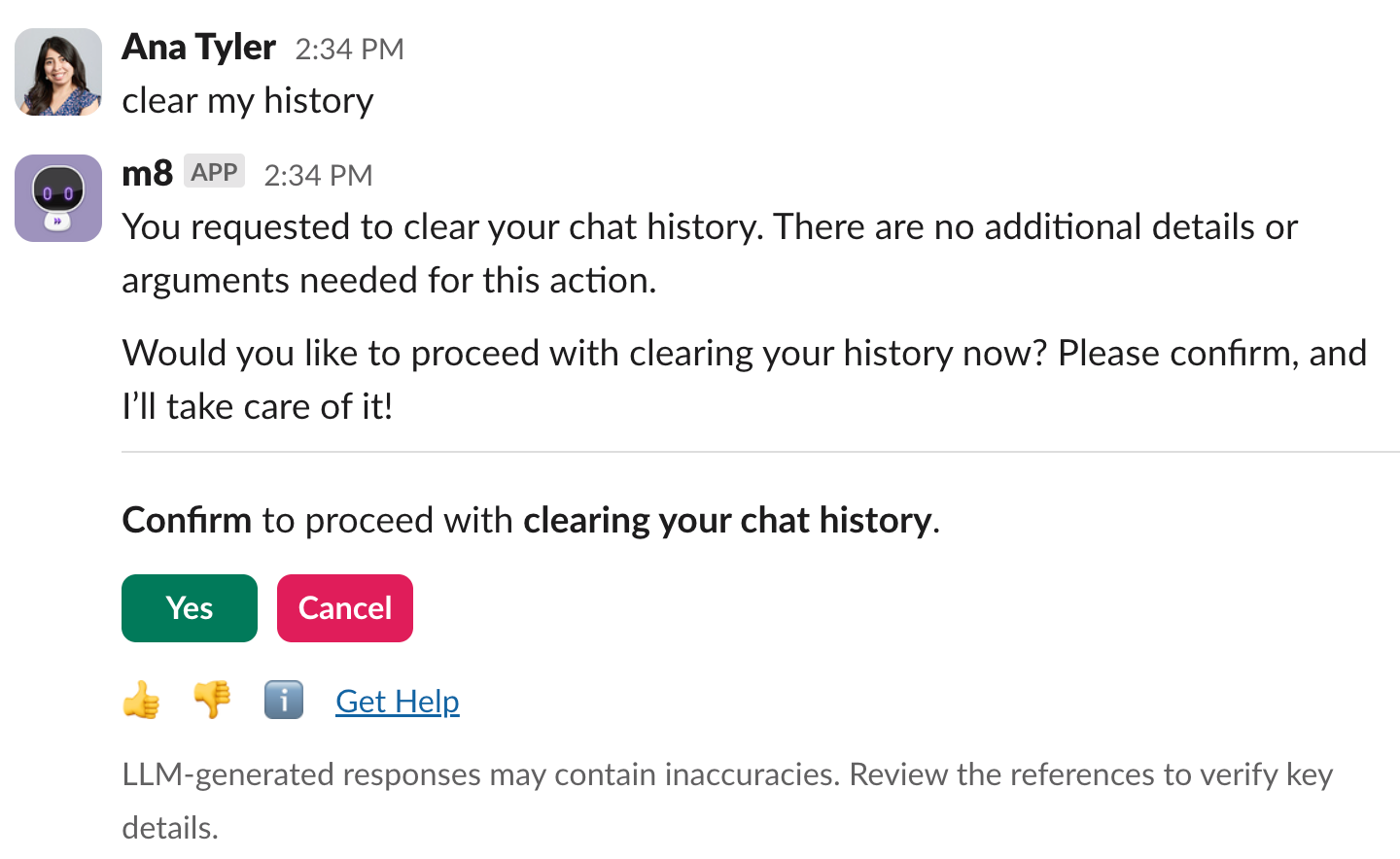
Ask in plain language. Tell the assistant you want to clear your chat history, with phrases like “reset chat,” “clear context,” “start over,” “restart,” or “refresh context.” The assistant shows a confirmation card before it clears anything.
-
Use the command. Send
copilot clearhistory.
When to clear it
- Testing which tool the assistant picks. Start from a clean slate so earlier messages and earlier tool choices don’t affect the engine’s current decision.
- Wrong or irrelevant context. If what has built up is incorrect or no longer relevant, and you don’t want the assistant to use it, clear it so it doesn’t affect later replies.
Your users’ experience always includes their own history. Tests run after copilot clearhistory won’t capture those effects, so expect some differences between your cleared-history tests and what you see in real usage.
When not to clear it
- Switching topics. The assistant handles topic changes on its own.
- Chaining actions. When an earlier step is needed to make sense of the current request. For example, looking up the status of a record, then updating it to “In process.”
- Avoiding repetition. History lets users skip repeating details they already gave and lets the assistant follow references to earlier messages. For example, “How many offices do we have in San Francisco?” followed by “Where are they located?”
Why the same question gets different answers
Because every reply is shaped by the conversation so far, two users asking the same question, or one user asking it twice at different times, can get somewhat different answers. This is expected.
Some variation has nothing to do with history. When more than one tool could serve a request (for example, a knowledge article and a form), the engine picks one, and the pick can vary. Clearing history does not remove this variation. To understand how the engine chooses, see Tool Selection.
Troubleshooting
If copilot clearhistory returns a “Hoo-hoo-hoo” message, the command did not work. This usually means the feature isn’t enabled for that user.

Related
- What Goes Into a Turn: everything the engine reads before each step, of which conversation history is one part.
- Personalization: user attributes the assistant uses to tailor answers.
- Models: why conversations never retrain the models.