***
title: 'Lab #7: Handoff - Live Agent'
position: 9
deprecated: false
hidden: false
metadata:
robots: index
-------------
## Overview
* **Learning Objectives:** Configure Moveworks to broker live agent chat sessions between users and ServiceNow agents using the Virtual Agent API integration.
* **Estimated Time:** 30 minutes
* **Prerequisites:**
* Labs 0–5 complete
* ServiceNow lab instance with the following update sets applied (provided by instructor):
* `Moveworks Live Agent VA API Config` (Virtual Agent API scope)
* `Moveworks Live Agent AWA Config` (Global scope)
* ServiceNow admin credentials for your lab instance
***
### Key Concepts
Live Agent Message Brokering allows Moveworks to act as a bridge between end users in their chat platform (Slack, Teams, etc.) and live agents in ServiceNow's Service Operations Workspace. When the AI Assistant cannot resolve a user's issue, it can seamlessly hand off the conversation to a human agent.
* **Message Brokering vs. Deep Link:** Message brokering keeps the conversation within the user's native chat platform (Slack/Teams). The alternative deep link approach redirects users to a ServiceNow portal. Message brokering provides a better user experience.
* **Virtual Agent API:** Moveworks uses ServiceNow's Virtual Agent Bot-to-Bot API (`/api/sn_va_as_service/bot/integration`) to initiate conversations and relay messages between users and agents.
* **Agent Availability:** Moveworks checks the `awa_agent_presence_capacity` table to determine if agents are available before offering the handoff option.
* **AWA Routing:** Interactions must be routed through Advanced Work Assignment (AWA) queues. Without a properly configured queue, assignment rule, and eligibility pool, interactions will immediately close.
```mermaid
sequenceDiagram
participant User as User (Slack/Teams)
participant MW as Moveworks AI Assistant
participant SNOW_API as ServiceNow Virtual Agent API
participant AWA as Advanced Work Assignment
participant Agent as Live Agent (Service Operations Workspace)
User->>MW: "I need help with my laptop"
MW->>MW: AI attempts resolution
MW-->>User: Unable to resolve — offers Live Chat
User->>MW: Selects "Live Chat"
rect rgba(3, 45, 66, 0.15)
Note over MW,SNOW_API: Availability Check
MW->>SNOW_API: GET /awa_agent_presence_capacity?aca_available=true
SNOW_API-->>MW: Available agents found
end
rect rgba(99, 223, 78, 0.15)
Note over MW,AWA: Session Initiation
MW->>SNOW_API: POST /sn_va_as_service/bot/integration action: START_CONVERSATION
SNOW_API->>AWA: Create Interaction
AWA->>AWA: Route to Chat Queue (assignment rule + eligibility pool)
AWA->>Agent: Assign to available agent
end
rect rgba(82, 184, 255, 0.15)
Note over MW,SNOW_API: Interaction Lookup
MW->>SNOW_API: GET /interaction?active=true&opened_for=[user]
SNOW_API-->>MW: interaction_sys_id
end
rect rgba(118, 97, 255, 0.15)
Note over User,Agent: Message Brokering (bidirectional)
User->>MW: "My laptop won't turn on"
MW->>SNOW_API: Relay message to agent
SNOW_API->>Agent: Display in SOW inbox
Agent->>SNOW_API: "Have you tried holding the power button?"
SNOW_API->>MW: POST /SnowSendMessageToUser
MW-->>User: Display agent response
end
rect rgba(191, 113, 242, 0.15)
Note over MW,Agent: Session End
Agent->>SNOW_API: Close conversation
SNOW_API->>MW: action: END_CONVERSATION
MW-->>User: "Your live agent session has ended"
end
```
***
## 🛠️ 1: Walkthrough
**Warning:** The update sets handle most of the ServiceNow configuration. Before proceeding, verify the setup was applied correctly.
### 1.1: Verify Virtual Agent API Plugin
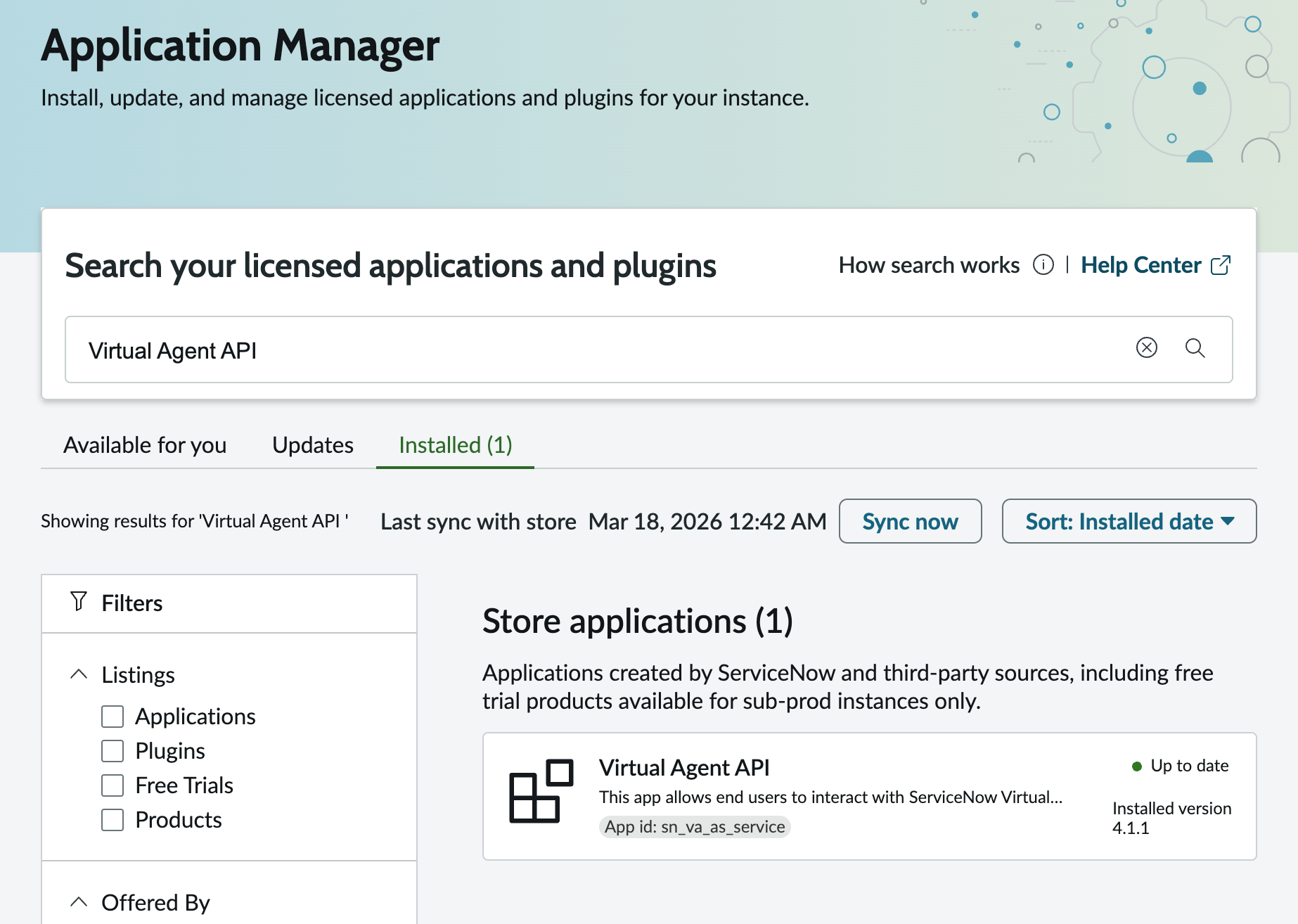
1. In your ServiceNow instance, navigate to **System Applications > All Available Applications > All**
2. Search for **Virtual Agent API** and confirm it is installed
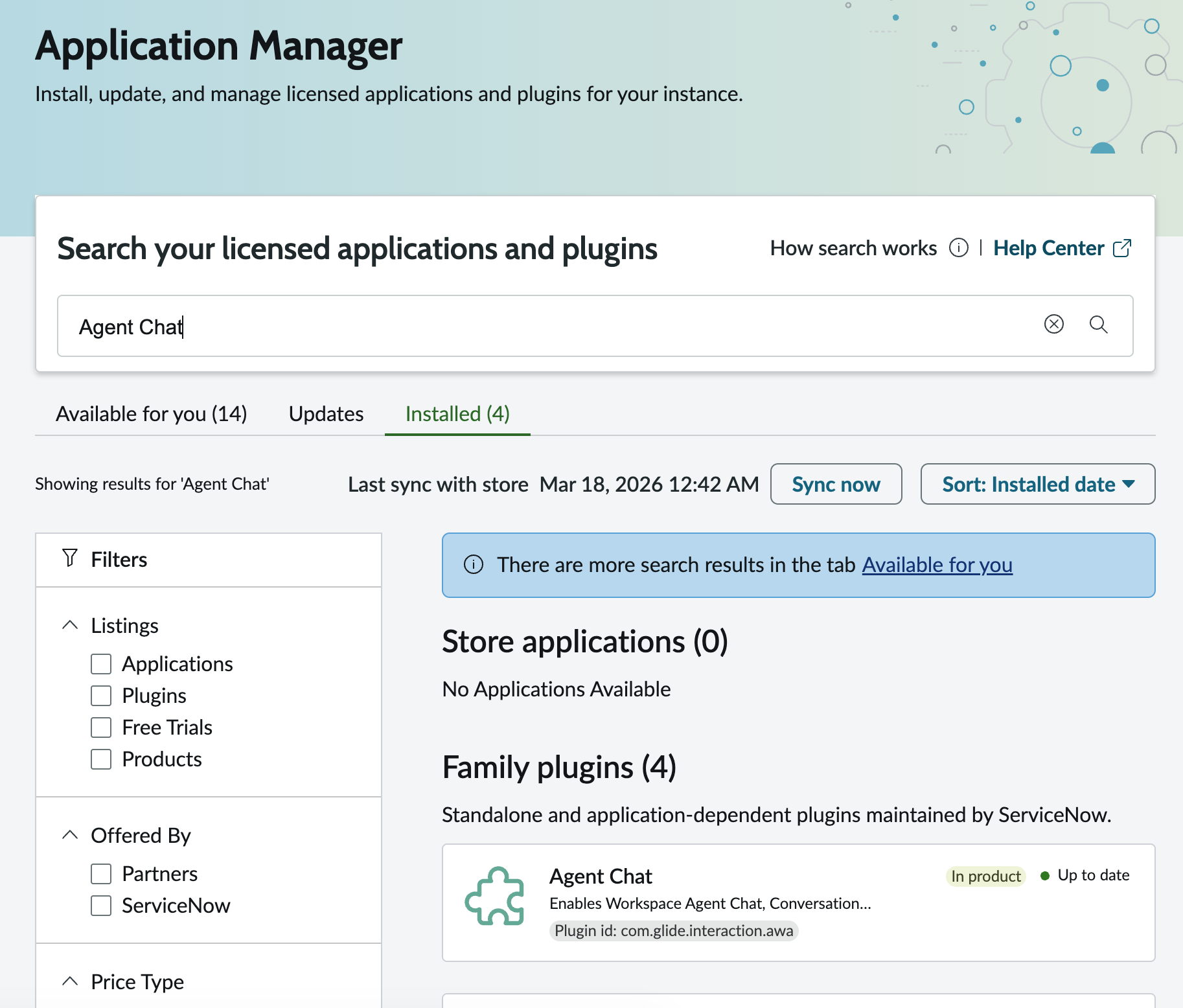
3. Search for **Agent Chat** plugin and confirm it is installed
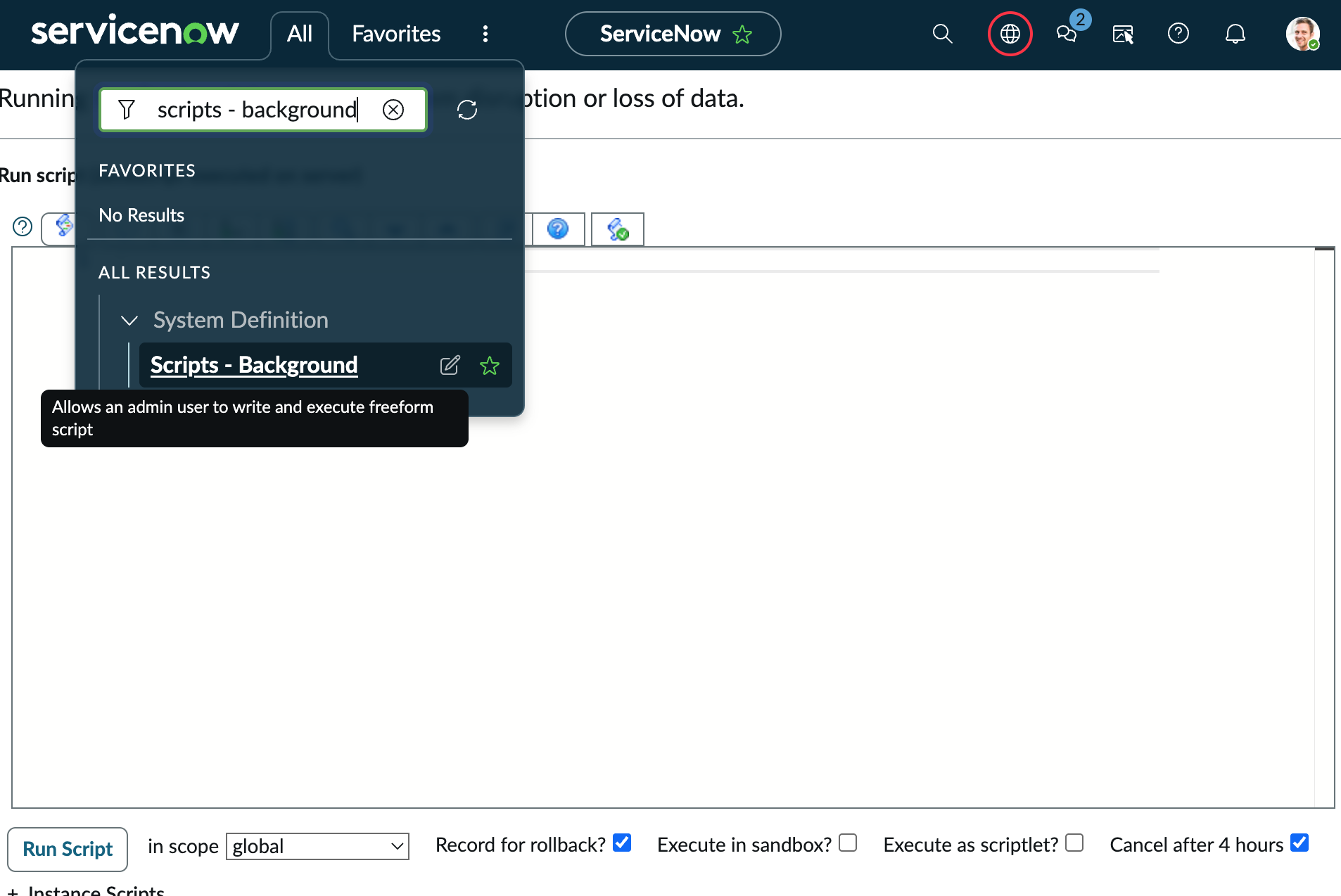
### 1.2: Verify Update Set Configurations
Run the following script in **Scripts - Background** to confirm the update sets were applied correctly:
```javascript
(function() {
gs.print('=== Verifying VA API Config ===');
var rest = new GlideRecord('sys_rest_message');
rest.addQuery('name', 'VA Bot to Bot');
rest.query();
if (rest.next()) {
gs.print('VA Bot to Bot endpoint: ' + rest.rest_endpoint);
} else {
gs.print('ERROR: VA Bot to Bot REST message not found');
}
var post = new GlideRecord('sys_rest_message_fn');
post.addQuery('rest_message', rest.sys_id);
post.addQuery('http_method', 'POST');
post.query();
if (post.next()) {
gs.print('POST endpoint: ' + post.rest_endpoint);
} else {
gs.print('ERROR: POST method not found');
}
var tv = new GlideRecord('token_verification');
tv.addQuery('name', 'LIKE', 'Moveworks');
tv.query();
if (tv.next()) {
gs.print('Token verification: ' + tv.name + ' | sys_id=' + tv.sys_id);
} else {
gs.print('ERROR: Token verification not found');
}
var ma = new GlideRecord('message_auth');
ma.addQuery('name', 'LIKE', 'Moveworks');
ma.query();
if (ma.next()) {
gs.print('Message auth: ' + ma.name);
} else {
gs.print('ERROR: Message auth not found');
}
gs.print('\n=== Verifying AWA Config ===');
var q = new GlideRecord('awa_queue');
q.addQuery('name', 'Moveworks Labs Live Agent Chat Queue');
q.query();
if (q.next()) {
gs.print('Queue: ' + q.name + ' | active=' + q.active + ' | channel=' + q.service_channel.getDisplayValue());
} else {
gs.print('ERROR: Chat queue not found');
}
var ar = new GlideRecord('awa_assignment_rule');
ar.addQuery('name', 'Chat - Most Capacity');
ar.query();
if (ar.next()) {
gs.print('Assignment Rule: ' + ar.name + ' | active=' + ar.active);
} else {
gs.print('ERROR: Assignment rule not found');
}
var ep = new GlideRecord('awa_eligibility_pool');
ep.addQuery('display_name', 'Agent Chat Group : Chat - Most Capacity');
ep.query();
if (ep.next()) {
gs.print('Eligibility Pool: ' + ep.display_name);
} else {
gs.print('ERROR: Eligibility pool not found');
}
gs.print('\n=== Verification Complete ===');
})();
```
**Expected Output:**
**Note:** All lines should show the expected values. If any line shows ERROR, the update set may not have been applied correctly. Contact your lab instructor.
```
*** Script: === Verifying VA API Config ===
*** Script: VA Bot to Bot endpoint: https://api.moveworks.ai
*** Script: POST endpoint: https://api.moveworks.ai/rest/LiveAgentService/SnowSendMessageToUser
*** Script: ERROR: Token verification not found
*** Script: ERROR: Message auth not found
*** Script:
=== Verifying AWA Config ===
*** Script: Queue: Moveworks Labs Live Agent Chat Queue | active=true | channel=Chat
*** Script: Assignment Rule: Chat - Most Capacity | active=undefined
*** Script: Eligibility Pool: Agent Chat Group : Chat - Most Capacity
*** Script:
=== Verification Complete ===
```
***
### 1.3: Generate API Key
1. Navigate to the **MyMoveworks** portal
2. Open the **HTTP Connectors** App
3. Click on **Credentials** and click **Create**
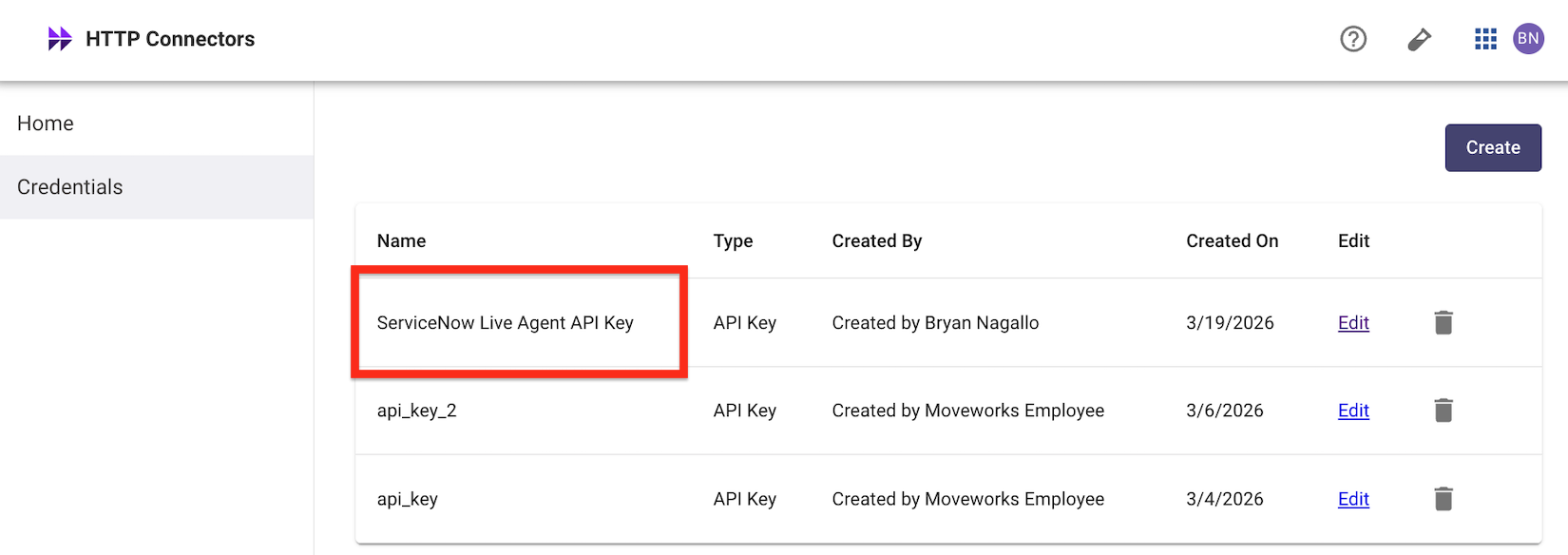
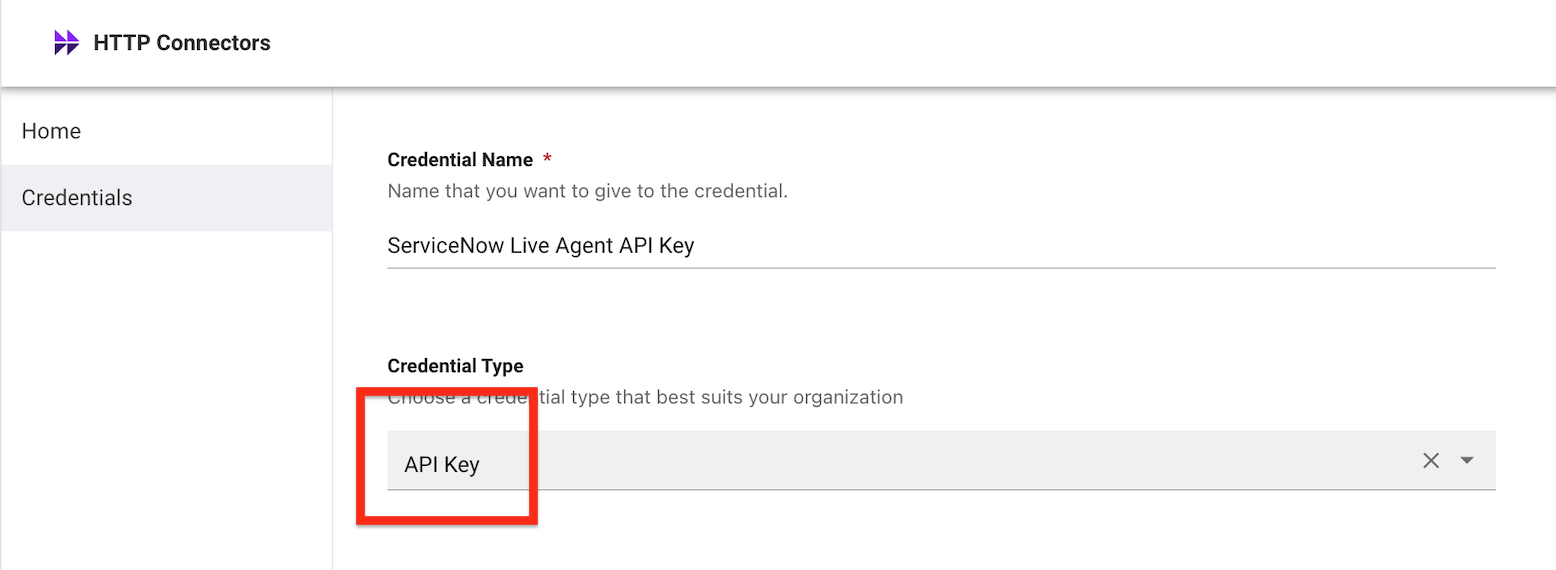
4. Enter a **Credential Name** (e.g., `ServiceNow Live Agent API Key`)
5. Choose **API Key**
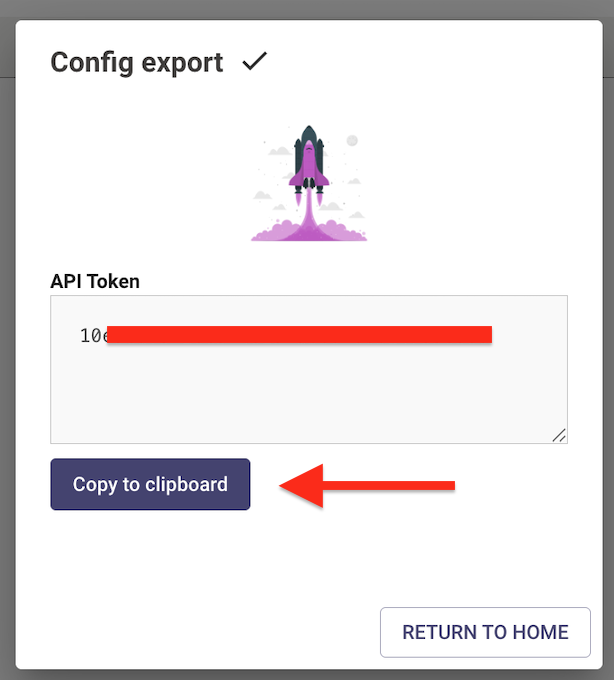
**Warning:** When you click **Publish**, save the API Key immediately. This key will not appear again.
6. Click **Publish** and save the API Key securely
### 1.4: Set Auth Profile Password in ServiceNow
The update set creates the auth profile but **cannot transport the password**. You must enter the API key you just generated.
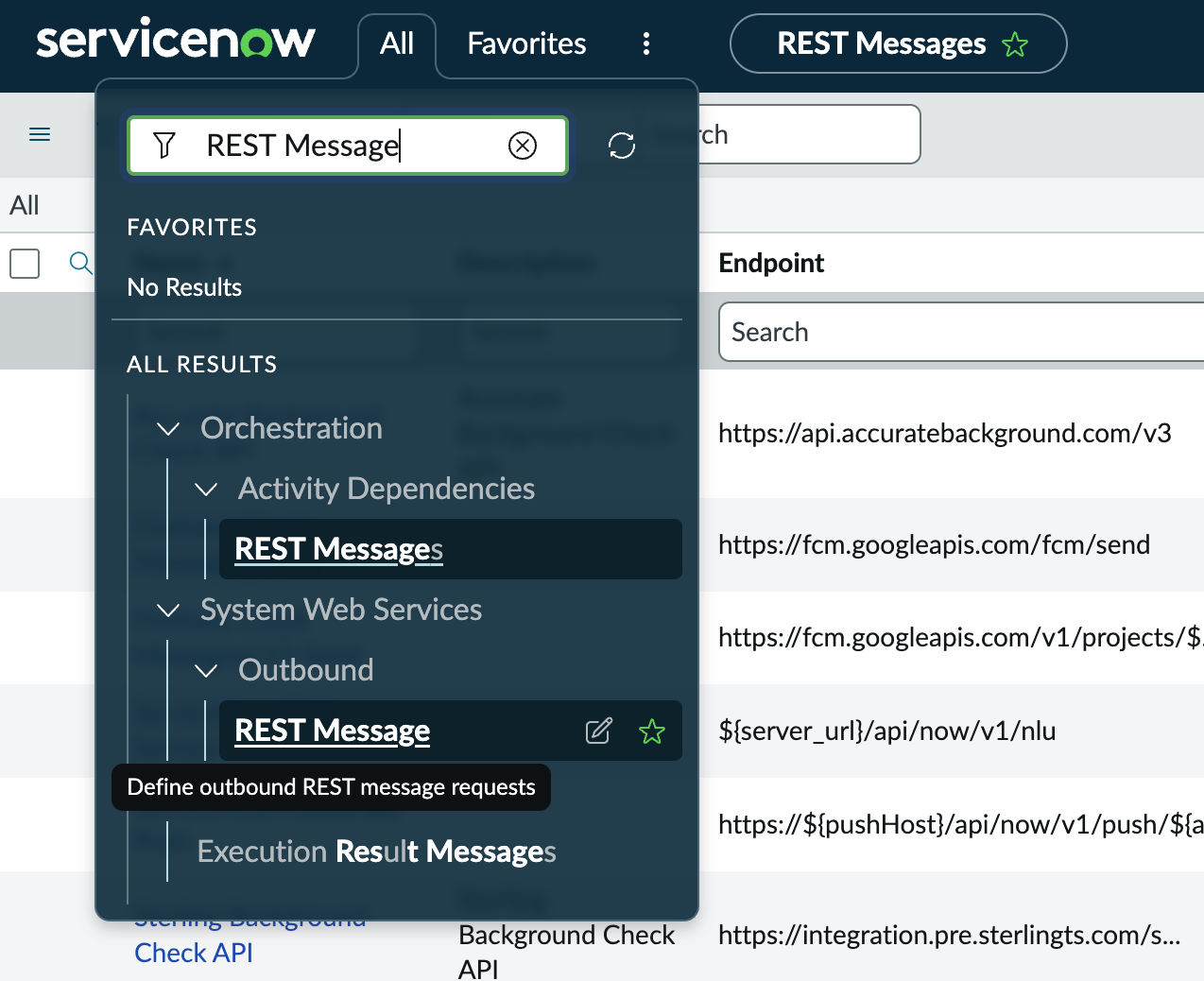
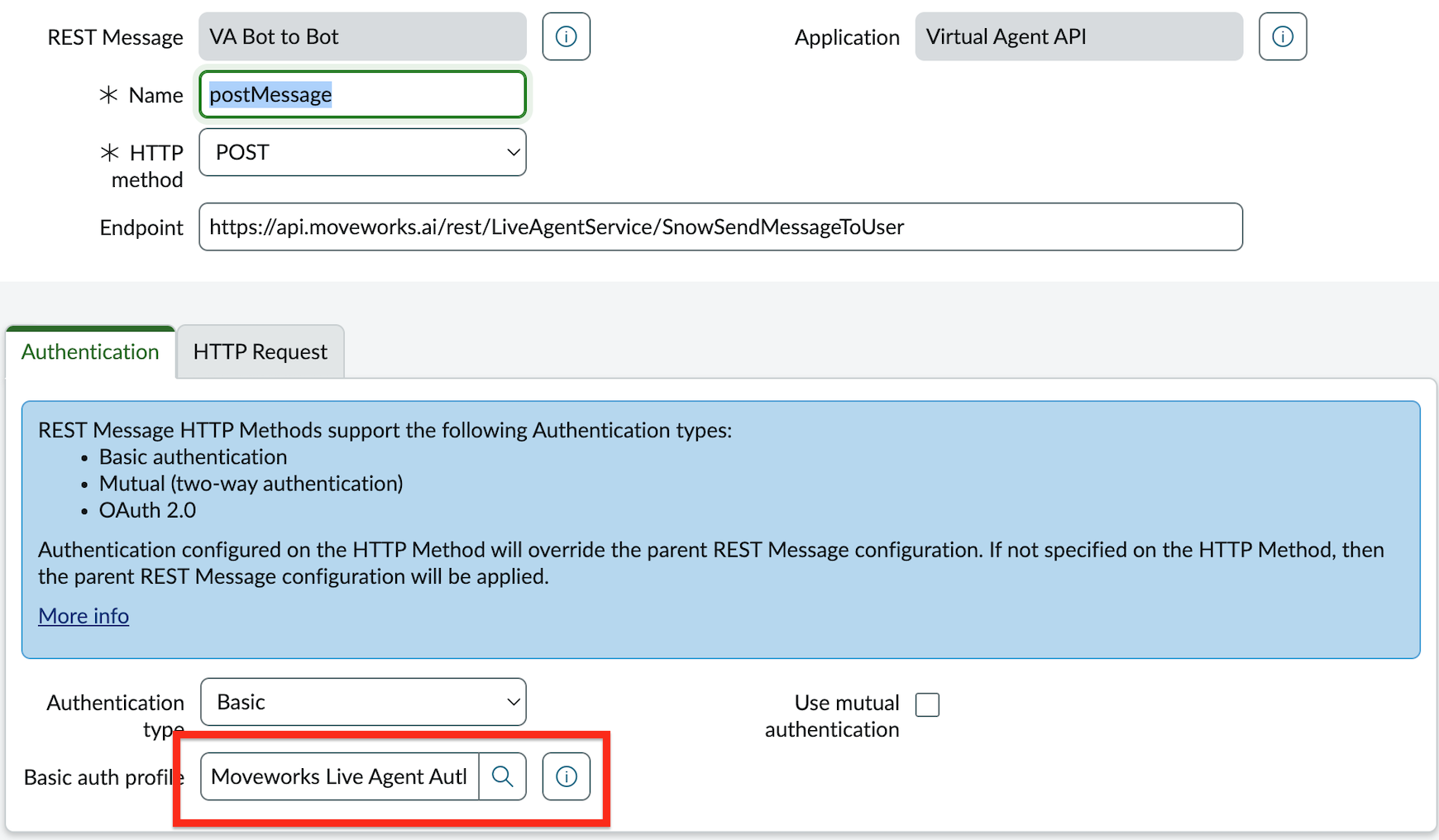
1. In your ServiceNow instance, navigate to **Outbound > REST Message** and search for **VA Bot to Bot**
2. Open the **POST** method record (listed under HTTP Methods)
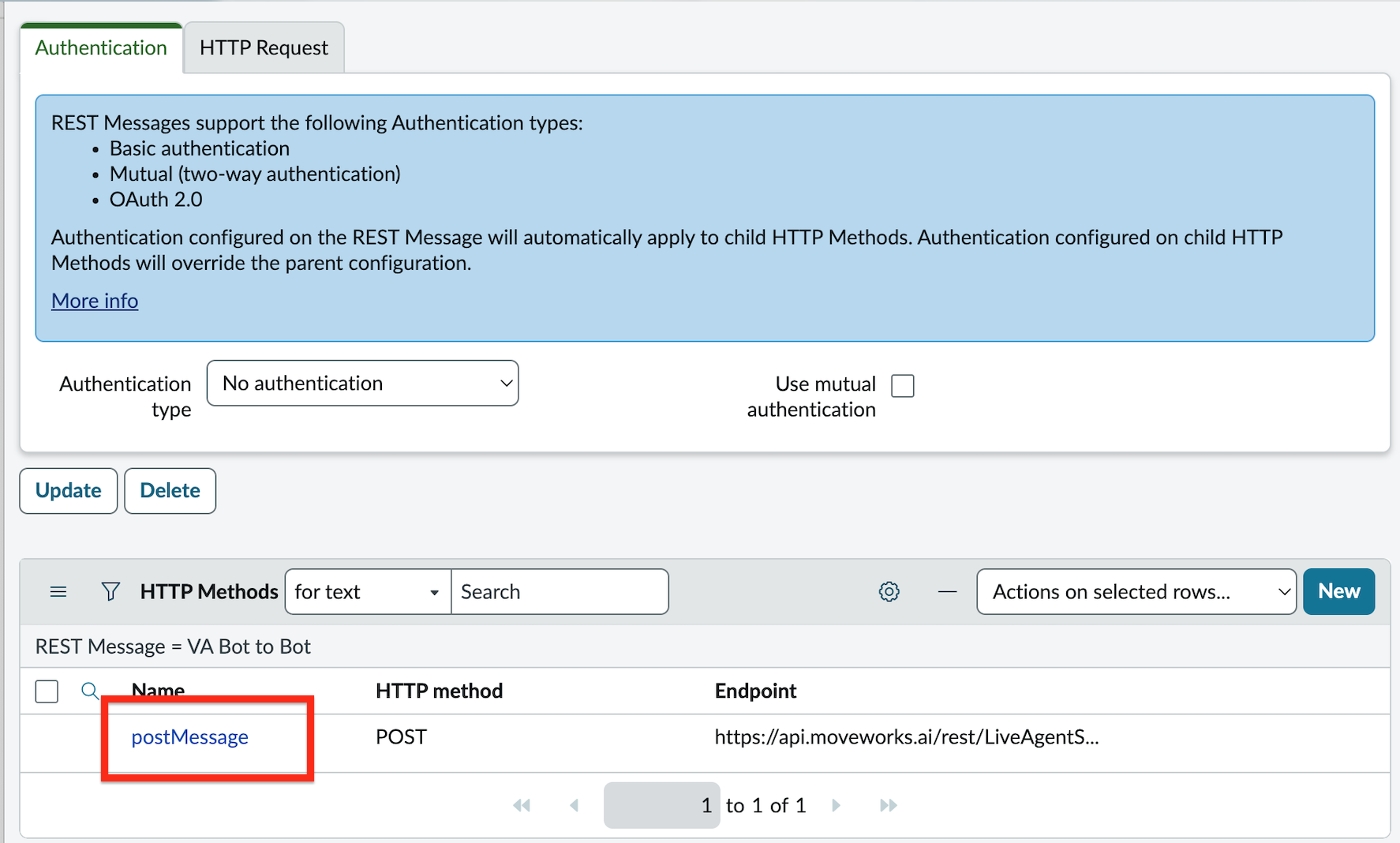
3. Click on the **Authentication** tab and open the auth profile **Moveworks Live Agent Auth**
4. Enter the API key from Step 1 as the **Password**
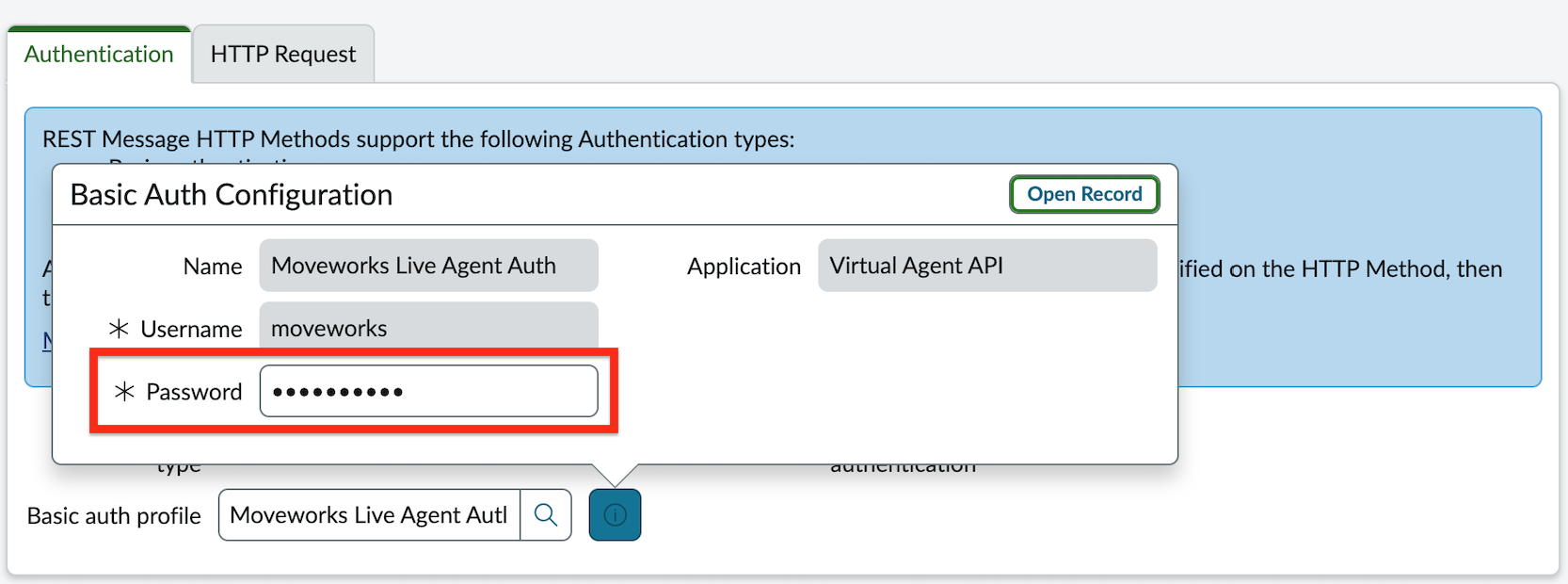
5. Click **Update**
### 1.5: Set Token Verification Password in ServiceNow
The update set creates the token verification record but **cannot transport the password**. You must set it manually.
1. Navigate to `[your_instance]/token_verification_list.do`
2. Open the record named **Moveworks Live Agent Message Brokering - IT**
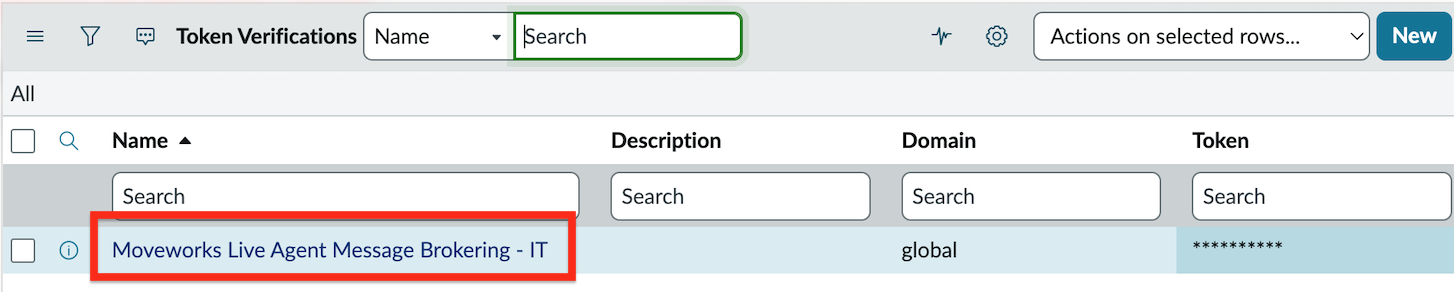
3. Set *any* secure password in **Token** — **save this password securely, you will need it in Step 6**
4. Click **Update**
### 1.6: Configure Live Agent Handoff
1. In MyMoveworks, navigate to **Handoff > Live Agent Handoff**
2. Click **Create** to add a new configuration
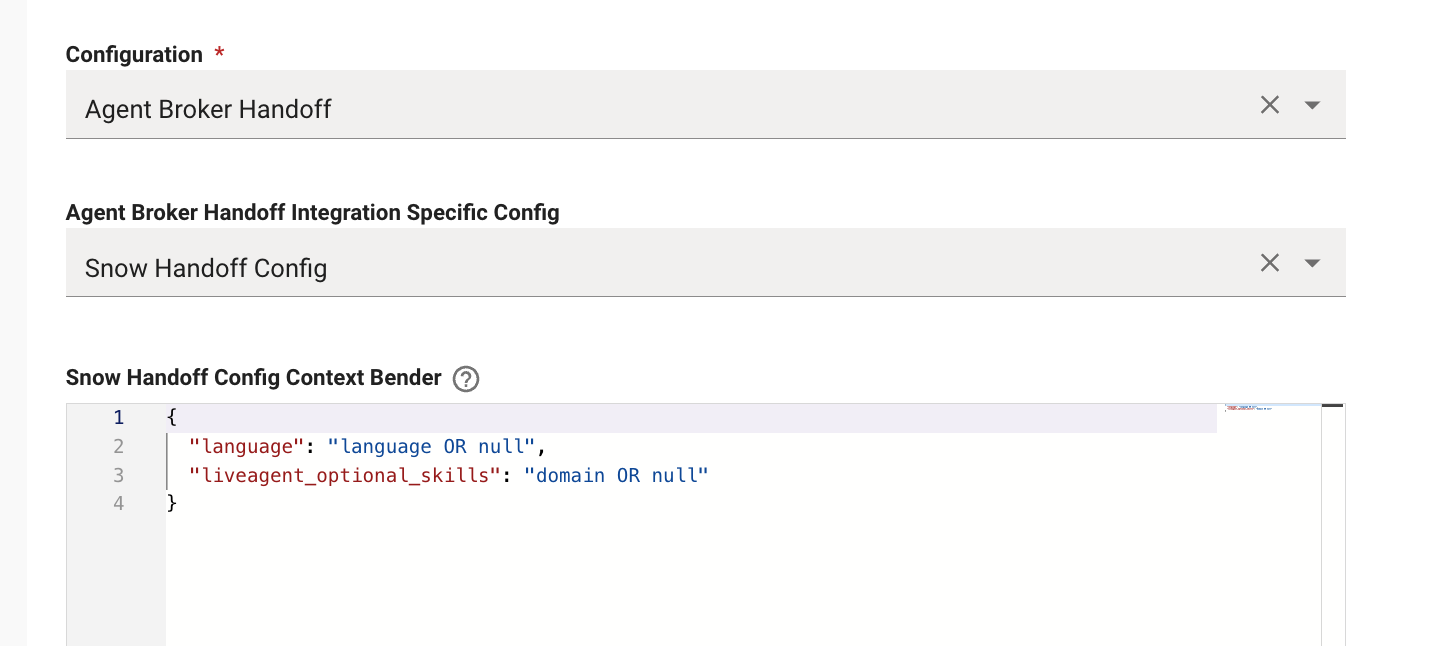
3. Set **Configuration** to **Agent Broker Handoff**
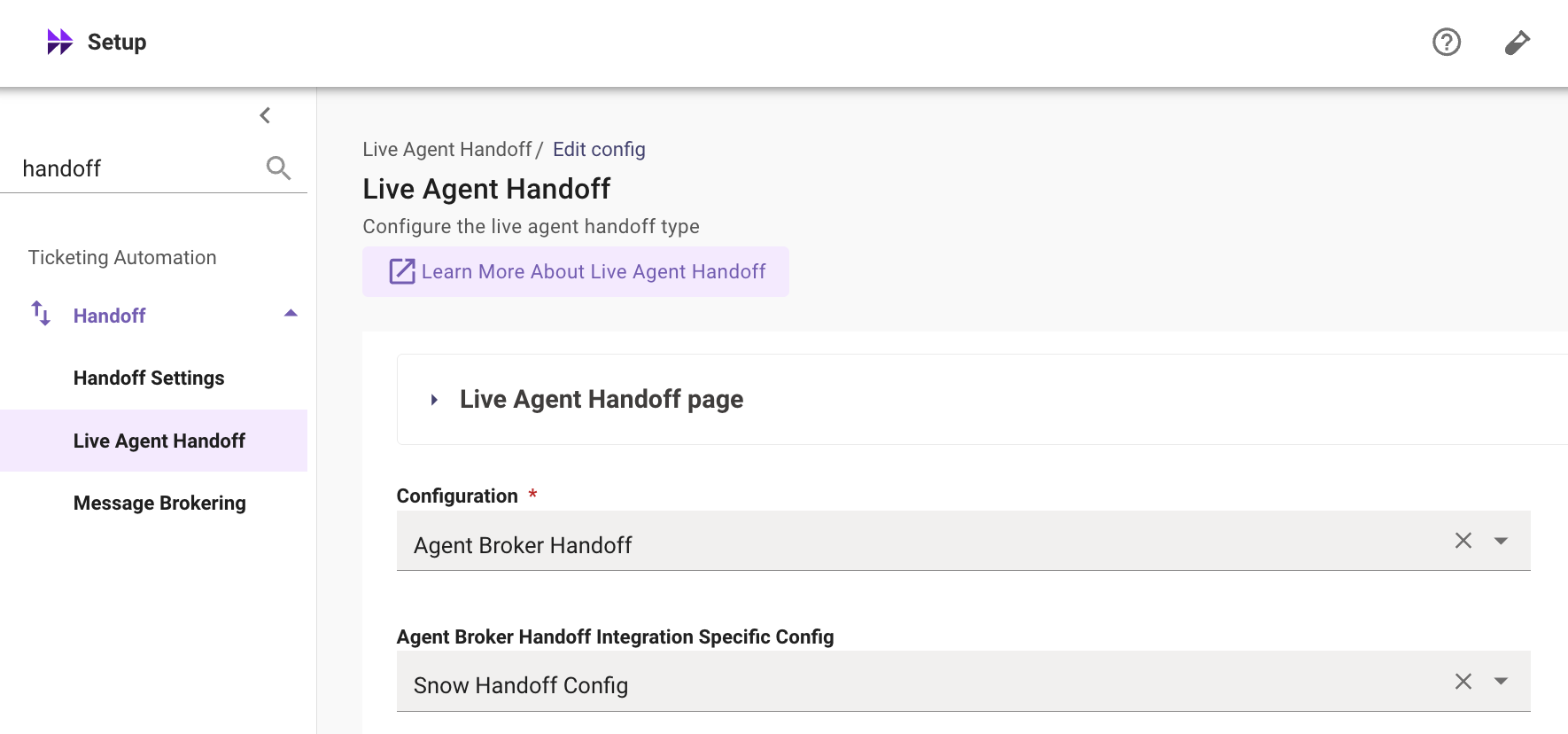
4. Open the **Live Agent Handoff** dropdown and set the **Handoff Identifier** (e.g., `agent_broker_instance_1`)
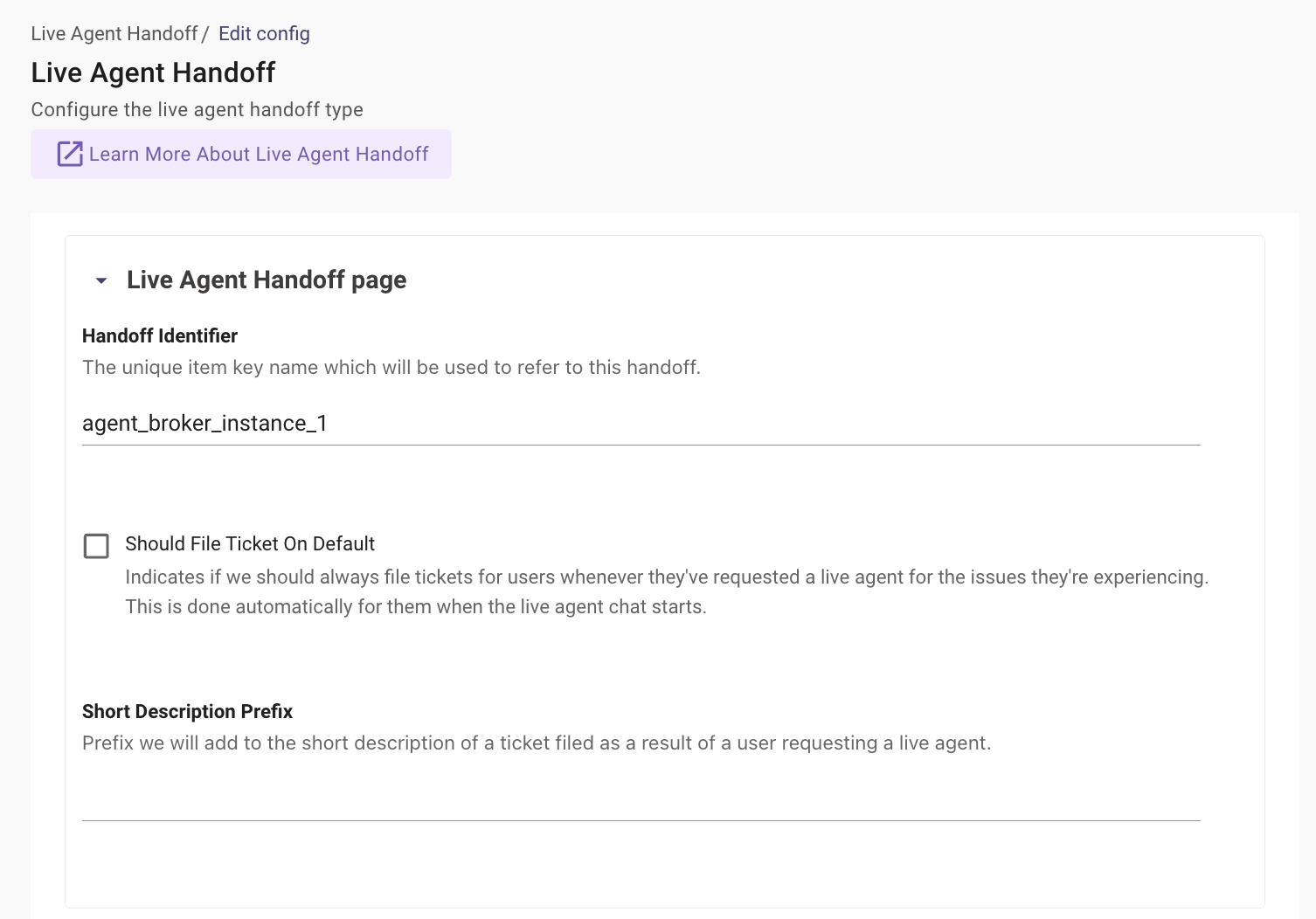
5. Configure the **Snow Handoff Config Context Bender** with the following default payload:
```json
{
"language": "language OR null",
"liveagent_optional_skills": "domain OR null"
}
```
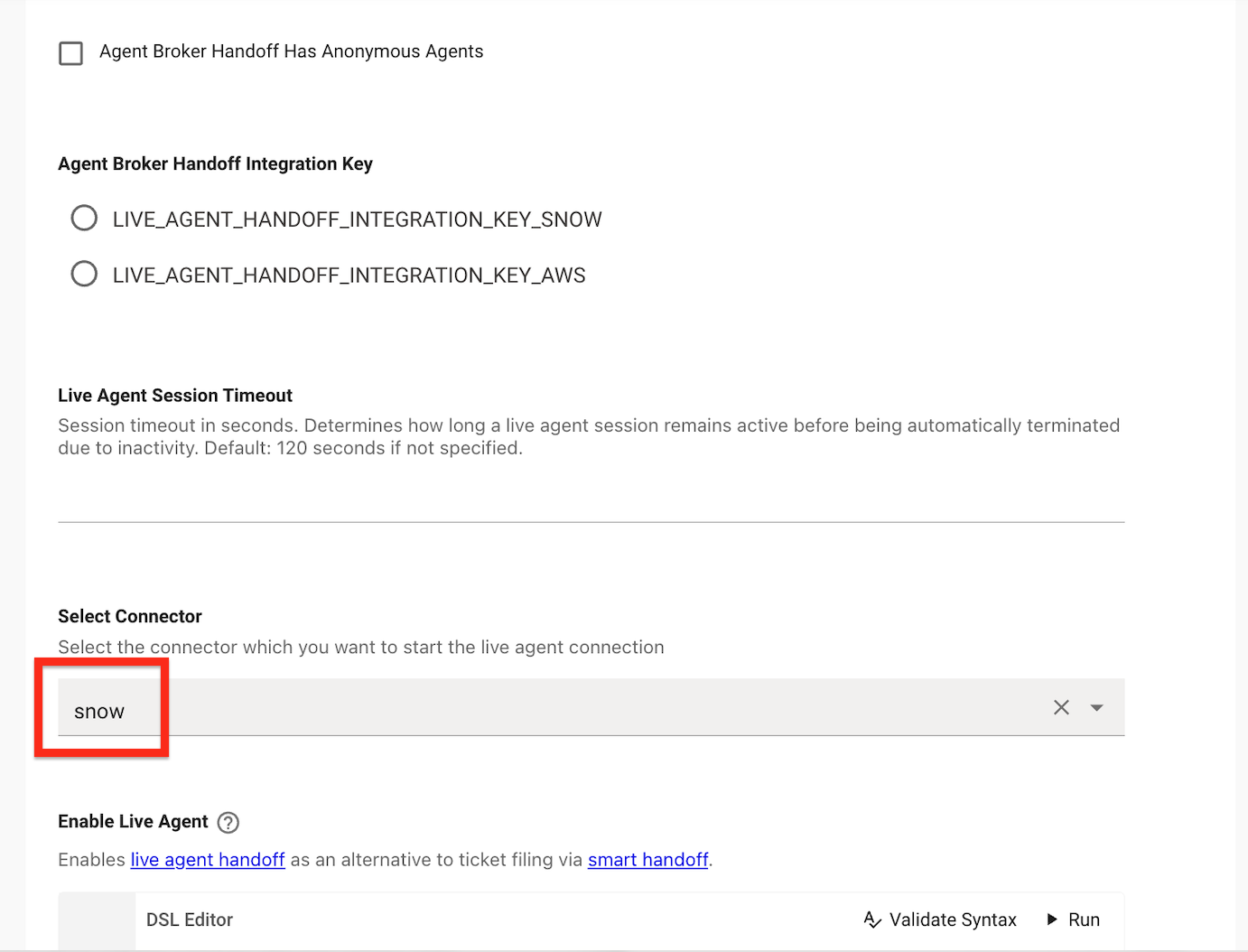
6. Set the **Integration ID** to the ServiceNow connector that will be used as the live agent chat platform
7. Set **Enable Live Agent** to **TRUE**
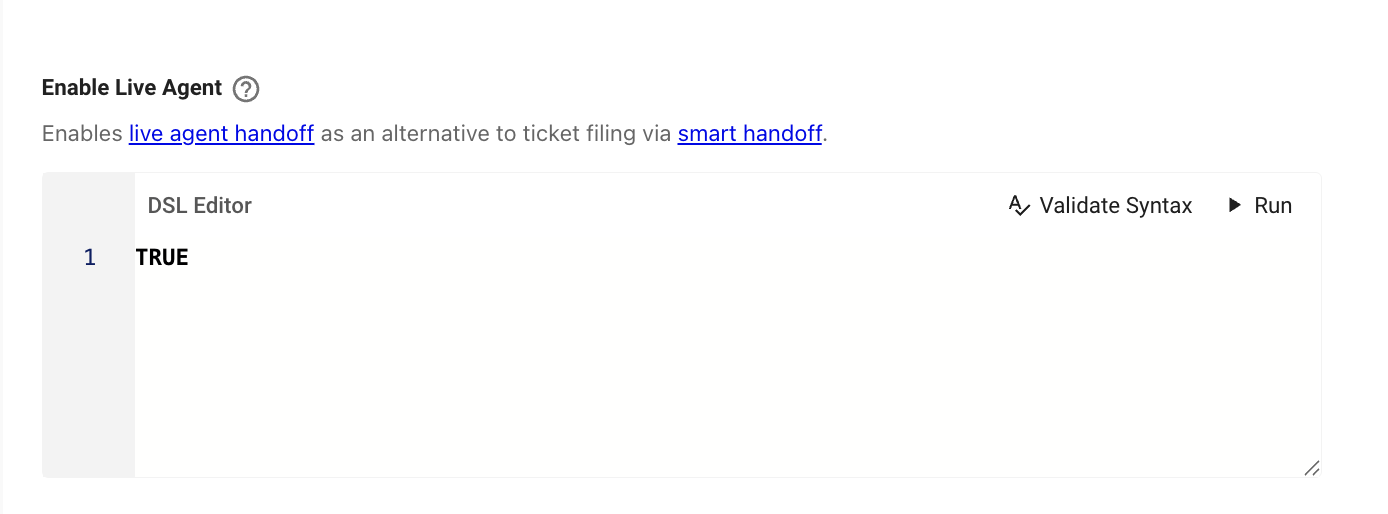
| **Field Name** | **Action / Value to Enter** |
| ---------------------- | ------------------------------- |
| **Configuration** | Agent Broker Handoff |
| **Handoff Identifier** | `agent_broker_instance_1` |
| **Trigger Rule** | `context.domain == "IT_DOMAIN"` |
| **Integration ID** | Your ServiceNow connector |
| **Enable Live Agent** | TRUE |
### 1.7: Configure Smart Handoff
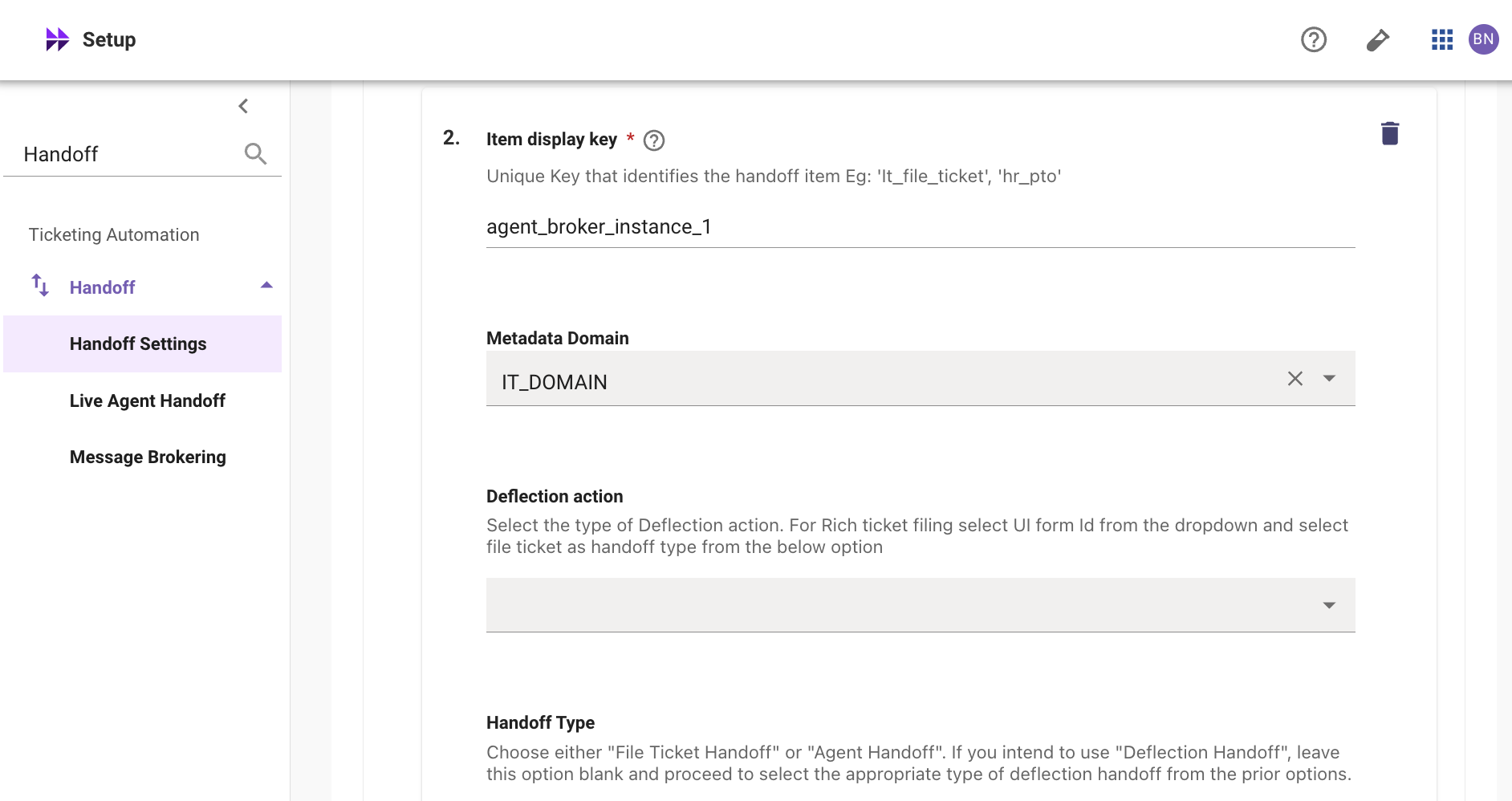
1. Navigate to **Handoff > Handoff Settings**
2. Add a new **Item Display Key** with the following rule:
`IF (context.domain_candidates[0].domain == "IT_DOMAIN") THEN 1.0 ELSE 0.5`
3. Navigate to **Display Configurations > Handoff**
4. Ensure the **Handoff Identifier** (`agent_broker_instance_1`) is set
5. Set the **Value** field to a user-friendly name (e.g., `Live Chat`) — this is what users will see when selecting this handoff option
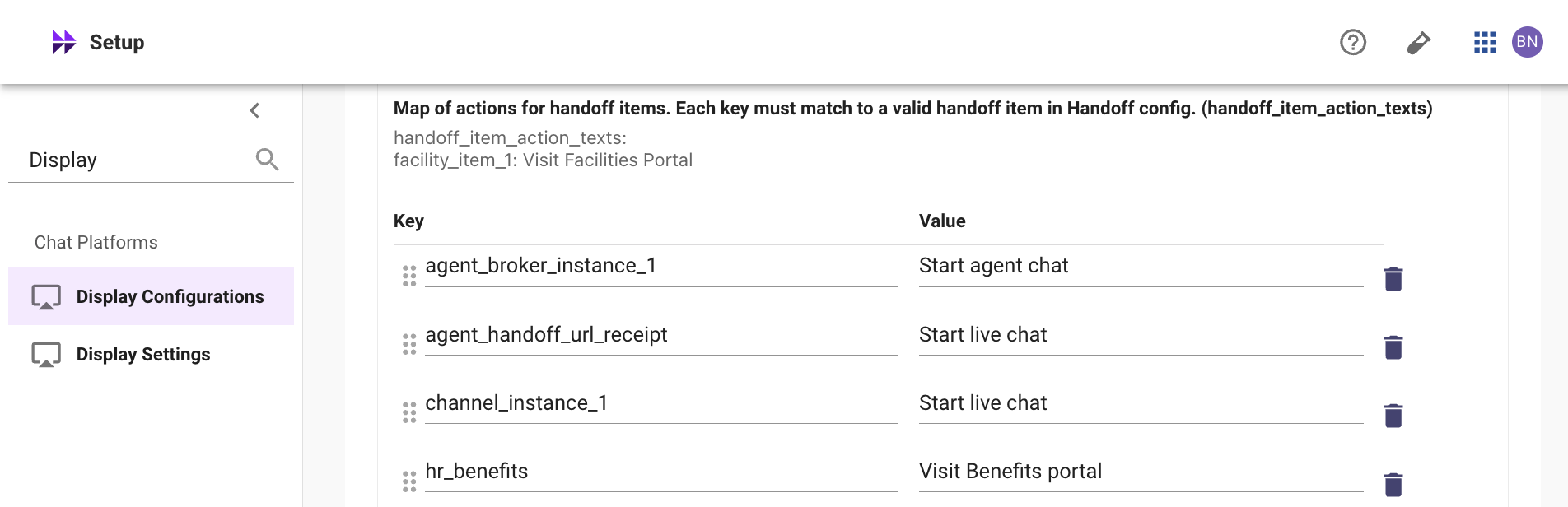
**Note:** If the Handoff Identifier is not set in Display Configurations, the "Start agent chat" button will not appear in the AI Assistant.
### 1.8: Update ServiceNow Connector with Token
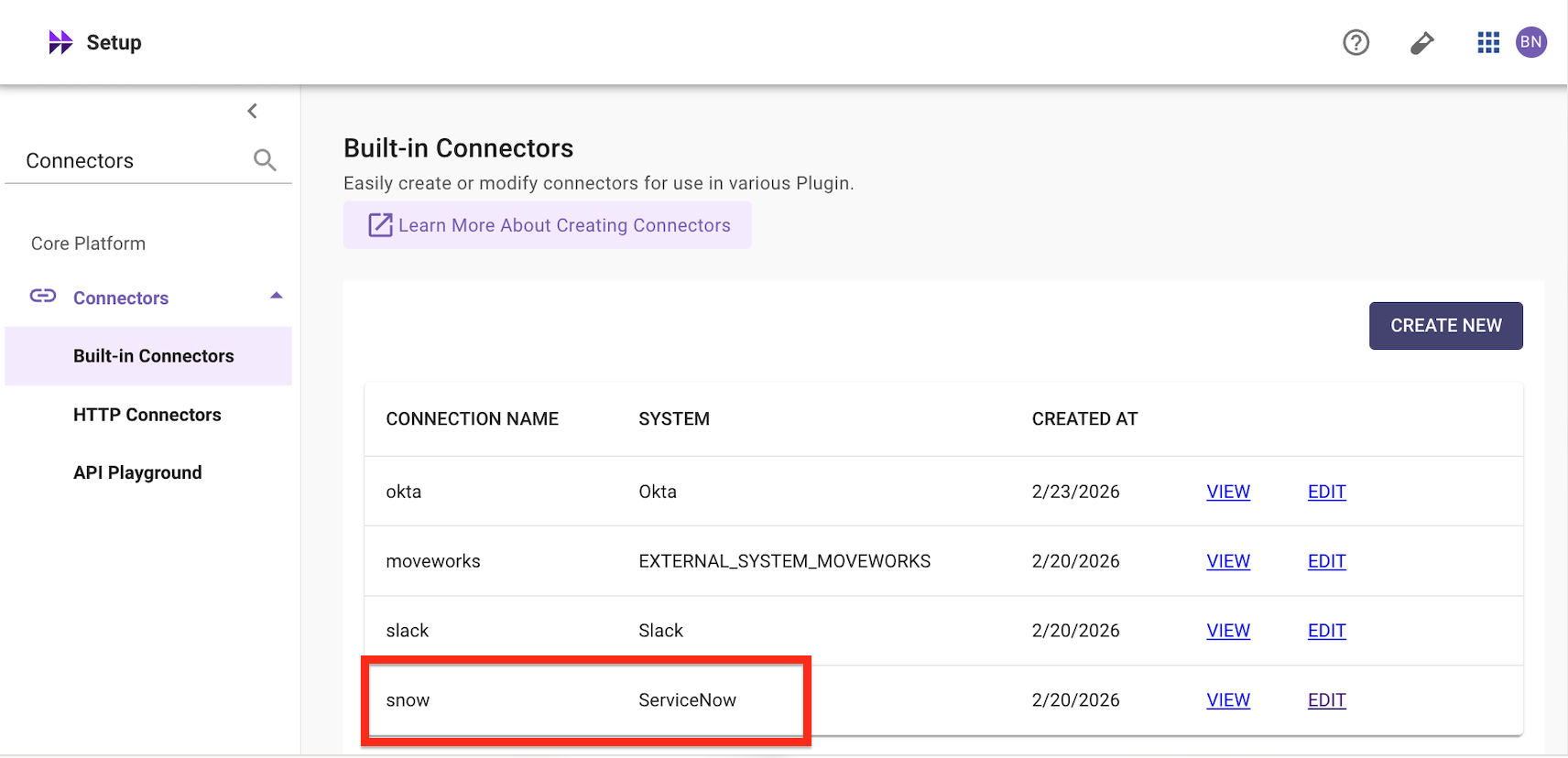
1. In MyMoveworks, navigate to **Connectors > Built-in Connectors**
2. Find the ServiceNow connector for your lab instance and click **Edit**
3. Add the token password from **Step 3** to the **ServiceNow Virtual Agent API Token** field
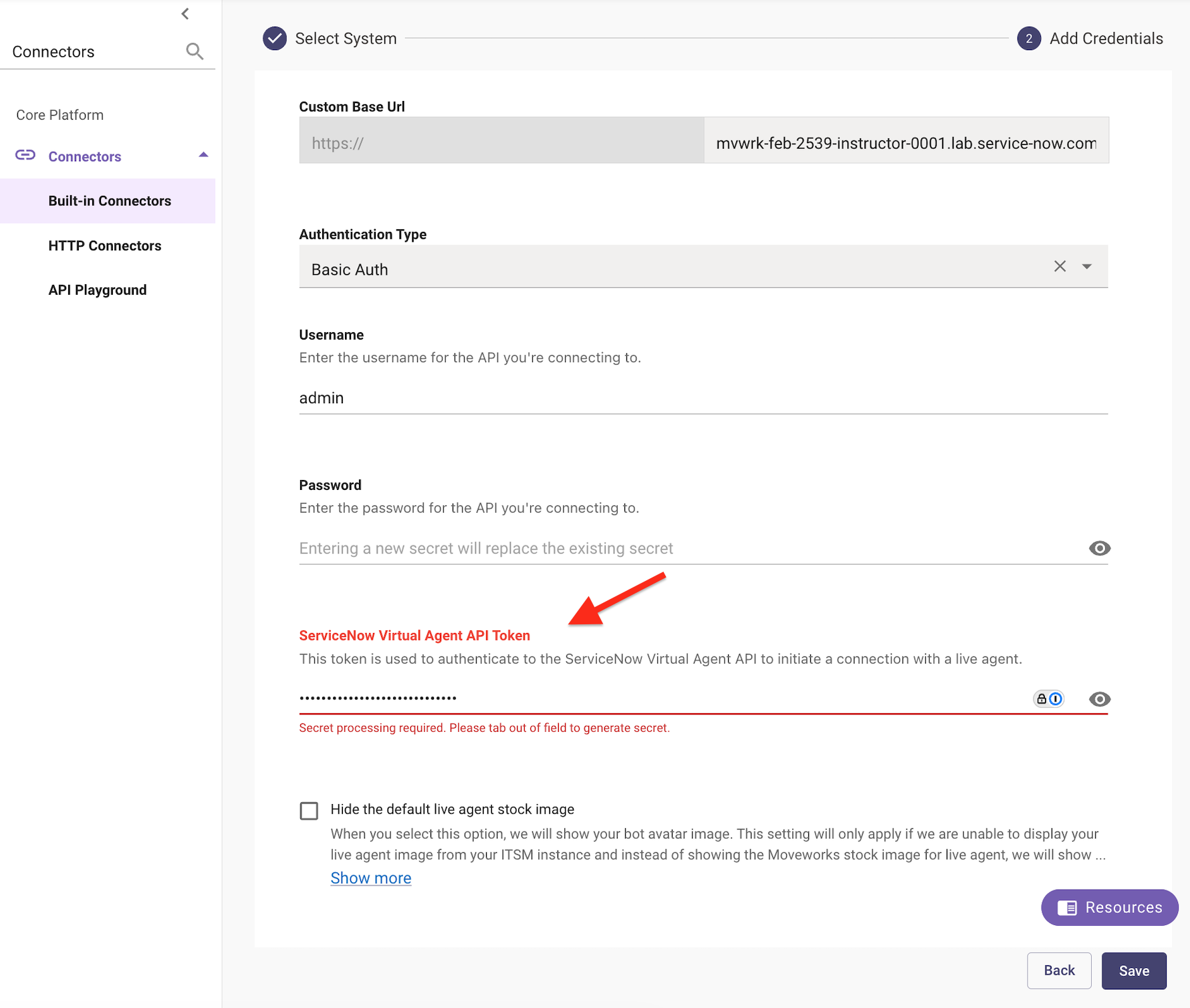
4. Click **Save**
### 1.9: Set Up Your Agent in ServiceNow
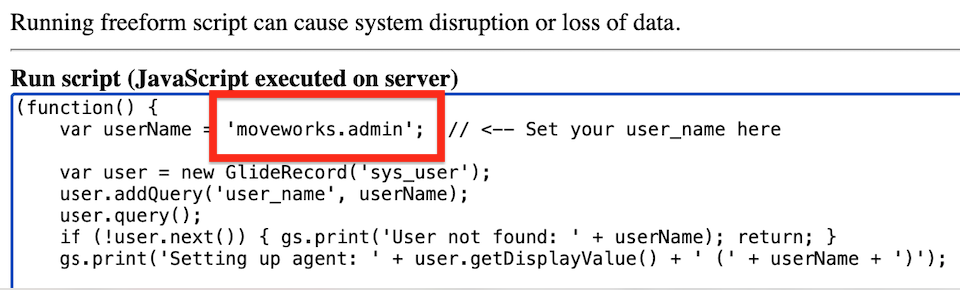
Run the following script in **Scripts - Background** to configure your user as a live agent. Replace `CHANGE_ME` with your ServiceNow username:
**Note 1:** Make sure the instance is set to **Global** scope.
**Note 2:** The script is pre-configured to set up `moveworks.admin (Jordan Taylor)` as the live agent. You cannot answer your own live agent chat — the agent receiving the chat must be a different user than the one initiating the handoff.
```javascript
(function() {
var userName = 'CHANGE_ME'; // <-- Set your moveworks_admin here
var user = new GlideRecord('sys_user');
user.addQuery('user_name', userName);
user.query();
if (!user.next()) { gs.print('User not found: ' + userName); return; }
gs.print('Setting up agent: ' + user.getDisplayValue() + ' (' + userName + ')');
// Add to Agent Chat Group
var grp = new GlideRecord('sys_user_group');
grp.addQuery('name', 'Agent Chat Group');
grp.query();
if (!grp.next()) { gs.print('ERROR: Agent Chat Group not found'); return; }
var gm = new GlideRecord('sys_user_grmember');
gm.addQuery('group', grp.sys_id);
gm.addQuery('user', user.sys_id);
gm.query();
if (!gm.next()) {
gm.newRecord();
gm.group = grp.sys_id;
gm.user = user.sys_id;
gm.insert();
gs.print(' Added to Agent Chat Group');
} else {
gs.print(' Already in Agent Chat Group');
}
// Grant awa_agent role
var role = new GlideRecord('sys_user_role');
role.addQuery('name', 'awa_agent');
role.query();
if (role.next()) {
var hr = new GlideRecord('sys_user_has_role');
hr.addQuery('user', user.sys_id);
hr.addQuery('role', role.sys_id);
hr.query();
if (!hr.next()) {
hr.newRecord();
hr.user = user.sys_id;
hr.role = role.sys_id;
hr.insert();
gs.print(' Granted awa_agent role');
} else {
gs.print(' Already has awa_agent role');
}
}
// Create agent presence
var ap = new GlideRecord('awa_agent_presence');
ap.addQuery('agent', user.sys_id);
ap.query();
if (!ap.next()) {
ap.newRecord();
ap.agent = user.sys_id;
var ps = new GlideRecord('awa_presence_state');
ps.addQuery('name', 'Available');
ps.query();
if (ps.next()) ap.current_presence_state = ps.sys_id;
ap.insert();
gs.print(' Created agent presence (Available)');
} else {
gs.print(' Agent presence exists | state=' + ap.current_presence_state.getDisplayValue());
}
// Create Chat capacity
var ch = new GlideRecord('awa_service_channel');
ch.addQuery('name', 'Chat');
ch.query();
if (ch.next()) {
var ac = new GlideRecord('awa_agent_capacity');
ac.addQuery('user', user.sys_id);
ac.addQuery('channel', ch.sys_id);
ac.query();
if (!ac.next()) {
ac.newRecord();
ac.user = user.sys_id;
ac.channel = ch.sys_id;
ac.applied_max_capacity = 4;
ac.insert();
gs.print(' Created Chat capacity (max=4)');
} else {
gs.print(' Chat capacity exists');
}
// Create Chat availability
var aca = new GlideRecord('awa_agent_channel_availability');
aca.addQuery('agent', user.sys_id);
aca.addQuery('service_channel', ch.sys_id);
aca.query();
if (!aca.next()) {
aca.newRecord();
aca.agent = user.sys_id;
aca.service_channel = ch.sys_id;
aca.available = true;
aca.insert();
gs.print(' Created Chat availability (available=true)');
} else {
gs.print(' Chat availability exists');
}
}
gs.print('\nDone! Set your status to Available in Service Operations Workspace.');
})();
```
**Expected Output:**
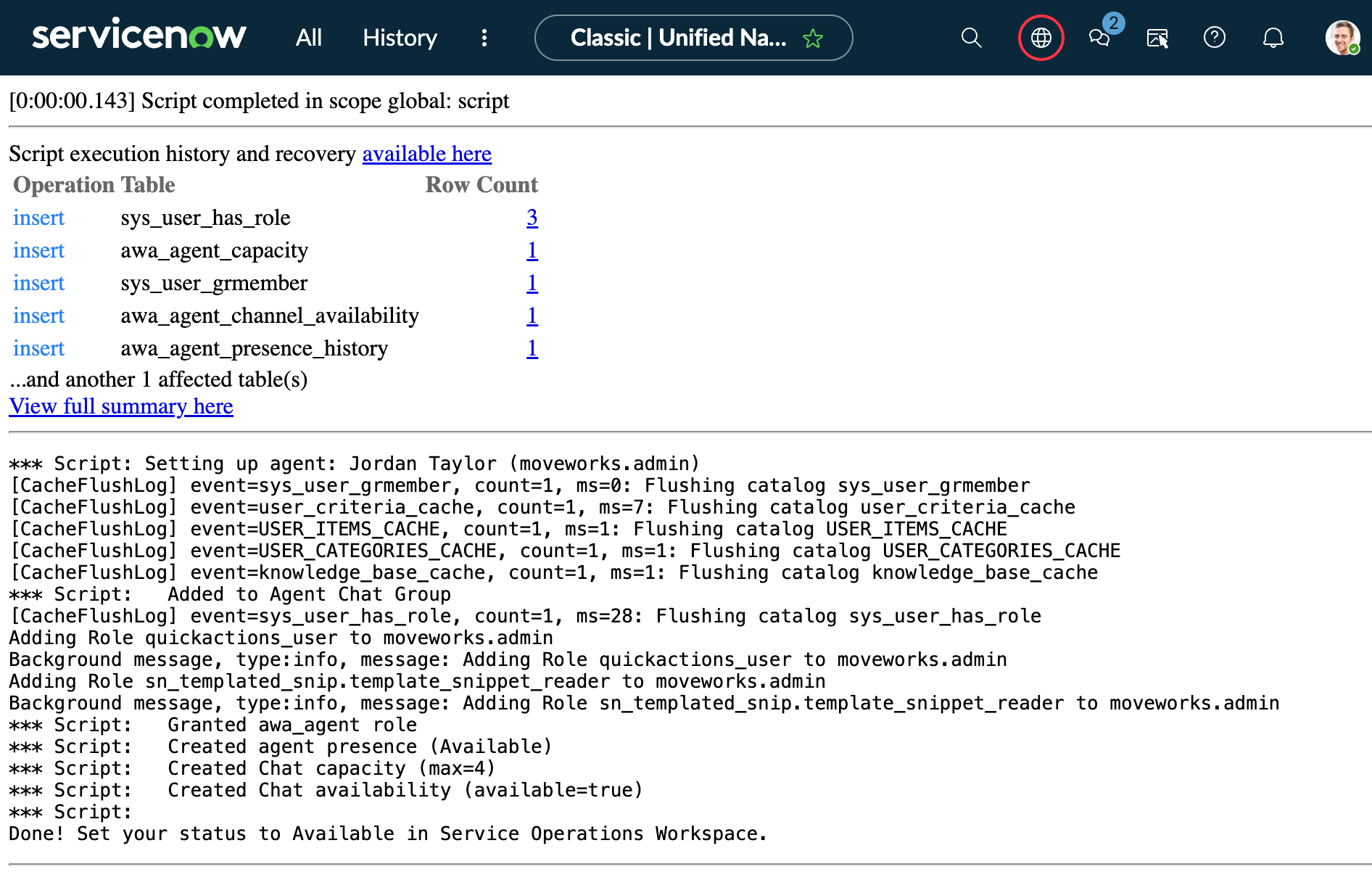
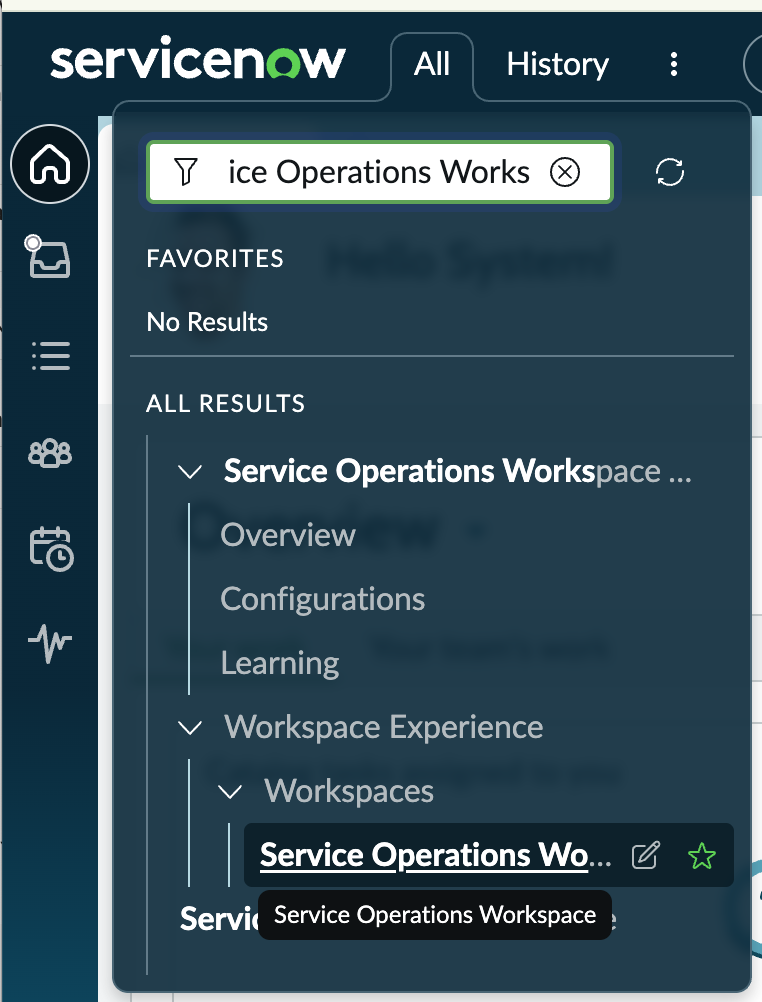
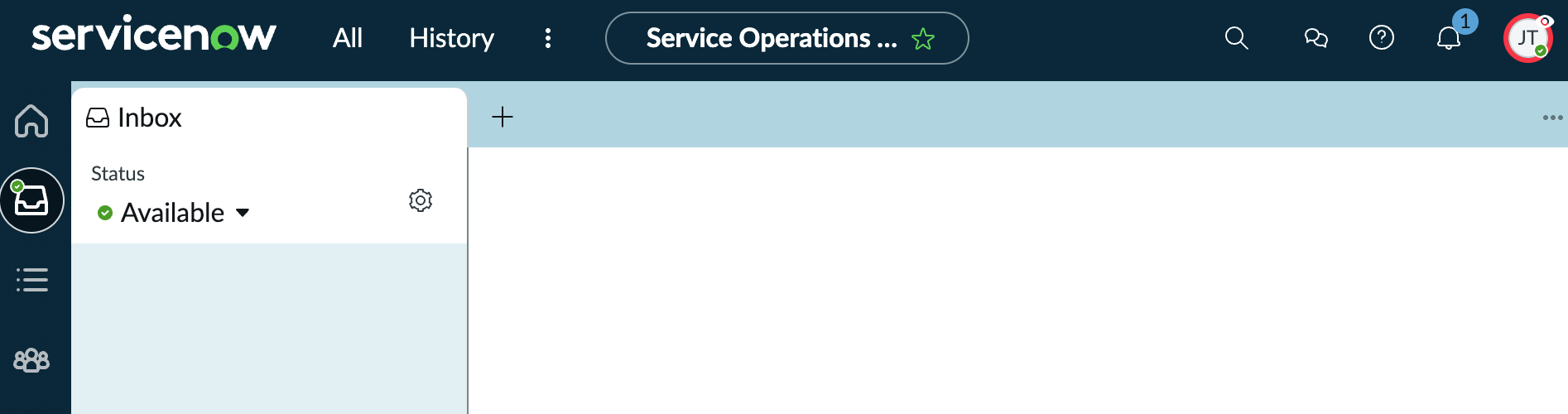
Impersonate `moveworks.admin (Jordan Taylor)`, then open **Service Operations Workspace** in ServiceNow and set your status to **Available** — this is the agent session that will receive the test handoff in the next section.
***
## ✅ 2: Verification & Testing
### 2.1: Test the Handoff
1. Open your AI Assistant
2. Start a conversation and click **Get Help**
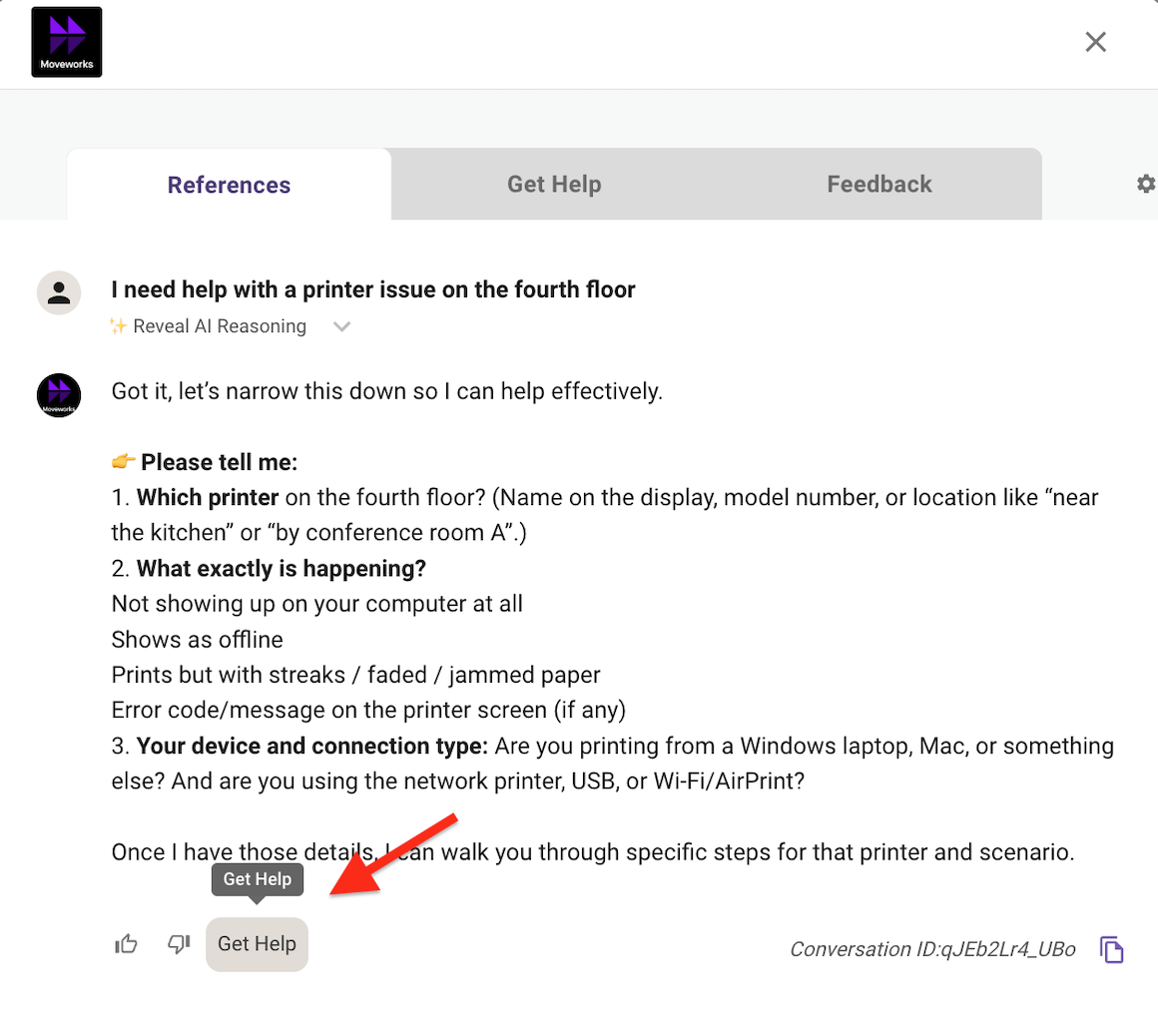
3. Select the **Start agent chat**
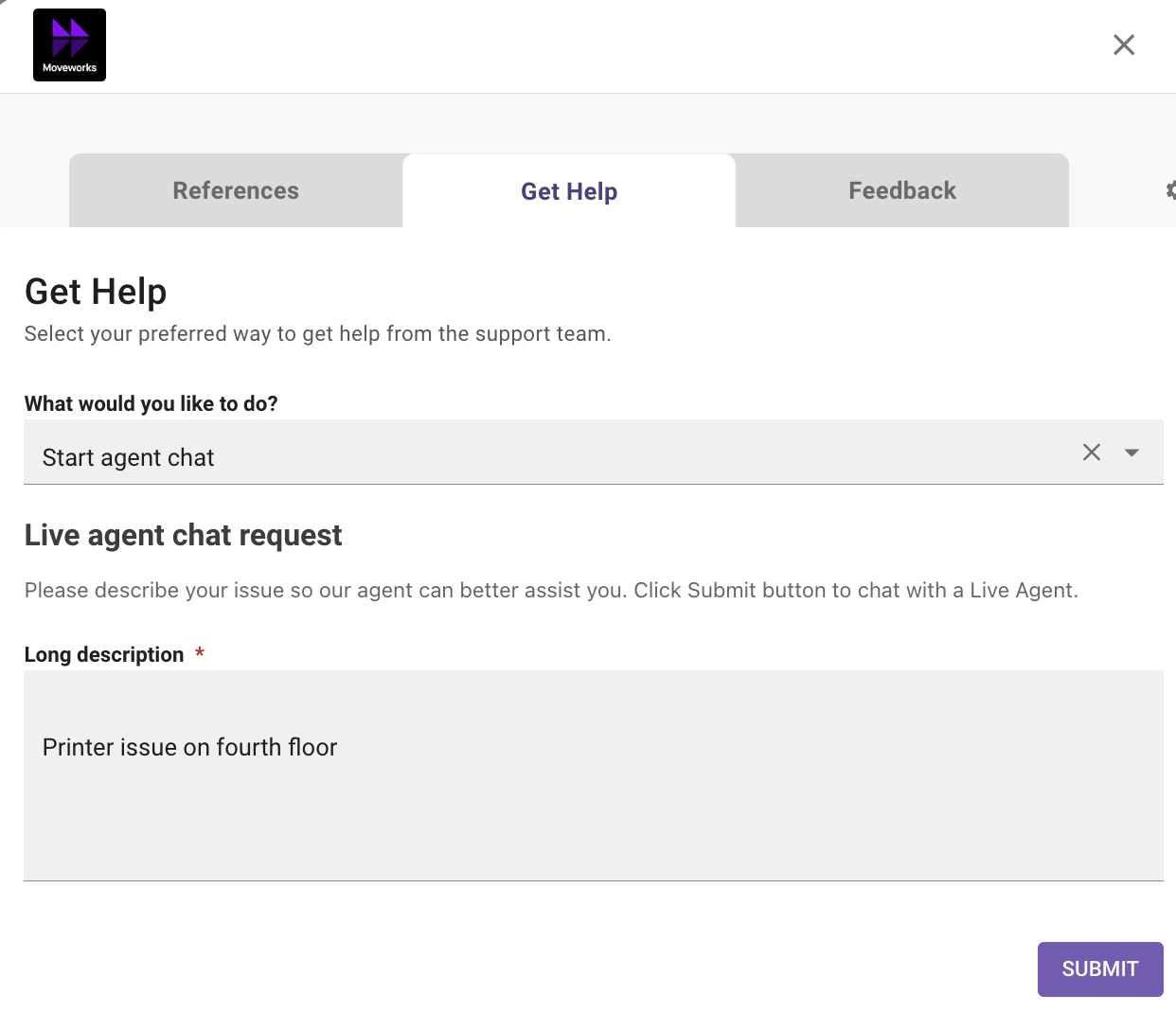
4. Verify the description and click **Submit**
5. The live agent session should begin — check Service Operations Workspace (logged in as Jordan Taylor) for the incoming chat
### 2.2: Troubleshooting
| **Symptom** | **Likely Cause** | **How to Check** |
| ------------------------------------------ | --------------------------------------------------------------------- | --------------------------------------------------------------------------------------------------------------------------------------------------------------------------------------------------------------------------------------------------------------------------------------------------------- |
| "No agents available" | Agent not set to Available in SOW, or schedule config blocking | Verify agent status in SOW; check `awa_agent_presence_capacity` API. In ServiceNow, navigate to **Service Operations Workspace**, set your status to **Available**, and verify agents are available via: `GET [your_instance]/api/now/table/awa_agent_presence_capacity?sysparm_query=aca_available=true` |
| Interaction created but immediately closes | AWA queue, assignment rule, or eligibility pool missing/misconfigured | Check `interaction.list` — if `active=false` and `queue` is empty, the AWA routing is broken |
| "Start agent chat" button doesn't appear | Handoff Identifier not set in Display Configurations | Verify Display Configurations > Handoff has the correct identifier |
| Auth errors from ServiceNow | API key not set in auth profile, or token mismatch | Verify auth profile password and connector token match |
***
## 🪞 3: Reflecting on This Configuration
Through this lab, you've learned the following:
* How to configure Moveworks Live Agent Handoff to broker chat sessions between users and ServiceNow agents
* How to connect Moveworks and ServiceNow using the Virtual Agent Bot-to-Bot API with proper authentication (API key + token verification)
* How to configure Smart Handoff rules to control when the live agent option appears based on domain context
* How to verify agent availability and troubleshoot common issues like missing AWA queue configuration, closed interactions, and authentication mismatches
* How the end-to-end flow works: availability check → interaction creation → AWA routing → agent assignment → message brokering
***
## ⚙️ 4: Configuration Summary
| **Component** | **Where** | **What** |
| ------------------------------- | ------------------------------------------------ | ---------------------------------------------------------------- |
| **API Key** | MyMoveworks > HTTP Connectors | Generated credential for ServiceNow auth profile |
| **Auth Profile Password** | ServiceNow > VA Bot to Bot > POST > Auth Profile | API key entered as password |
| **Token Verification Password** | ServiceNow > token\_verification\_list.do | Password set on Moveworks token record |
| **Live Agent Handoff** | MyMoveworks > Handoff > Live Agent Handoff | Agent Broker Handoff config with trigger rule and integration ID |
| **Smart Handoff** | MyMoveworks > Handoff > Handoff Settings | Item display key and display configuration |
| **Connector Token** | MyMoveworks > Connectors > Built-in Connectors | Token verification password added to ServiceNow connector |
| **Agent Setup** | ServiceNow > Scripts - Background | Agent added to Chat queue with roles, presence, and capacity |