***
title: 'API Credentials : Generate and Manage Credentials'
position: 1
deprecated: false
hidden: false
metadata:
robots: index
-------------
# Moveworks API Credentials Management
Welcome to the **Credentials** page, where you can manage tokens used to authenticate with Moveworks APIs.
**Data Governance**
This page is only visible to **Super Admins** because it allows the generation of API credentials for analytics data.\
If you require new credentials or need to edit/remove existing ones, please contact your Super Admin.
## How to navigate to this page.
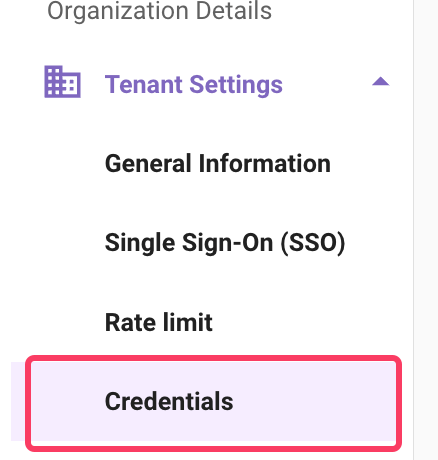
The credentials page is present under **Moveworks Setup** -> **Tenant settings**.
## What are API Credentials?
API credentials are authentication details that enable your organization to access Moveworks APIs.\
Each credential provides access to API products based on the **permissions and scopes** assigned to it.
***
## What Credentials Are Visible to Me?
The **Credentials** tab in Moveworks Setup displays all **Data API credentials**.\
For each credential, you can view the **authentication type** and the **assigned scopes**.
***
## How Do I Create New Credentials?
If you participated in the limited preview and already have credentials for the `/v1beta2` version of the Data API, you do not need new credentials.\
The `/v1beta2` credentials will work seamlessly with the `/v1` version.
You can create new credentials by clicking the **Create** button. During setup, you will be asked to configure the following: (You can only create credentials for Data API through this page)
### Step 1: Enter a Credential Name
* Provide a name to identify your credential.
* Example: `Analytics-DataAPI-Credential`
### Step 2: Select Authentication Type
Moveworks supports two authentication methods:
1. **🔑 API Key**
* Simplest method of authentication.
* Recommended for **server-to-server integrations** where a static key can be securely stored.
* After creation, an API key will be provided—store it in a secure secrets manager.
2. **🔒 OAuth 2.0**
* Secure, token-based authentication.
* Recommended for scenarios requiring **delegated access** or **token refresh**.
* After creation, you will receive a **Client ID** and **Client Secret**.
### Step 3: Define Access Scope
Scopes determine what data or actions the credential can access. You must select at least one scope.
**Available scopes:**
* **All** → Grants access to all available endpoints.
* **Conversations** → Access to conversation-level data.
* **Interactions** → Access to interaction-level data (user messages, AI Assistant responses).
* **Plugin Calls** → Access to plugin execution data.
* **Plugin Resources** → Access to plugin resource metadata.
* **Users** → Access to user details (IDs, emails, attributes).
> **Best practice:** Enable only the scopes required for your use case to follow the **principle of least privilege**.
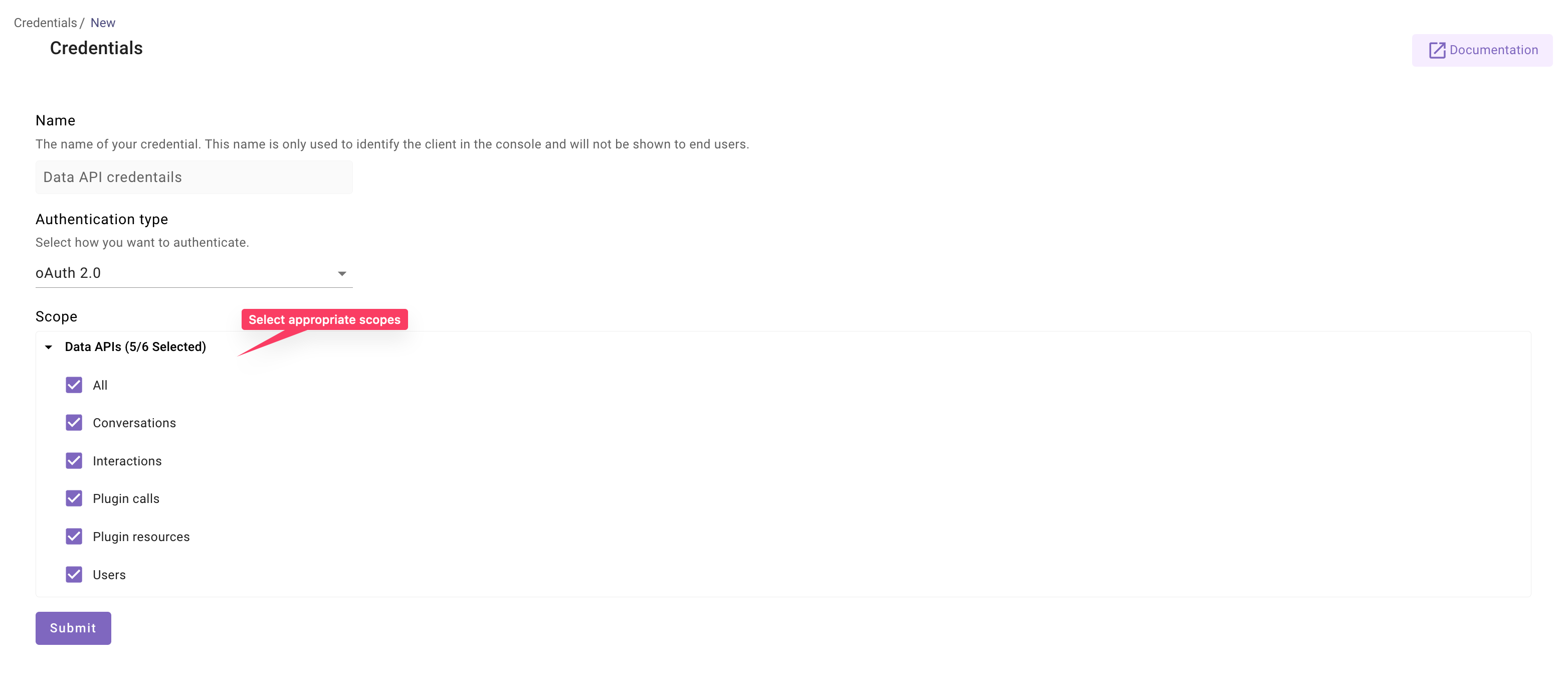
Once scopes are selected, click **Submit**.\
A pop-up will display your API Key (for API Key auth) or Client ID & Client Secret (for OAuth 2.0).
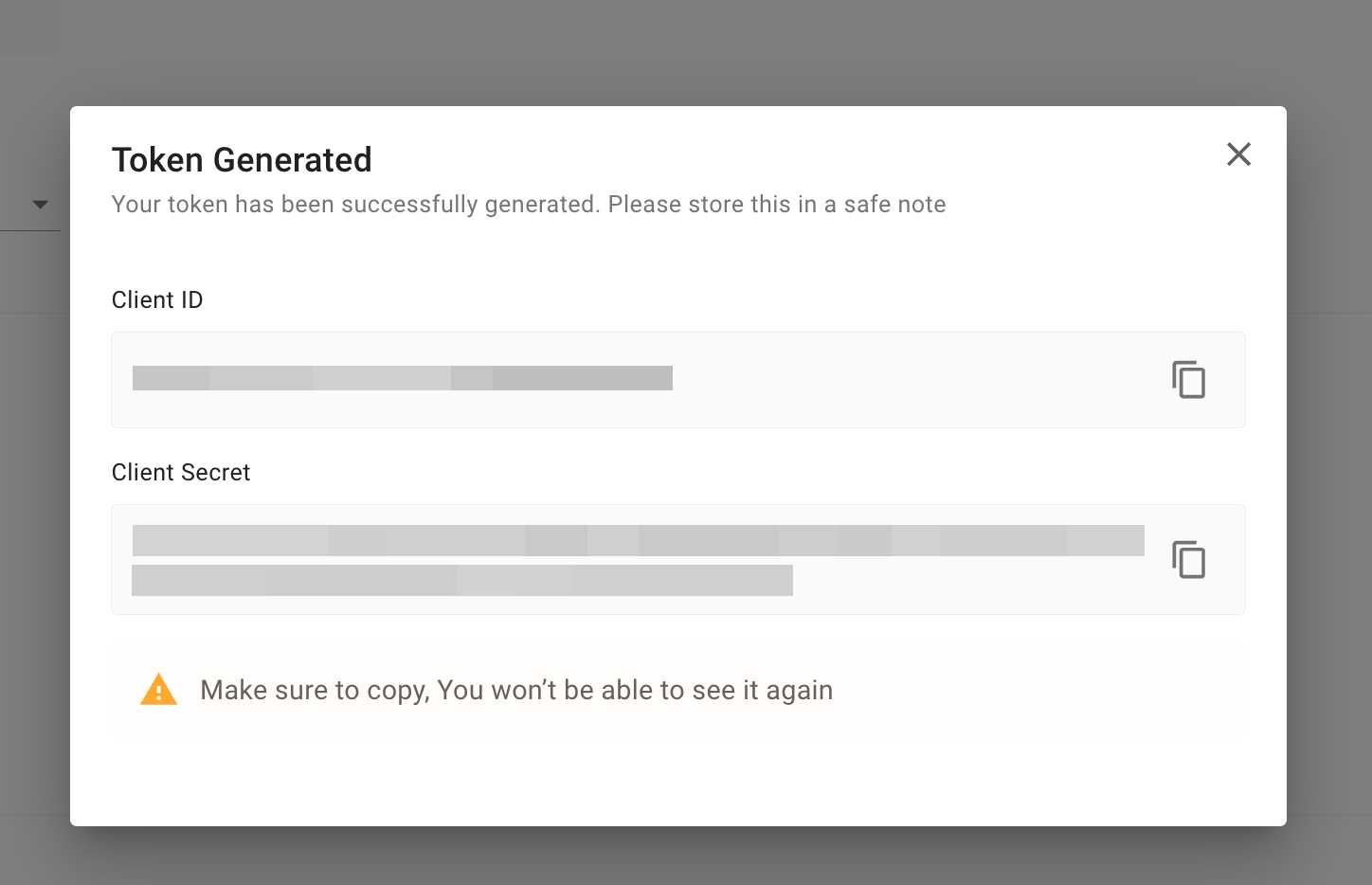
⚠️ **Important:** Credentials are shown **only once** in this pop-up.\
Be sure to store them securely before closing it—after that, they cannot be retrieved.
***
## Editing Credentials
You can update the following properties of an existing credential:
* Credential name
* Assigned scopes
***
## Deleting Credentials
* Deleted credentials **cannot be restored**.
* If a deleted credential is being used in your data pipelines, those requests will fail with a **`401 Unauthorized`error**.
***
## Credentials Expiry
* **Data API credentials themselves do not expire**. There is no TTL on API Keys or on the OAuth2 Client ID and Client Secret.
* However, the **access token** generated using OAuth2 client credentials **expires after 3600 seconds (1 hour)**.
* A new token must be generated to continue calling the APIs.
For more details on authentication and authorization, please refer to the [Data API Documentation](/api-reference/overview#/).