> For clean Markdown of any page, append .md to the page URL.
> For a complete documentation index, see https://help.moveworks.com/agent-studio/core-platform/moveworks-agent/moveworks-agent-configuration-guides/llms.txt.
> For full documentation content, see https://help.moveworks.com/agent-studio/core-platform/moveworks-agent/moveworks-agent-configuration-guides/llms-full.txt.
# On-Prem Agent AWS Secrets Manager
This guide is only needed if you are configuring the Moveworks On-Prem Agent to read credentials from AWS Secrets Manager. If you are not using an external secrets manager, the agent stores credentials locally using AES-256 encryption — see the [Installation Guide](/agent-studio/core-platform/moveworks-agent/moveworks-agent-installation-guide) to get started.
These instructions will guide you to configure permissions for a vm in AWS to pull secrets from secrets manager.
You have several option for how to do this.
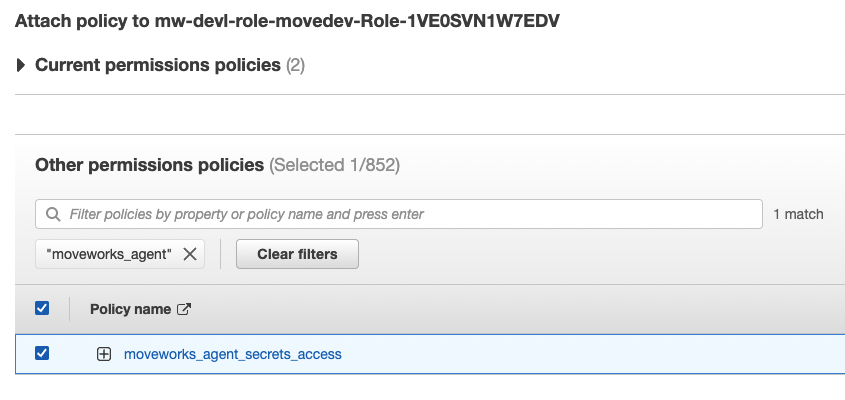
1. [\[Recommended\] Assign the \[movework\_agent\_secrets\_access\] policy to the existing role used by the vm.](/agent-studio/core-platform/moveworks-agent/moveworks-agent-aws-secrets-manager-setup-guide#recommended-assign-the-movework_agent_secrets_access-policy-to-the-existing-role-used-by-the-vm)
2. [Create a new role with the \[movework\_agent\_secrets\_access\] policy and assign this role to the vm.](/agent-studio/core-platform/moveworks-agent/moveworks-agent-aws-secrets-manager-setup-guide#create-new-role)
3. [Create an inline policy and assign it to the existing role used by the vm.](/agent-studio/core-platform/moveworks-agent/moveworks-agent-aws-secrets-manager-setup-guide#create-inline-policy-for-existing-role)
## \[Recommended] Assign the \[movework\_agent\_secrets\_access] policy to the existing role used by the vm
### Use AWS cloud formation to create Moveworks Agent IAM managed policy allowing Secrets Manager access
1. Create new stack by clicking on **Create stack**.\
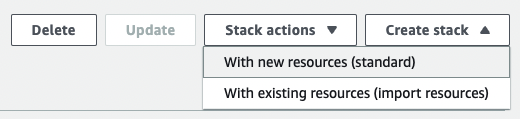
2. Use the Moveworks cloud formation template.
```
AWSTemplateFormatVersion: "2010-09-09"
Description: >-
Template for generating Moveworks Agent IAM managed policy allowing
Secrets Manager access.
Resources:
SecretsManagerPolicy:
Type: 'AWS::IAM::ManagedPolicy'
Properties:
ManagedPolicyName: moveworks_agent_secrets_access
PolicyDocument:
Version: "2012-10-17"
Statement:
- Effect: Allow
Action:
- 'secretsmanager:GetSecretValue'
- 'secretsmanager:DescribeSecret'
Resource: !Sub >-
arn:${AWS::Partition}:secretsmanager:*:${AWS::AccountId}:secret:moveworks_agent/*
```
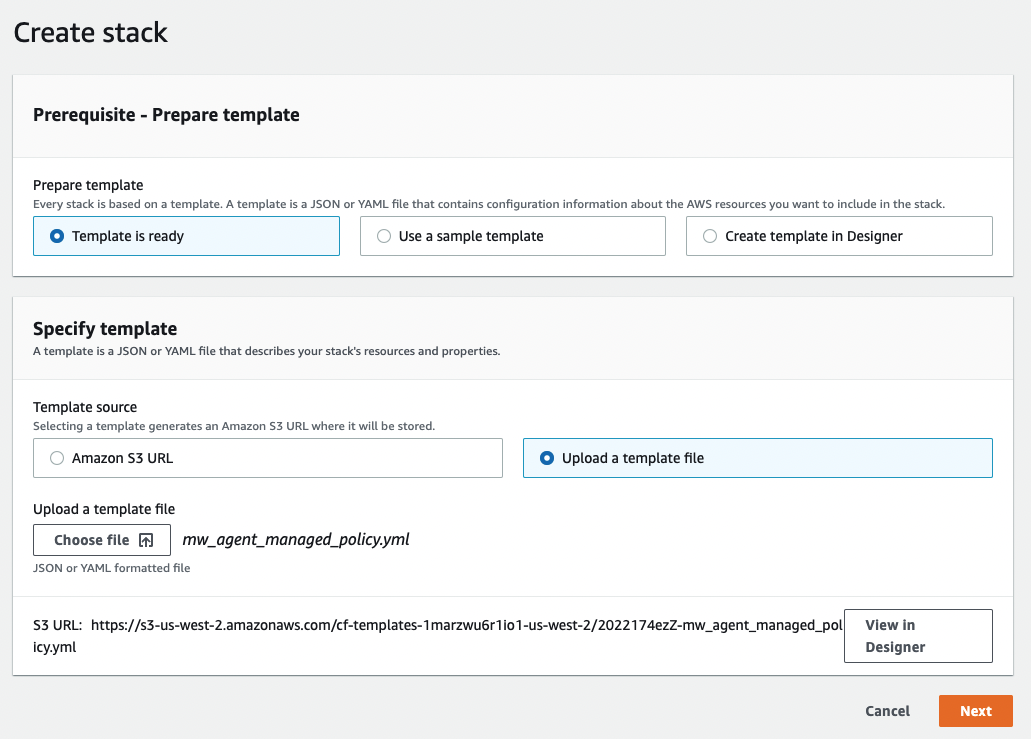
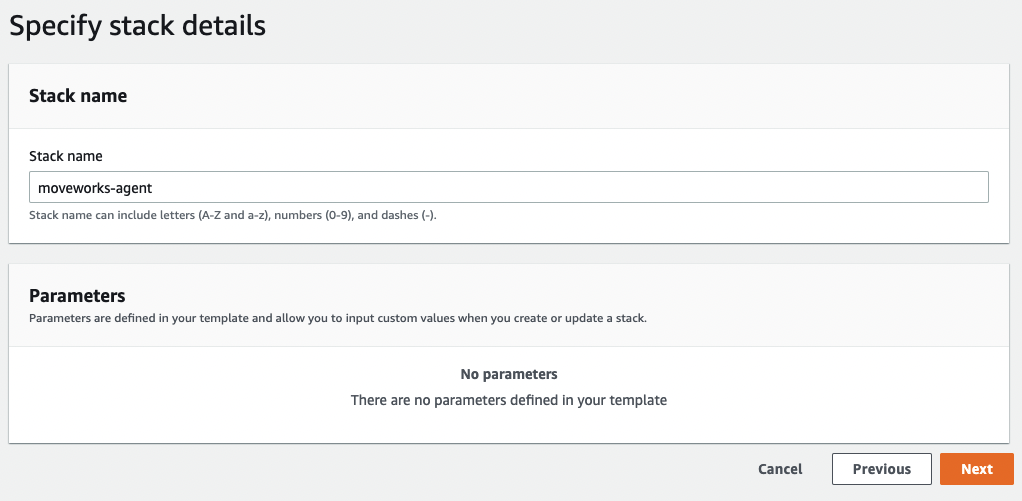
3. Name the stack.\
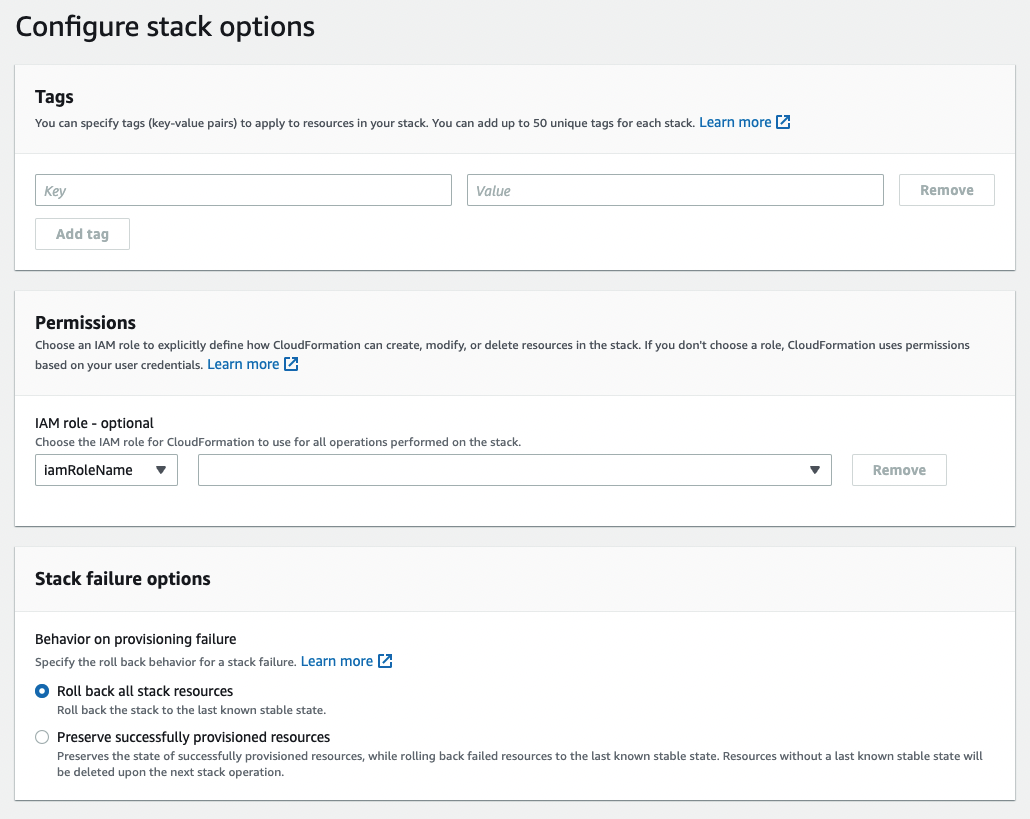
4. Configure stack options and create stack.\
5. The secrets manager policy should be created.\

### Assign Policy to existing role
1. Navigate to **IAM → Roles → role**.
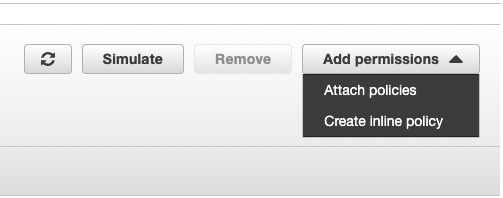
2. Attach policies.\
\
## Create new role
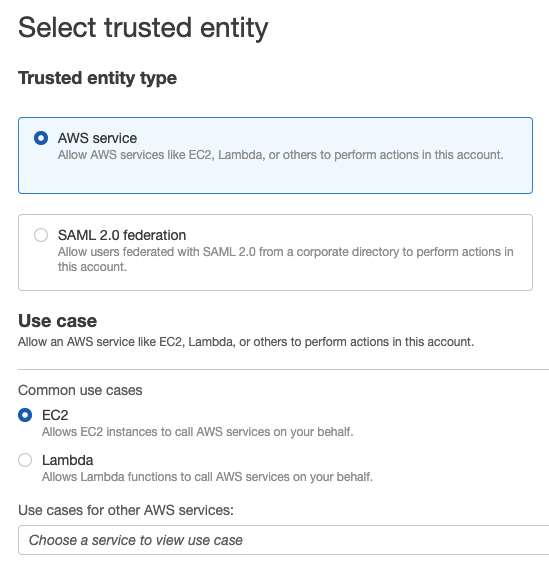
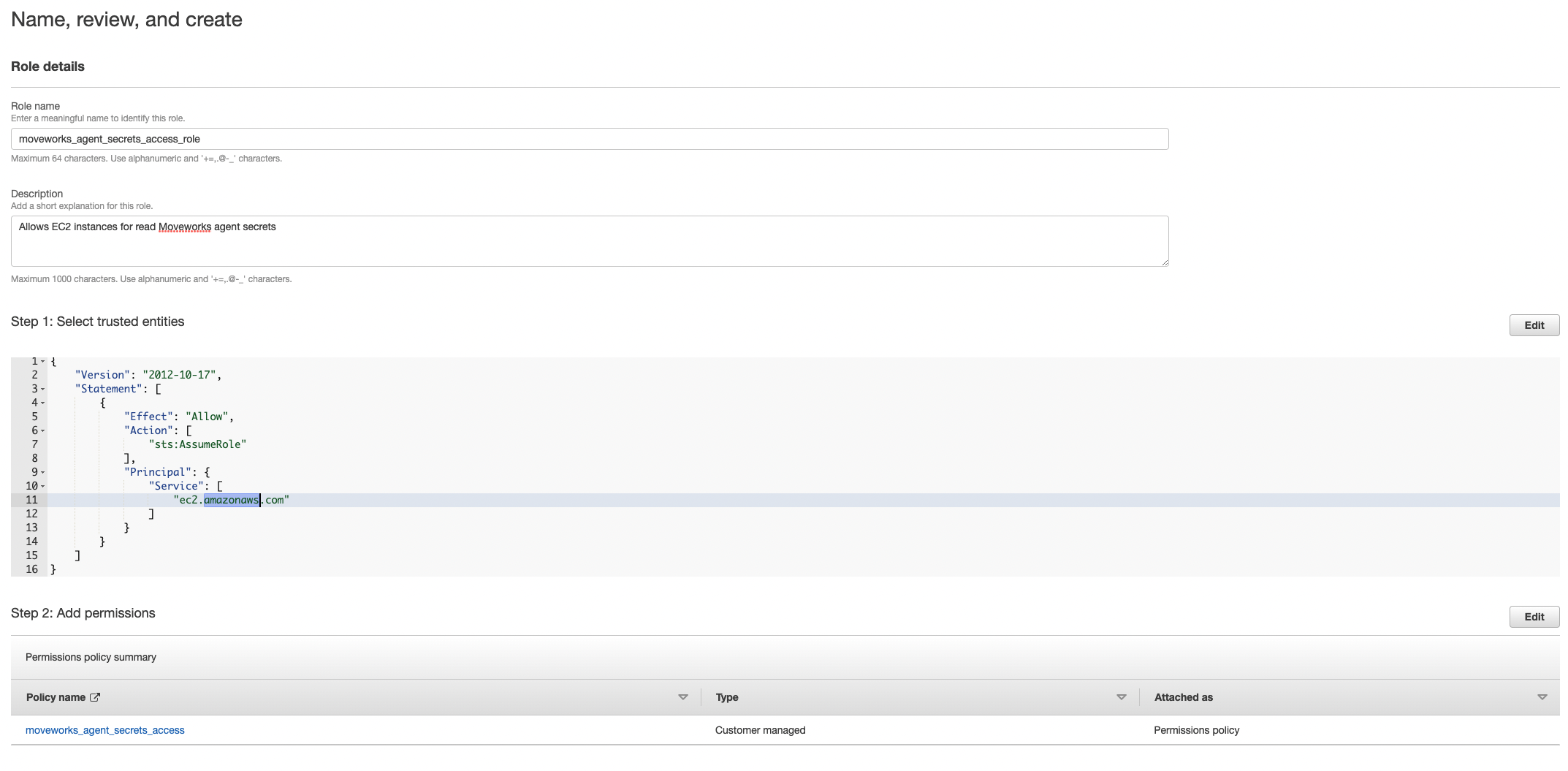
1. Navigate to **IAM → Roles → Create Role**.\
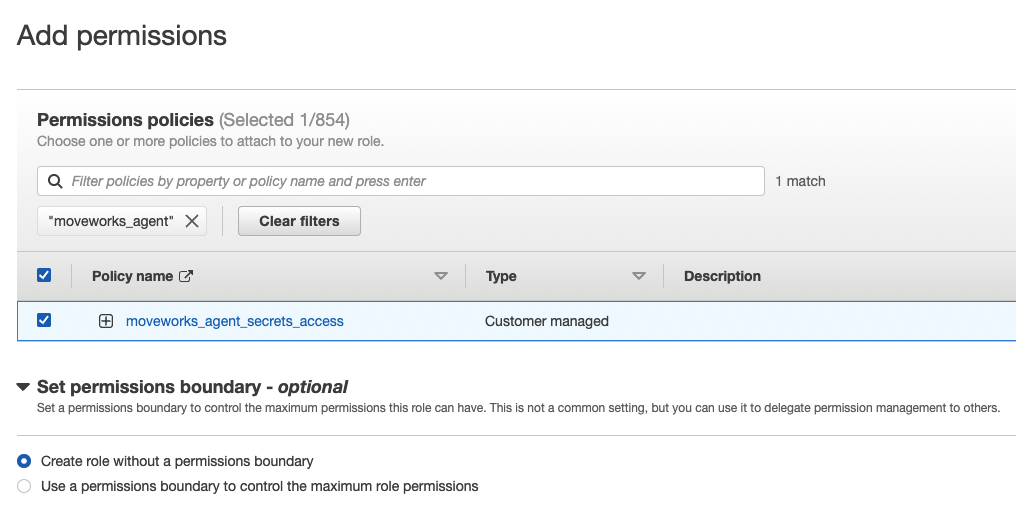
2. Add the policy you just created. If you used cloud formation it should be named `moveworks_agent_secrets_access`.\
3. Name, review, and create.\
## Create Inline policy for existing role
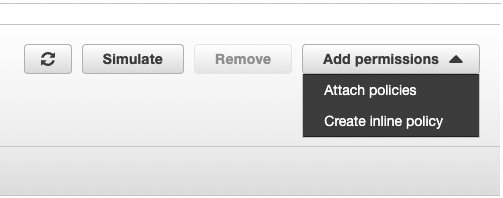
1. Click on **Create inline policy**.\
2. Create policy.\
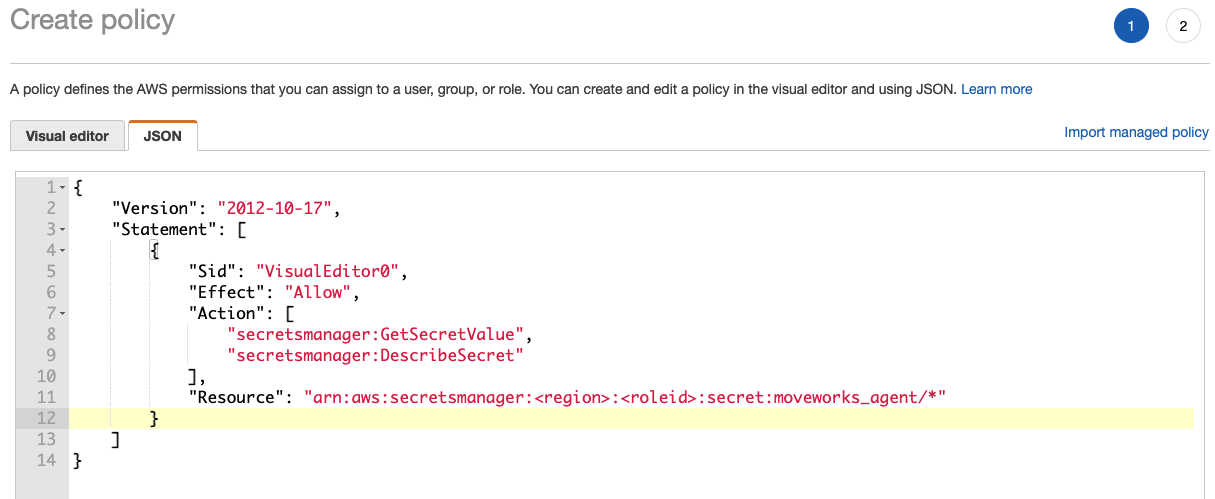
### Sample inline policy
```
{
"Version": "2012-10-17",
"Statement": [
{
"Sid": "VisualEditor0",
"Effect": "Allow",
"Action": [
"secretsmanager:GetSecretValue",
"secretsmanager:DescribeSecret"
],
"Resource": "arn:aws:secretsmanager:::secret:moveworks_agent/*"
}
]
}
```
## Add Secrets
1. Navigate to **AWS Secrets Manager → Secrets → Store a new secret**.
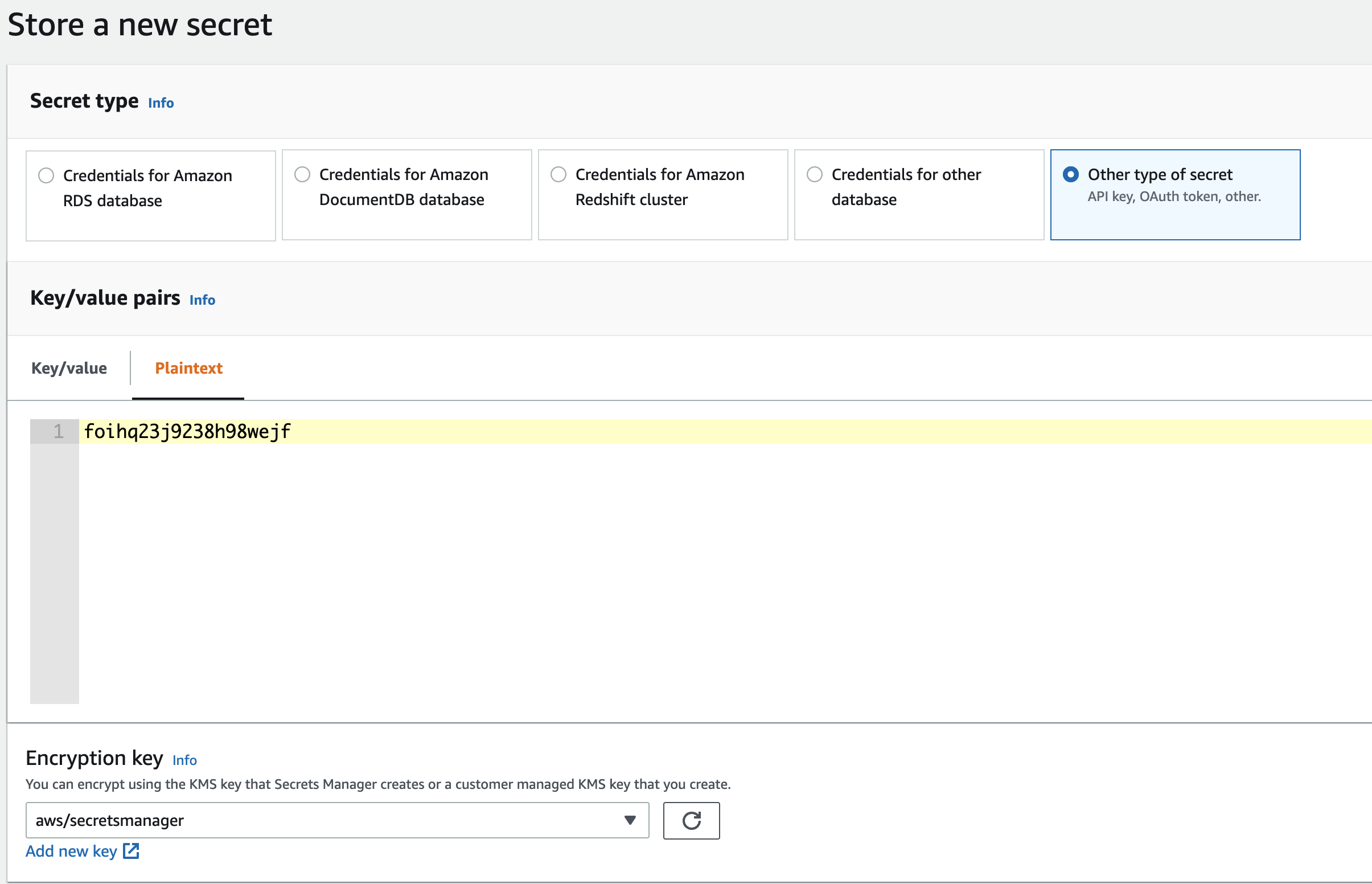
2. Name your secrets consistently with the access policy. If the access policy grants resources to `moveworks_agent/*` make sure the secrets are named `moveworks_agent/`. \[The policy created by the provided cloud formation template grants access to secrets under path `moveworks_agent/*`]
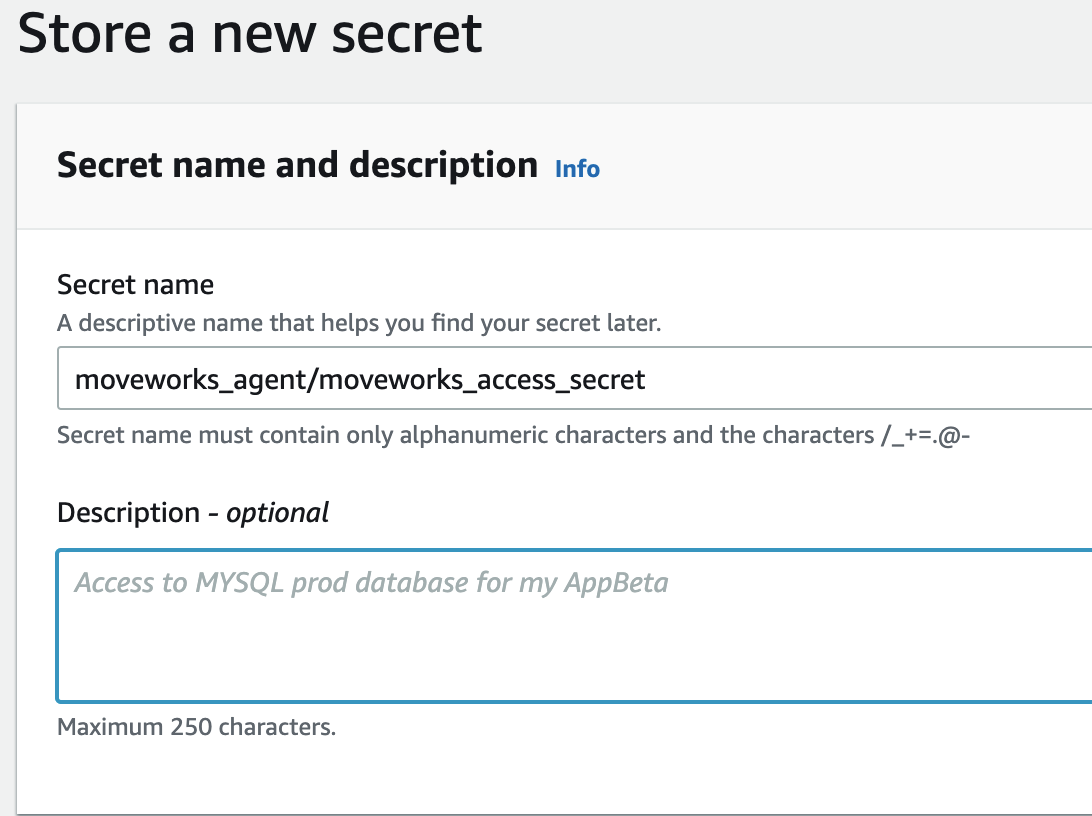
3. Configure your desired rotation schedules and create the secret.
4. Save the secret ARN for every secret you create.\
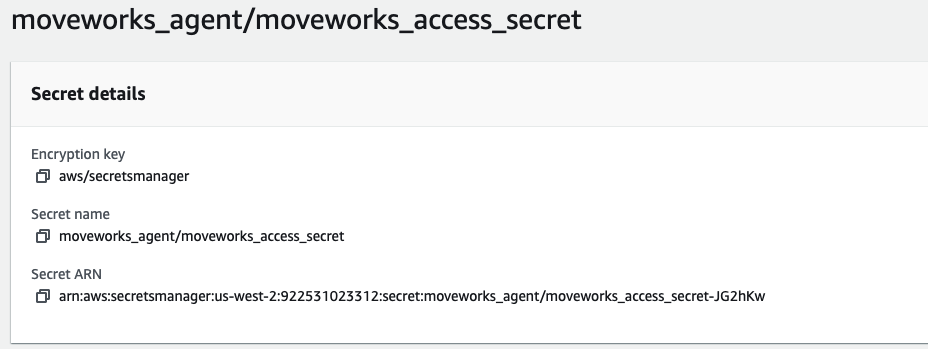\
Some common secrets used by the Moveworks Agent. you may need more secrets for multiple LDAP domains or multiple REST integrations.
1. moveworks\_access\_secret
2. ldap\_service\_password
3. jira\_password
## Check for access
Check for access to the secrets you created on the agent vm.
```
aws secretsmanager describe-secret --secret-id
```
```
aws secretsmanager get-secret-value --secret-id
```
## Next Steps
Once you have verified access, reference your secrets in `agent_config.yml` using the `aws_entry` secret object. See the [Configuration File Reference — Secret Object](/agent-studio/core-platform/moveworks-agent/moveworks-agent-configuration-guides/configuration-file-reference#secret-object) for the full syntax.
```yaml
moveworks_access_secret:
aws_entry:
secret_name: moveworks_agent/my-secret-name
region: us-west-2
refresh_time_sec: 3600
```